
The fastest path to more booked patients from search is this: complete your Google Business Profile today, fix your Core Web Vitals this week, and publish one dedicated landing page for your highest-revenue procedure paired with your city name. Do those three things in the next 30 days and you will outrank most dental practices in your area, because most of them have not done any of them well. The 90-day sequence below tells you exactly what to do, in what order, and when to hand it off to a professional.
This week: Claim and verify your Google Business Profile, audit your site speed with Google PageSpeed Insights, and identify your top three revenue procedures. Month 1: Fix Core Web Vitals issues, publish your first service landing page (e.g., "dental implants in [your city]"), and set up Google Search Console. Months 2–3: Build review velocity, add FAQ schema to service pages, launch two to three more procedure pages, and start a local citation cleanup.
Pro Tip: Start with GBP and one revenue-driving service page before anything else. Those two assets alone capture "near me" and emergency queries, which are the highest-converting searches a dental practice will ever see.
Table of Contents
- How Google surfaces dental searches and where your clicks actually come from
- What dentist website SEO looks like on the page
- Is your dental site technically ready to rank?
- How to build a Google Business Profile that wins the Local Pack
- How to map your content so it attracts and converts patients
- Review collection and reputation management for dental practices
- Which KPIs actually tell you SEO is working for your practice
- What dentist website design and SEO realistically costs and how long it takes
- Your 90-day implementation checklist
- Key Takeaways
- Why strategy beats a list of tactics every time
- Forge-web-studio builds dental websites that rank and convert from day one
- Tools and sources worth bookmarking
How Google surfaces dental searches and where your clicks actually come from
When someone types "dentist near me" or "emergency dentist Dallas," Google returns results across three distinct surfaces, and each one rewards different signals.

The Local Pack (the map with three listings) sits at the top of the page and captures roughly 68% of clicks on local dental queries. That number alone explains why Google Business Profile is the first priority for any dental practice. The Local Pack ranks based on GBP completeness, review signals, and proximity. GBP signals account for about 32% of Local Pack ranking weight, and reviews account for roughly 24%, which means your profile and your reputation together drive a majority of your Local Pack position.
Below the map sit organic results: traditional blue-link listings driven by on-page content, backlinks, and technical site health. These matter most for procedure-specific queries ("dental implants cost Houston") where patients are researching before they book.
The third surface is newer and growing fast: AI Overviews and chat-based answers. Google's AI pulls short, direct answers from pages that lead with a clear response to the patient's question and include FAQ schema. Structuring content with direct answers and FAQ schema increases the chance of being cited in AI Overviews, which is becoming a meaningful referral channel for healthcare queries.
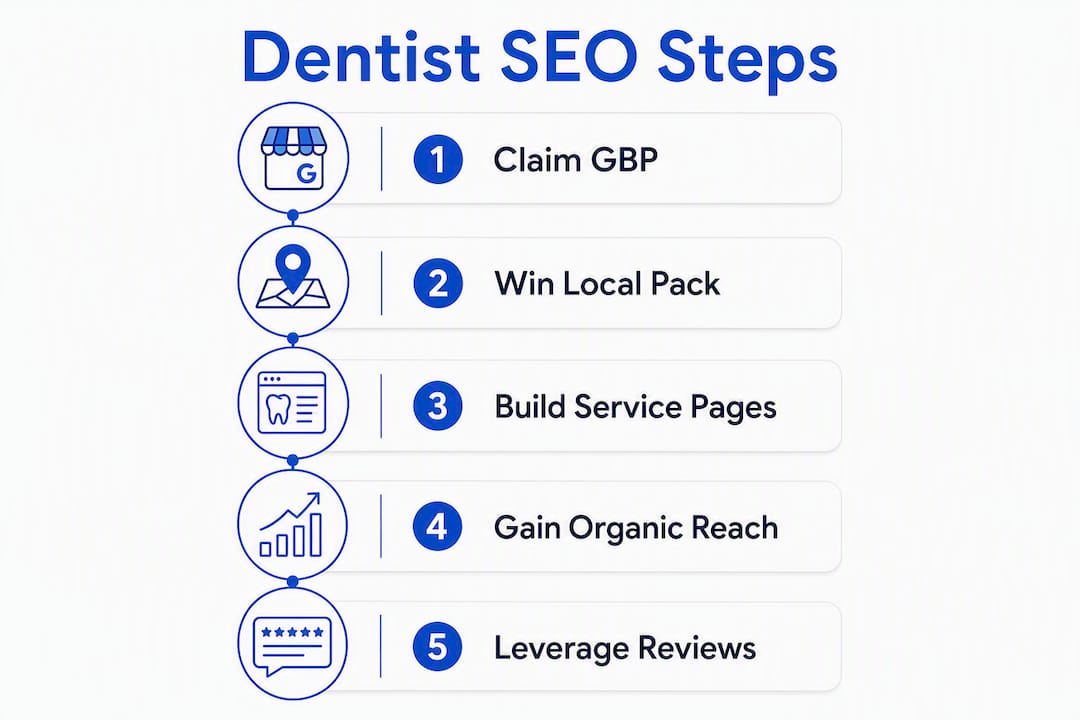
The practical takeaway: win the Local Pack first (GBP + reviews), then build organic reach through service pages, and structure every page so AI systems can extract a clean answer.
What dentist website SEO looks like on the page
The core rule for dental on-page SEO is one high-intent keyword per page. Your homepage targets "dentist in [city]." Each procedure gets its own URL.
Title tag and meta description templates
A title tag for a service page should follow this pattern:
Dental Implants in Austin, TX | [Practice Name]
Keep it under 60 characters. The meta description should include a patient-centered outcome and a call to action: "Restore your smile with dental implants in Austin. Same-week consultations available. Call [Practice Name] today."
Sample H1–H2 structure for a service page
- H1: Dental Implants in Austin, TX
- H2: What do dental implants cost in Austin?
- H2: Am I a candidate for dental implants?
- H2: What to expect at your first consultation
That structure answers the questions patients actually search, which feeds both organic rankings and AI Overviews.
CTA placement
Place a click-to-call button and a booking link in the top section of every service page, before the fold. Repeat the CTA after the FAQ section. Patients who arrive from a "near me" search are often ready to call; do not make them scroll to find your number.
Service page architecture for dental offices follows this same pattern: one clear keyword, one clear action, and internal links connecting related procedures.
Service page checklist (verify on every page):
- Title tag includes service + city, under 60 characters
- H1 matches or closely mirrors the title tag
- Meta description includes an outcome and a CTA
- FAQ section with schema markup
- At least one local mention (city, neighborhood, or landmark) in the body
- Click-to-call and booking link above the fold
- Internal links to at least two related service pages or blog posts
Pro Tip: Open the first two sentences of every service page with a patient-centered outcome and a timeframe ("Most patients leave with a same-day crown in about two hours"). That sentence structure is exactly what AI Overviews pull for featured answers.
Most dental sites suffer from service page orphaning: pages that exist but receive no internal links, so Google rarely indexes them deeply. Fix this by linking every service page from your homepage, your navigation, and at least two blog posts.
Is your dental site technically ready to rank?
Technical problems block rankings before content even gets a chance. The good news: most dental sites share the same four issues, and fixing them tends to produce ranking movement within 30–60 days.
Core Web Vitals thresholds
Google's Core Web Vitals targets are LCP under 2.5 seconds, CLS under 0.1, and FID under 100ms. Sites that miss these thresholds tend to rank lower and convert worse, particularly on mobile where most dental searches happen.

| Metric | Target | Common Cause of Failure |
|---|---|---|
| LCP (Largest Contentful Paint) | Under 2.5s | Unoptimized hero images, slow hosting |
| CLS (Cumulative Layout Shift) | Under 0.1 | Fonts or images loading without reserved space |
| FID (First Input Delay) | Under 100ms | Heavy JavaScript blocking interaction |
Diagnostic tools
- Google PageSpeed Insights: Run your homepage and top service page URLs here first.
- Lighthouse (in Chrome DevTools): Detailed per-page audit with specific fix recommendations.
- Google Search Console Core Web Vitals report: Shows which pages fail at scale across real users.
- Screaming Frog or Sitebulb: Crawl your full site to find broken links, duplicate titles, missing meta descriptions, and orphaned pages.
Priority fix order
First 7 days:
- Compress and convert images to WebP; add explicit width/height attributes to prevent layout shift.
- Identify render-blocking scripts and defer or remove them.
- Check mobile usability in Google Search Console for tap-target and viewport errors.
Days 8–30:
- Evaluate your hosting. Shared hosting on an overloaded server is often the single biggest LCP problem for dental sites.
- Audit URL structure: create clean hierarchical paths like
/services/dental-implantsand fix any orphaned service pages. - Add schema markup:
Dentist,LocalBusiness,Service,FAQPage, andAggregateRating. At minimum, include practice name, address, phone, hours, and geo coordinates.
Pro Tip: A slow dental website does not just hurt rankings — it loses patients who hit the back button before your page finishes loading. Speed is a conversion problem as much as an SEO problem.
How to build a Google Business Profile that wins the Local Pack
GBP is the highest-leverage asset in local dental SEO. A complete, active profile with steady reviews outperforms a technically perfect website with a neglected profile.
GBP setup checklist
- Claim and verify your listing at business.google.com.
- Match your NAP (name, address, phone) exactly to what appears on your website and every directory listing.
- Select your primary category: "Dentist" is the correct primary for a general practice. Specialists should use the most specific available category ("Orthodontist," "Oral Surgeon").
- Add secondary categories sparingly. Over-categorizing dilutes relevance; two to three accurate secondary categories are enough.
- Build out the services menu with your actual procedures and brief descriptions.
- Upload at least 10 current photos: exterior, reception, operatory, team, and before/after (with patient consent).
- Add your online booking link.
- Set accurate hours, including holiday hours when they change.
- Seed the Q&A section with three to five common patient questions and answer them yourself.
Citation priorities for U.S. dental practices
Focus on quality directories over volume: Google Business Profile, Apple Maps, Bing Places, Healthgrades, Zocdoc, the ADA's Find-a-Dentist directory, and your local chamber of commerce listing. Inconsistent NAP across these sources confuses Google's local algorithm. Audit them with a tool like BrightLocal or Whitespark and correct any discrepancies before building new citations.
GBP post and review-response templates
GBP post (weekly): "We're accepting new patients for [procedure] in [city]. Same-week appointments available. Call us at [phone] or book online."
Positive review response: "Thank you so much! We're glad your experience was a good one. We look forward to seeing you at your next visit."
Negative review response (HIPAA-aware): "Thank you for sharing your feedback. We take all patient experiences seriously and would welcome the chance to speak with you directly. Please call our office at [phone] so we can help."
GBP dos and don'ts:
- Do update photos monthly with fresh, high-quality images.
- Do respond to every review within 48 hours.
- Do not keyword-stuff your business name (e.g., "Smith Dentistry Best Dentist Dallas").
- Do not use a virtual office address or a P.O. box as your location.
- Practices with 10+ current photos and an active booking link consistently attract more clicks and higher Maps rankings.
How to map your content so it attracts and converts patients
Content strategy for a dental practice is not about publishing volume. It is about matching the right keyword to the right page type and making sure every page has a clear path to a booked appointment.
Keyword-to-page mapping
Start with your top five to seven revenue procedures and build a dedicated landing page for each, pairing the procedure name with your city and one modifier:
- "dental implants [city]" (primary commercial page)
- "dental implants cost [city]" (supporting blog post feeding the service page)
- "how long do dental implants last" (informational blog post)
The blog posts link back to the service page, building topical authority and internal link equity toward the page you most want to rank.
What belongs on a service page vs. a blog post
Service page: Procedure overview, patient outcomes, timeline, pricing range or financing options, before/after gallery, trust signals (credentials, reviews), FAQ section with schema, and a prominent CTA.
Blog post: Answers to a specific patient question, educational content, internal links to the relevant service page. Blog posts should not try to rank for the same commercial keyword as the service page.
FAQ schema strategy
AI systems struggle to extract answers from long, marketing-heavy openings. Place a short, direct-answer FAQ section near the top of each service page, mark it up with FAQPage schema, and answer each question in one to two sentences. This feeds both Google's featured snippets and AI Overviews.
Content governance rule: Prioritize pages by commercial intent and expected patient value. A "dental implants" page is worth more than a "history of dentistry" post. Build commercial pages first, then support them with informational content.
Review collection and reputation management for dental practices
Reviews drive an important share of Local Pack ranking weight and are often the deciding factor when a patient chooses between two practices with similar ratings. The goal is a steady, consistent flow of new reviews, not a one-time burst.
Review request timing and HIPAA compliance
Ask for a review at checkout or via a follow-up text or email sent within 24 hours of the appointment. Keep the request generic: "We'd love to hear about your experience. Would you mind leaving us a Google review?"
The safest approach: send a direct link to your Google review page with a simple, non-clinical message. Never offer discounts, gifts, or incentives in exchange for reviews; the FTC prohibits undisclosed incentivized reviews, and Google's policies ban them outright.
Displaying reviews on your website
Add AggregateRating schema to your homepage and service pages so your star rating appears in organic search results. Display three to five recent, specific reviews on your homepage and one to two on each service page. Specificity matters: a review that mentions the procedure and outcome ("I was terrified of the dentist and Dr. Smith made my crown completely painless") converts better than a generic five-star comment.
Pro Tip: Respond to every negative review publicly, then move the conversation offline immediately. A calm, professional response to a one-star review often reassures prospective patients more than the negative review itself damages you.
Which KPIs actually tell you SEO is working for your practice
Vanity metrics like keyword rankings feel good but do not pay the bills. Track these instead:
- GBP calls and direction requests (monthly, from your GBP Insights dashboard)
- Organic phone calls (requires call-tracking numbers on organic landing pages)
- Booked appointments from organic traffic (GA4 goal completions on your booking form)
- Conversion rate on service pages (GA4: sessions vs. form submissions or click-to-call events)
- Top landing pages driving organic sessions (Google Search Console Performance report)
Minimum tracking setup
- Verify your site in Google Search Console and submit your sitemap.
- Install GA4 and configure conversion events for form submissions and click-to-call.
- Connect your GBP to your Google account so call and direction data flows into your dashboard.
- Add a call-tracking number (CallRail or a similar service) to your organic landing pages so you can separate SEO-driven calls from paid or direct traffic.
- Set up a monthly report covering: GBP calls, organic sessions to service pages, top-ranking queries, and booked appointments attributed to organic.
Measurement caveats: GA4 sampling can undercount conversions on lower-traffic sites. Cross-device attribution is imperfect; a patient who searches on mobile and books on desktop may not be tracked as a single session. Validate your numbers monthly by comparing GA4 conversions to your actual new-patient intake forms.
What dentist website design and SEO realistically costs and how long it takes
| Phase | Timeline | Typical Scope | Expected Outcome |
|---|---|---|---|
| Audit and quick fixes | 0–30 days | GBP setup, metadata fixes, speed audit | GBP impressions up; crawl errors resolved |
| GBP and content fixes | 30–90 days | 1–3 service pages, citation cleanup, review process | Local Pack visibility; first organic rankings |
| Content scale and links | 3–9 months | Full content map, link building, FAQ schema | Consistent organic bookings; ranking for 10+ queries |
Typical price ranges for U.S. dental practices
- Single service landing page + GBP optimization: $800–$2,500 as a one-time project
- Full site redesign with local SEO setup: $4,000–$12,000 depending on page count and technical complexity
- Ongoing monthly SEO retainer: $750–$3,000 per month for content, link building, and reporting
These ranges reflect general market rates for U.S. dental SEO work. Actual pricing varies by market size, competition level, and scope. Most practices see meaningful Local Pack movement within 30–90 days of fixing the four common technical issues. Organic rankings for competitive procedure keywords typically take three to six months to stabilize.
Your 90-day implementation checklist
| Task | Timeline | Owner |
|---|---|---|
| Claim and verify GBP; match NAP to website | Week 1 | Practice owner or manager |
| Fix title tags and meta descriptions on top 5 pages | Week 1 | Contractor or web developer |
| Run PageSpeed Insights; identify top 3 speed issues | Week 1 | Contractor |
| Compress images; fix mobile usability errors | Week 2–3 | Developer |
| Publish first service landing page with FAQ schema | Month 1 | Developer + practice owner for content |
| Set up Google Search Console and GA4 | Month 1 | Contractor |
| Launch review request process (text/email template) | Month 1 | Front desk |
| Add 10+ photos to GBP; complete services menu | Month 1 | Practice manager |
| Audit and correct citations (Healthgrades, Zocdoc, ADA) | Month 1–2 | Contractor |
| Publish second and third service pages | Month 2 | Developer + practice owner |
| Add FAQ schema to all service pages | Month 2 | Developer |
| Begin blog content supporting top service pages | Month 3 | Content writer or contractor |
| Review monthly KPI report; adjust priorities | Monthly | Practice owner + contractor |
When to hire vs. do it yourself: Handle GBP setup, photo uploads, and review responses in-house. Hand off technical fixes (Core Web Vitals, schema, site architecture), service page builds, and ongoing content to a contractor or agency. If your current site has significant technical debt, a full rebuild is often faster and cheaper than patching an old platform.
Pro Tip: Track two numbers every week: GBP calls and organic phone calls. If both are rising after 30 days of fixes, your strategy is working. If GBP calls rise but organic calls do not, your service pages need more work.
Use the website review checklist to audit your current site before deciding whether to patch or rebuild.
Key Takeaways
Dental website SEO wins by combining a complete Google Business Profile, fast Core Web Vitals, and one dedicated service landing page per procedure, measured by booked patients rather than rankings.
| Point | Details |
|---|---|
| GBP is the highest-leverage asset | Local Pack captures roughly 68% of clicks on dental queries; GBP signals drive about 32% of that ranking. |
| Core Web Vitals thresholds matter | Target LCP under 2.5s, CLS under 0.1, and FID under 100ms to avoid ranking and conversion penalties. |
| One page per procedure | Map each revenue procedure to a dedicated landing page with service + city + modifier to capture high-intent searches. |
| Reviews drive Local Pack rank | Review signals account for roughly 24% of Local Pack weight; build a steady monthly review process, not a one-time push. |
| Forge-web-studio builds it fast | Forge-web-studio delivers dental websites with built-in local SEO architecture, speed optimization, and lead flow for Texas practices. |
Why strategy beats a list of tactics every time
The most common mistake dental practices make with SEO is treating it as a checklist of disconnected tasks: add a keyword here, get a few reviews there, maybe update the homepage. That approach produces inconsistent results because the pieces do not reinforce each other.
What actually works is a sequence: identify your highest-value procedures, build a dedicated page for each one, make sure that page loads fast and answers the patient's question directly, then drive reviews and citations to validate the practice's authority in that geography. Every element feeds the next. A fast page with strong content earns better rankings. Better rankings generate more reviews. More reviews improve Local Pack position. Local Pack position drives calls.
The practices I see rank consistently are not the ones with the most blog posts or the most backlinks. They are the ones that built a clean, fast site with clear service pages, kept their GBP active, and ran a simple review process every single week. The technical complexity of SEO is real, but the strategic logic is not complicated.
One thing that often gets overlooked: measurement. Practices that track booked appointments from organic traffic, not just rankings, make better decisions about where to invest next. A page that ranks fifth but converts at 8% is worth more than a page that ranks first and converts at 1%. That shift in perspective, from traffic to patients, is what separates a dental SEO strategy from a dental SEO experiment.
Forge-web-studio builds dental websites that rank and convert from day one
Most dental practices need two things at once: a site that loads fast enough to pass Core Web Vitals and a local SEO structure that puts them in front of patients searching for their specific procedures. Forge-web-studio delivers both in a single engagement, without the six-month agency onboarding timeline.

A typical starter engagement includes a mobile-first dental website build with dedicated service pages for your top procedures, GBP integration, speed optimization targeting Core Web Vitals thresholds, and a local SEO architecture built for Texas markets. Practices that launch with this setup are positioned to appear in the Local Pack within the first 30–90 days of going live.
Forge-web-studio's dental website design service is built specifically for practices that need a site that works as a patient acquisition tool, not just a digital brochure. If your current site is slow, hard to navigate on mobile, or missing dedicated service pages, a full website redesign is often the fastest path to measurable SEO results.
Ready to see what your practice's site could look like? View the service options or reach out directly to get a quote.
Tools and sources worth bookmarking
Diagnostic tools (use these first):
- Google PageSpeed Insights — test any URL for Core Web Vitals and get specific fix recommendations
- Google Lighthouse — detailed performance, accessibility, and SEO audit in Chrome DevTools
- Google Search Console — monitor indexing, Core Web Vitals at scale, and top-performing queries
Authoritative documentation and deep-dive reading:
- schema.org/Dentist — the official schema reference for dental practice markup
- Decisions in Dentistry: Dental Website SEO Audit — practical audit framework from a dental-industry publication
Suggested reading order: Start with PageSpeed Insights and Google Search Console to understand your current baseline. Then read the GBP documentation and the DentalBase guide for service page architecture. Finish with the Fokal guide on AI Overview optimization once your core pages are live.