
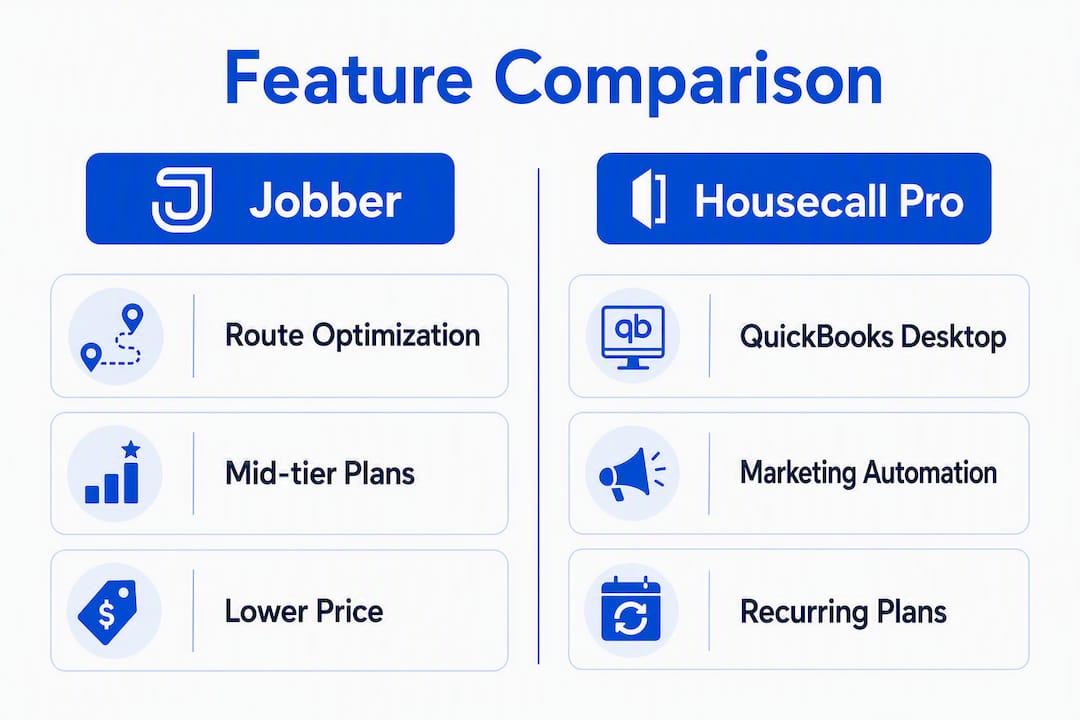
Pick Jobber if you run multi-stop routes and want native route optimization without paying for a third-party add-on. Pick Housecall Pro if your bookkeeper lives in QuickBooks Desktop, you want built-in review automation, or you rely on consumer-app discovery channels for new leads.
- Route optimization: Jobber includes auto-sequencing on mid-tier plans; Housecall Pro offers dispatching but no native route optimizer.
- QuickBooks sync: Housecall Pro supports two-way sync including QuickBooks Desktop on certain plans; Jobber's integration is tightest with QuickBooks Online.
- Starting price posture: Jobber tends to run cheaper per seat at small-to-medium team sizes, but add-ons and per-user fees can significantly increase the advertised price on either platform.
Start a 14-day trial on whichever platform matches your profile above, schedule two real jobs, and run one QuickBooks sync before day seven.
Table of Contents
- How do Jobber and Housecall Pro compare at a glance?
- What are Jobber and Housecall Pro, and which one fits your business?
- How do the features actually differ in daily workflows?
- What do Jobber and Housecall Pro actually cost after add-ons?
- How do you choose between them? Nine criteria and the right demo questions
- Which platform should you pick based on your business profile?
- Key Takeaways
- The part most contractors get wrong about software selection
- What about your website and online booking flow?
- Useful sources and vendor links
How do Jobber and Housecall Pro compare at a glance?
| Dimension | Jobber | Housecall Pro |
|---|---|---|
| Best for | Solo operators and small route-heavy teams | QuickBooks Desktop shops and marketing-focused businesses |
| Ideal team size | 1–15 technicians | 1–20+ technicians |
| Starting monthly price | Lower entry tier | Higher effective entry once required features are added |
| Per-user fees | Yes, on higher plans | Yes, varies by tier |
| Route optimization | Native auto-sequencing (mid-tier+) | Dispatching only, no native optimizer |
| QuickBooks Online sync | Two-way (mature, 2026) | Two-way (mature, 2026) |
| QuickBooks Desktop sync | Limited | Supported on certain plans |
| Marketing automation | Basic | Built-in review requests and email campaigns |
| Notable add-ons | GPS tracking, price book | Price book, consumer-app listing, advanced reporting |
Pricing snapshot: Advertised starting prices are entry points, not realistic monthly totals. A solo operator on Jobber's core plan pays the base rate, but a three-tech crew needing route optimization and QuickBooks sync will land on a mid-tier plan. Published plan comparisons show Jobber lower at many team sizes; Housecall Pro's Essentials tier often requires a higher tier or add-ons for equivalent functionality. An eight-tech crew on either platform should budget for per-user seat costs on top of the base plan. Check current pricing directly on Jobber's pricing page and Housecall Pro's pricing page before building a budget, since both vendors adjust plan structures regularly.
Stat to know: Both platforms earn strong ease-of-use scores from SMB reviewers, but aggregated review summaries flag weaker advanced reporting and mixed support experiences at scale — a consistent pattern worth testing during your trial.
What are Jobber and Housecall Pro, and which one fits your business?
Jobber
Jobber is a lightweight field-service management (FSM) platform built for owner-operators and small crews that need to quote, schedule, dispatch, invoice, and collect payment without a steep learning curve.
Strengths:
- Native route optimization auto-sequences multi-stop days, saving admin time on scheduling
- Competitive per-seat pricing at small-to-medium team sizes
- Clean quoting and client-communication tools that work well for one-off and project jobs
- Tight QuickBooks Online integration with two-way sync (mature as of 2026)
- High ease-of-setup score (8.8 on G2), which means most small teams are running live jobs within days
- Job tracking rated 9.4 on G2, giving owners real-time visibility without extra software
Limitations:
- QuickBooks Desktop sync is limited compared to Housecall Pro
- Marketing automation is basic; review requests and email campaigns require third-party tools
- Advanced reporting is shallow on lower plans
- GPS tracking is an add-on, not included in base pricing
Best for: A solo operator or a crew of two to five techs doing multi-stop service routes who want fast onboarding, automatic route sequencing, and a clean QuickBooks Online workflow.
Trial task: On day one, build a real estimate, convert it to a job, and let the route optimizer sequence your next day's stops. On day five, push one invoice to QuickBooks Online and confirm the sync is clean.

Plan jump warning: Route optimization and QuickBooks sync both require mid-tier plans. If those two features are non-negotiable, price the mid-tier from the start.
Housecall Pro
Housecall Pro is a widely used FSM platform that bundles integrated payments, marketing automation, and homeowner-facing discovery channels into a single subscription.
Strengths:
- Two-way QuickBooks sync including Desktop on certain plans, which matters for bookkeepers who haven't migrated to QBO
- Built-in review requests and email marketing campaigns on the Essentials plan, reducing the need for third-party marketing tools
- Consumer-app listing that puts your business in front of homeowners searching for services
- Integrated payment processing with a clean reconciliation flow
- Strong recurring-service and maintenance-plan features
- Broader marketing automation than Jobber at equivalent plan levels
Limitations:
- No native route optimizer; dispatching is manual or map-based
- Effective entry price is higher once required features are factored in
- Per-user fees apply and add up quickly for growing crews
- Some reviewers report support responsiveness varies by plan tier
Best for: A service shop where the bookkeeper uses QuickBooks Desktop, the owner wants post-job review requests to run automatically, and consumer-app leads are part of the growth strategy.
Trial task: Connect QuickBooks Desktop on day one and run a full job cycle through to reconciliation. On day three, trigger a review request after a completed job and confirm it fires correctly.

Plan jump warning: Two-way QuickBooks Desktop sync and advanced marketing automation may require a higher tier than the entry plan. Confirm which plan includes both before signing.
Pro Tip: Before your trial starts, write down the three workflows your team runs every single day. Test those exact workflows in the first 48 hours. Most buying mistakes happen when teams evaluate features they will rarely use and miss a friction point in the one they run 20 times a week.
How do the features actually differ in daily workflows?
Feature matrix
| Feature | Jobber | Housecall Pro |
|---|---|---|
| Scheduling & dispatch | Drag-and-drop calendar, color-coded | Drag-and-drop calendar, board view |
| Route optimization | Native auto-sequencing (mid-tier+) | None native; manual dispatch |
| Quoting depth | Line-item quotes, optional photos | Line-item quotes, optional photos |
| Invoicing & payments | Integrated processor, card on file | Integrated processor, card on file |
| QuickBooks Online sync | Two-way, mature (2026) | Two-way, mature (2026) |
| QuickBooks Desktop sync | Limited | Supported on certain plans |
| Marketing automation | Basic | Review requests, email campaigns (Essentials+) |
| Reporting & analytics | Standard SMB reports | Standard SMB reports, some advanced tiers |
| Mobile app | iOS and Android, full job management | iOS and Android, full job management |
| Offline mode | Partial | Partial |
| GPS tracking | Add-on | Add-on |
| Price book | Add-on | Add-on |
A typical job workflow and where the platforms diverge
The workflow runs: lead comes in → estimate sent → job scheduled → tech dispatched → tech completes job on mobile → invoice sent → payment collected → QuickBooks reconciled.
Both platforms handle this loop. The divergence shows up in three specific moments.
Dispatch and routing. When a tech has six stops across town, Jobber's route optimizer sequences them automatically. On Housecall Pro, a dispatcher or the owner arranges the order manually on a map view. For a solo operator doing four stops a day, the difference is minor. For a crew running eight to ten stops, the time savings from auto-sequencing add up across a week.
Post-job marketing. After the job closes, Housecall Pro can fire a review request automatically without any manual step. Jobber requires either a manual send or a third-party automation tool to replicate that behavior. If your growth strategy depends on a steady stream of Google reviews, that automation gap has a real cost.
QuickBooks reconciliation. Both platforms have mature QuickBooks Online two-way integrations in 2026, with differences in class tracking and custom invoice numbering. The meaningful split is QuickBooks Desktop: Housecall Pro supports it on certain plans; Jobber's Desktop sync is limited. If your bookkeeper has not migrated to QBO, that single fact may decide the comparison.
"Your accounting workflow should drive the integration decision: if your back office uses QuickBooks Desktop or needs two-way reconciliation, prioritize the vendor whose sync matches that workflow." — Jobber vs Housecall Pro analysis
Operational trade-offs in plain terms:
- If automatic route sequencing saves your dispatcher 30 minutes a day, Jobber pays for itself on that feature alone.
- If you need two-way QuickBooks Desktop sync, Housecall Pro is the cleaner path.
- If post-job review automation is central to your marketing, Housecall Pro's built-in tools reduce the need for a separate email platform.
- If you want the lowest per-seat cost at a team of three to five, Jobber typically wins on price.
- Both platforms have shallow advanced reporting; neither replaces a dedicated BI tool at scale.
What do Jobber and Housecall Pro actually cost after add-ons?
Advertised starting prices are the floor, not the ceiling. The real monthly invoice depends on team size, which plan tier includes the features you need, and which add-ons you can't operate without.
Common pricing traps
- Per-user seat fees accumulate fast. A three-tech crew on a per-seat plan pays three times the per-user rate on top of the base plan fee.
- Required add-ons like GPS tracking and price books are not included in base plans on either platform. Budget for them separately.
- Two-way QuickBooks Desktop sync on Housecall Pro may require a higher tier than the entry plan. Confirm the exact plan before signing.
- Payment processing margins sit on top of your monthly subscription. Both platforms charge a percentage per transaction; the spread between their rates matters more as your monthly payment volume grows.
- Annual vs. monthly billing typically offers a discount for annual commitment, but locks you in. If you're still evaluating fit, start monthly even if it costs more.
Example cost scenarios
| Scenario | Jobber (estimated) | Housecall Pro (estimated) |
|---|---|---|
| Solo operator, base features | Lower entry plan | Higher effective entry with required features |
| 3-tech crew, route optimization + QBO sync | Mid-tier plan + per-user fees | Essentials or higher + per-user fees |
| 8-tech crew, full feature set | Higher tier + per-user seats | Higher tier + per-user seats + add-ons |
Exact dollar figures change with plan updates, so pull current quotes directly from each vendor. The pattern that holds: Jobber tends to run cheaper per seat at small-to-medium team sizes; Housecall Pro's Essentials tier shifts the real entry price higher once required features are considered.
Contract practices: Both platforms offer monthly and annual billing. Neither requires a long-term contract at the SMB tier, but confirm data export terms before you sign. Ask each vendor specifically: "If I cancel, can I export all job history, client records, and invoice data in a standard format?" A vendor that hedges on that answer is a risk.
Migration timeline: Plan for two to four weeks of parallel operation if you're switching from existing software. Running both systems simultaneously lets you validate that job history, client data, and QuickBooks balances transferred correctly before you shut down the old platform.
How do you choose between them? Nine criteria and the right demo questions
1. Team size and route density
If your crew runs more than four stops per tech per day, route optimization is not a nice-to-have. Test Jobber's auto-sequencing with a real day's worth of addresses during the trial.
2. Pricing sensitivity
Build your non-negotiable feature list first, then price the plan tier that includes all of them. Vendors' starting prices frequently exclude modules essential for your operations. Never compare advertised entry prices; compare the plans that actually cover your workflow.
3. Accounting workflow
Ask your bookkeeper one question before you demo anything: "Are you on QuickBooks Online or Desktop?" If the answer is Desktop, Housecall Pro's sync is the safer path. If QBO, both platforms are competitive, and you can evaluate on other criteria.
4. Routing needs
Jobber's native route optimizer is a concrete operational advantage for multi-stop teams. Housecall Pro's manual dispatch works fine for shops with predictable, low-stop days.
5. Recurring revenue and maintenance plans
Housecall Pro's recurring-service and maintenance-plan features are mature. If a large share of your revenue comes from annual service agreements or recurring maintenance visits, test that workflow specifically during the trial.
6. Marketing and review generation
If you want post-job review requests to fire automatically without a separate tool, Housecall Pro's built-in automation is a real differentiator. Jobber requires a workaround or third-party integration for the same result.
7. Integration ecosystem
Both platforms integrate with QuickBooks Online, payment processors, and common CRMs. Confirm your specific stack during the demo. Ask: "Which version of QuickBooks do you sync with, and is it truly two-way, including class tracking and custom invoice numbering?"
8. Reporting maturity
Neither platform is strong on advanced analytics. Both earn solid SMB ratings but draw complaints about reporting depth. If you need revenue-by-technician, job-cost analysis, or pipeline forecasting, plan for a supplemental reporting tool regardless of which platform you pick.
9. Implementation capacity
A solo owner-operator with no admin staff needs a platform that runs with minimal setup. Jobber's ease-of-setup score (8.8 on G2) reflects that it gets small teams live quickly. Housecall Pro's broader feature set takes slightly longer to configure correctly.
Demo questions to ask both vendors
Ask Jobber: "Show me how route optimization sequences a day with eight stops across two zip codes. Which plan tier includes that feature, and what does the per-user fee look like at three technicians?"
Ask Housecall Pro: "Walk me through a QuickBooks Desktop sync from a completed job to a reconciled invoice. Which plan includes two-way Desktop sync, and does it support class tracking?"
Ask both: "If I need to export all my data and cancel, what format does the export come in, and how long does it take?"
Watch for vendors who pivot away from the Desktop sync question or who can't show you the route optimizer live. A live demo of the specific workflow you care about is worth more than any feature checklist.
Pro Tip: Calculate your true monthly total cost before signing. Take the plan base price, add per-user fees for your full crew, add the cost of every add-on on your non-negotiable list, and multiply payment processing fees by your average monthly payment volume. That number is your real monthly cost, not the advertised starting price.
Migration and trial checklist
Before switching from existing software, confirm you can export: all client contact records, full job history, invoice history, and QuickBooks transaction data. Run both systems in parallel for two to four weeks. Validate that QuickBooks balances match, that recurring jobs fire correctly, and that your team can complete a full job cycle on the new platform without calling support.
Red flags that will kill ROI: a platform that can't export your data cleanly, a QuickBooks sync that requires manual reconciliation steps, or a route optimization feature that only works on a plan tier that doubles your monthly cost.
Which platform should you pick based on your business profile?
- Solo operator or owner-operator with multi-stop routes: Jobber. The route optimizer and lower per-seat cost make it the practical choice. Start the trial, schedule a real day's worth of stops, and let the optimizer run.
- Multi-stop crew of three to eight techs: Jobber, unless your bookkeeper is on QuickBooks Desktop. Route optimization at that crew size saves meaningful admin time each week.
- QuickBooks Desktop shop: Housecall Pro. The two-way Desktop sync is the deciding factor. Confirm the exact plan tier that includes it before committing.
- Recurring-service or maintenance-heavy business: Housecall Pro. Its maintenance-plan and recurring-service features are more mature, and the built-in review automation supports the relationship-based revenue model.
- Marketing-focused shop that wants automated review generation: Housecall Pro. The built-in post-job review requests on the Essentials plan remove a step that Jobber requires a workaround to replicate.
- Growth-to-enterprise note: Both platforms may become ceiling-bound for businesses scaling past roughly $1M–$2M in revenue. At that point, advanced routing, multi-trade orchestration, and deeper reporting needs often push shops toward enterprise platforms. If you're already at that revenue level, evaluate ServiceTitan or similar enterprise FSM tools alongside this comparison.
Next step: Pick the platform that matches your profile above, schedule two real jobs during the trial, run one QuickBooks sync, and bring the demo question list from the previous section to your vendor call.
Key Takeaways
Jobber wins on route optimization and per-seat price; Housecall Pro wins on QuickBooks Desktop sync and built-in marketing automation — the right pick depends on which of those two axes matters more to your daily operations.
| Point | Details |
|---|---|
| Route optimization splits the decision | Jobber includes native auto-sequencing on mid-tier plans; Housecall Pro has no native route optimizer. |
| QuickBooks Desktop is Housecall Pro's edge | Housecall Pro supports two-way Desktop sync on certain plans; Jobber's Desktop integration is limited. |
| Advertised prices understate real costs | Add per-user fees, required add-ons, and processing fees to get your actual monthly total before signing. |
| Marketing automation favors Housecall Pro | Built-in review requests and email campaigns are included on Essentials; Jobber requires third-party tools for the same result. |
| Forge-web-studio pairs with either platform | A mobile-first contractor website from Forge-web-studio captures leads before they reach your FSM software, strengthening the full booking flow. |
The part most contractors get wrong about software selection
Most contractors pick software the wrong way. They sit through a demo, get impressed by a feature they'll use twice a year, and sign up without ever testing the workflow they run 15 times a week.
The route optimization vs. QuickBooks Desktop split in this comparison is a good example of how the real decision is almost never about the full feature list. It's about one or two workflows that run every single day. Everything else is noise until those two are confirmed.
There's a second mistake that's less obvious: over-implementing. Choosing an overly complex platform without the office discipline to use it causes tool bloat that reduces booking rates and increases admin time. A solo operator who buys an eight-tech platform because it has "room to grow" usually ends up with a system that's harder to use than a spreadsheet. Scale the tool to where your team is now, not where you hope to be in three years.
The third mistake is treating the advertised price as the real price. It never is. The real price is the plan tier that includes your non-negotiable features, plus per-user fees for your full crew, plus add-ons, plus processing fees on your payment volume. Run that math before the trial ends, not after you've already migrated your client data.
One practical move that most guides skip: run both systems in parallel for two to four weeks after migration. It feels redundant, but it's the only way to catch a QuickBooks sync error or a missing job record before it becomes a billing dispute with a client.
What about your website and online booking flow?
Jobber and Housecall Pro handle what happens after a lead contacts you. What happens before that — the moment a homeowner searches for your service and decides whether to call you or a competitor — is a different problem entirely.

Forge-web-studio builds mobile-first, lead-generating websites for Texas service contractors, typically live in three to seven days. The gap most FSM buyers don't notice until after they've signed: their new scheduling software is ready to receive jobs, but their website still sends visitors to a phone number buried at the bottom of a page that loads slowly on mobile. Forge-web-studio closes that gap with clear contact paths, trust signals, and booking-ready layouts designed specifically for contractors and local service businesses.
If you're adopting new FSM software and want the front end of your lead flow to match, see the web design services or start a website project to get a quote for your business.
Useful sources and vendor links
- Jobber pricing page — current plan tiers and feature breakdowns
- Housecall Pro pricing page — current plan tiers and add-on details
- Jobber vs Housecall Pro, April 2026 (Field Service Guide) — pricing snapshot and user review patterns
- Top Housecall Pro Alternatives 2026 (G2) — competitive landscape for FSM buyers
- Jobber reviews (G2) — aggregated user ratings and ease-of-setup scores
- Housecall Pro reviews (G2) — aggregated user ratings
- How contractors get more leads online (Forge-web-studio) — practical lead-generation tactics to pair with FSM software