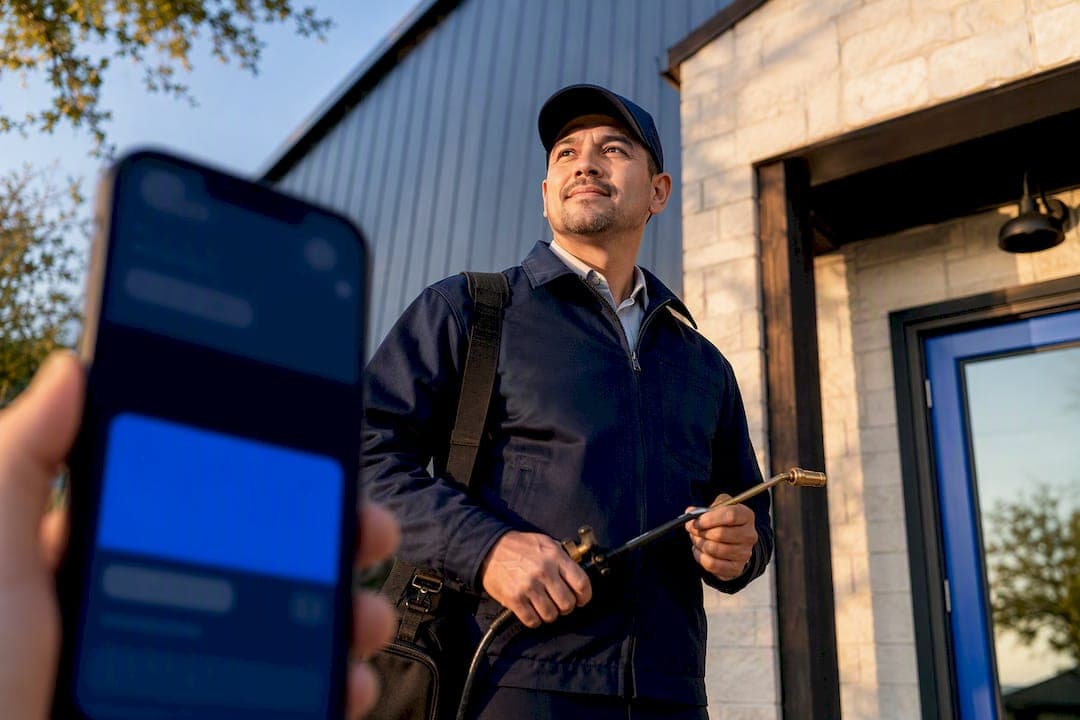
Mobile-first design with a sticky click-to-call button, a visible primary CTA above the fold, and trust signals like license and insurance badges produce the fastest jump in leads. Add service-specific pages and sub-3-second load times, and a pest control site stops being a digital brochure and starts booking jobs. The rest of this guide breaks down exactly how to build and sequence those pest control website features.
TL;DR:
- A sticky click-to-call bar and a hero section with a clear CTA above the fold are essential for immediate lead capture on mobile devices.
- Dedicated service and city pages, optimized for local SEO with consistent NAP data, are crucial for ranking and conversions.
- Speed improvements, including under three-second load times and responsive images, significantly increase mobile user engagement.
- Short, simplified lead forms, live booking, and chat tools help prevent prospects from going cold and streamline customer interactions.
- Trust signals like visible licenses, insurance badges, and genuine reviews should be immediately accessible to reduce homeowner anxiety.
Table of Contents
- Pest Control Website Features That Directly Lift Conversions
- Mobile and Speed Fixes That Actually Move the Needle
- Building Service Pages and City Pages That Rank and Convert
- Lead Flows That Keep Prospects From Going Cold
- Photos, Reviews, and Badges That Reduce Homeowner Anxiety
- Content That Captures Search Intent Year-Round
- Your Prioritization Checklist and Quick-Win Rollout
- Why Trust and Speed Beat Feature Bloat
- How Forge-web-studio Builds These Features In From Day One
- Sources
Pest Control Website Features That Directly Lift Conversions
Not every feature on a pest control site carries equal weight. Some change whether a homeowner calls at all; others just make the site look nicer. Here's the priority order, based on what consistently separates high-converting sites from ones that just sit there.
- Hero section with a single, unmissable CTA. The first screen a visitor sees should answer three questions in under five seconds: what you do, where you serve, and how to reach you. A phone number in a contrasting color, paired with a "Get a Free Inspection" button, outperforms a hero built around a scrolling photo carousel every time.
- Sticky click-to-call bar. Since most pest emergencies get searched from a phone in a panic (a spider in the tub doesn't wait for a desktop), a call button that stays fixed at the bottom of the screen while the visitor scrolls removes the single biggest source of drop-off. Hook Agency's analysis of pest control site design points to this exact pattern, the prominent phone number paired with an obvious CTA, as one of the clearest predictors of a converting layout.
- Dedicated service and service-area pages. A single "Services" page trying to cover termites, rodents, mosquitoes, and bed bugs at once tells Google (and the homeowner) that none of them are a specialty. Split each pest and each city into its own page.
- Short lead-capture forms, live booking, and chat. Every extra form field costs you leads. A four-field form (name, phone, address, pest issue) converts better than a nine-field one asking for square footage and preferred contractor history.
- Trust signals that don't require a click. License numbers, insurance and bonding badges, and review widgets need to be visible without scrolling. Design guidance from Cube Creative Design specifically recommends putting these in the header or hero, not buried on an "About Us" page nobody visits.
- Pricing cues and real photography. You don't need a public price list, but a line like "Most termite treatments start around $400" cuts through the anxiety of an unknown cost. Pair that with photos of your actual trucks and technicians instead of stock images of a cartoon cockroach.
Here's how those pieces typically stack up by impact versus effort to implement:
Prioritize the "low effort, high impact" row before touching anything structural. That's usually a week of work, not a full rebuild.
Mobile and Speed Fixes That Actually Move the Needle
Most pest control traffic arrives from a phone, often from someone standing in their kitchen staring at ants on the counter. If your site loads slowly or makes them pinch and zoom, they'll bounce straight to the next Google result.
Start with these fixes, in order:
- Add a sticky click-to-call bar with a tap target at least 44 by 44 pixels, big enough for a thumb, not a stylus.
- Serve responsive images with proper srcset attributes and lazy-load anything below the fold so the hero image doesn't compete with six other photos for bandwidth.
- Cut every lead form down to four fields or fewer, stacked in a single column. Multi-column forms are notoriously hard to tap correctly on small screens.
- Target Core Web Vitals thresholds and aim for a load time under three seconds. GorillaDesk's guide to pest control site design treats mobile-first speed as one of the highest-leverage changes a pest control business can make to its site.
- Handle accessibility basics: sufficient color contrast, readable font sizes without zooming, and alt text on images. These aren't just compliance checkboxes; they directly reduce bounce rates for older homeowners, a core demographic for pest control services.
Pro Tip: Test your own site on a phone with one bar of signal, standing outside. If the click-to-call button isn't the first thing your thumb finds, your customers' thumbs won't find it either.
Building Service Pages and City Pages That Rank and Convert
A generic "Pest Control Services" page competing against dozens of specific competitor pages for "termite treatment [city]" is a losing bet. Split the site into distinct pages built around a repeatable anatomy: problem, solution, process, pricing cue, CTA.
Each per-pest or per-service page should walk through:
- The specific problem (what the pest looks like, signs of infestation, why it matters for that home)
- Your solution and the treatment method used
- What the process looks like from first call to follow-up visit
- A pricing range or starting cost to reduce anxiety before the phone even rings
- A clear CTA repeated at the top and bottom of the page
For local SEO, layer in service and local business schema markup so search engines can surface your service area, hours, and reviews directly in search results. Keep your name, address, and phone number (NAP) identical across every page and every directory listing. Inconsistent NAP data is one of the quietest killers of local rankings.
City pages need their own unique text, not a templated paragraph with the city name swapped out. Reference actual neighborhoods, local pest pressures (coastal humidity driving termite activity, for instance), and embed a map showing your service radius. Finally, build an internal linking structure connecting city pages to relevant service pages, and use canonical tags carefully if you're generating pages at scale, so you don't accidentally tell Google that ten near-identical pages are duplicate content.
Lead Flows That Keep Prospects From Going Cold
A lead that sits in your inbox for six hours is a lead that already called your competitor. The flow between "visitor lands on page" and "job on the calendar" needs to be short and deliberate.
- Build dedicated landing pages for paid traffic. A visitor who clicked a Google Ads link for "emergency wasp removal" shouldn't land on your homepage with a full navigation menu tempting them to wander. Strip the nav, keep one CTA, and match the page copy to the ad they clicked.
- Shorten intake forms and use progressive profiling. Ask for the minimum up front (name, phone, pest type) and collect additional details, like square footage or preferred appointment window, after the initial contact.
- Integrate a live booking calendar. Letting someone pick a time slot directly, rather than waiting for a callback, closes the loop while intent is highest. LuperIQ's platform guidance on pest control websites frames booking and portal integrations as central to reducing manual admin and speeding up the customer handoff.
- Capture after-hours leads with chat and SMS. Pest emergencies don't respect business hours. A chat widget that collects contact info overnight, followed by an automated SMS confirming a callback window, keeps leads warm until your team is back online.
- Follow up with review requests and nurture sequences. Once the job's done, an automated text asking for a Google review, sent while the memory of clean countertops is fresh, does more for your site's credibility than any amount of ad spend.
Pro Tip: Set your after-hours chat to promise a specific callback window ("we'll call by 8 AM") instead of a vague "we'll be in touch." Specificity reduces the odds they call a competitor in the meantime.
Photos, Reviews, and Badges That Reduce Homeowner Anxiety
Letting a stranger into your house to spray chemicals near your kids and pets is an inherently anxious decision. Every visual element on your site either reduces that anxiety or adds to it.
- Swap stock photography of cartoon bugs for real photos of your crew, your branded trucks, and honest before-and-after shots of a treated yard or cleared crawlspace.
- Embed a live review widget rather than a static testimonials page. A feed that updates automatically signals the reviews are current, not cherry-picked from three years ago.
- Display your state license number, insurance and bonding badges, and any NPMA, QualityPro, or BBB affiliation directly in the footer or near your trust bar.
- Offer a specific guarantee ("free re-treatment within 30 days if pests return") and explicitly address safety for kids and pets. Vague guarantees read as marketing fluff; specific ones read as confidence.
With roughly tens of thousands of pest control establishments operating across the country, a homeowner comparing three or four local options in a browser tab often decides based on which site simply looks more trustworthy in the first ten seconds, not which company is objectively better.
Content That Captures Search Intent Year-Round
A pest control site that only has a homepage and a contact form is leaving most of its organic traffic on the table. Search demand for pest problems is seasonal and specific. Structure content to match that pattern instead of ignoring it.
- Build a seasonal content calendar: spring ant and termite swarms, summer mosquito and wasp activity, fall rodent intrusion as temperatures drop.
- Add an FAQ block to every service page with short, direct answers formatted to win featured snippets ("How long does termite treatment take?" answered in two sentences, not two paragraphs).
- Use FAQ and article schema markup so those answers have a shot at appearing directly in search results.
- Repurpose longer blog posts into short videos or social clips, since consumers increasingly prefer visual media when researching services before they buy.
- Maintain a clean sitemap and internal linking plan connecting blog content back to relevant service and city pages, so long-tail traffic funnels toward a conversion point instead of dead-ending on an orphaned article.
Your Prioritization Checklist and Quick-Win Rollout
Trying to fix everything at once usually means fixing nothing well. Sequence the work instead.
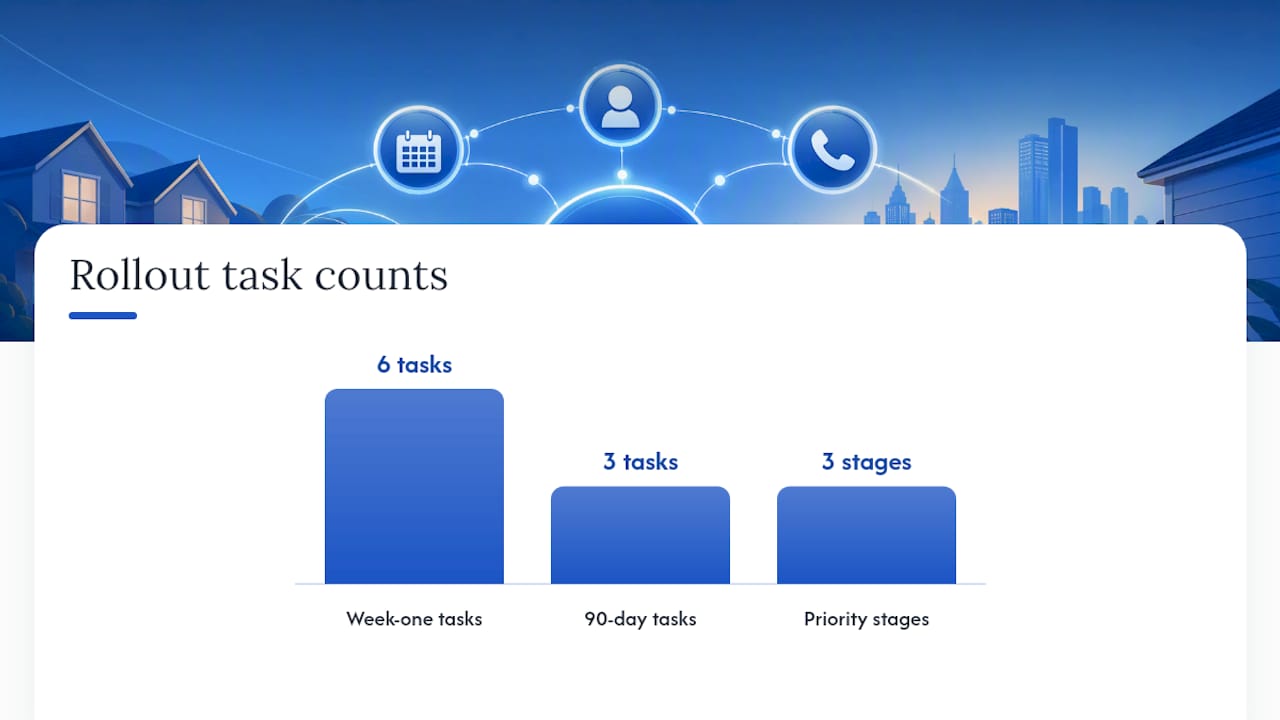
Immediate wins (week one):
- Add a sticky click-to-call bar and confirm tap targets meet mobile standards.
- Rebuild the hero section around one clear CTA above the fold.
- Embed a live review widget pulling from your actual Google profile.
- Run a speed audit and fix the worst offenders (usually unoptimized images).
- Cut every lead form down to four fields.
Next 90 days: Build out dedicated service and city pages, integrate a live booking calendar, and layer in schema markup across the site.
This is close to the exact sequence Forge-web-studio uses on rapid pest control builds: mobile clarity first, lead flow second, local search structure third. Rapid launches (often live within a week) mean a business isn't stuck waiting months for the fixes that matter most.
Why Trust and Speed Beat Feature Bloat
The pest control sites that convert well aren't the ones with the most features. They're the ones that get three things right immediately: can the visitor call you in one tap, do they trust you within five seconds, and does the page load before they lose patience. Everything else, the animated bug icons, the elaborate service menus, the multi-page quote wizards, is decoration competing for attention against the one action that actually matters. I'd rather see a pest control owner ship a plain, fast, trust-forward homepage this week than spend three months building a beautiful site that nobody's phone can load in under six seconds.
— Dylan
How Forge-web-studio Builds These Features In From Day One
Forge-web-studio is the alternative to a slow, months-long agency build for pest control owners who need the site live before the next ant swarm season starts. Most of the features covered here, sticky click-to-call, trust badges, service-area pages, aren't add-ons in a Forge-web-studio build; they're baked into the initial launch, which typically ships in three days to a week instead of the usual multi-month agency timeline.

What that looks like in practice:
- Mobile-first responsive website development built around click-to-call and above-the-fold trust signals from the first draft
- Local SEO setup covering schema, NAP consistency, and city page architecture
- Industry-specific demo work, including builds for pest control companies, so you're not starting from a blank template
If you want to see how your current site stacks up against the priority list above, run it through the website review checklist and see which quick wins are still on the table.
Sources
- What Makes a Pest Control Website Convert — Hook Agency
- Pest Control Website Design: Real Examples From Real — Cube Creative Design
- Pest control website design best practices: Create a site that converts — GorillaDesk
- Pest Control Website Builder | LuperIQ
- Number of pest control businesses in the U.S. — Statista