
If your website collects even one piece of personal data, whether through a contact form, an email signup, or analytics tracking, you almost certainly need a privacy policy. The bare minimum a compliant policy must disclose: the categories of personal data you collect, where it comes from, why you collect it, whether you share or sell it to third parties, how visitors can exercise their privacy rights, your contact information, and a "last updated" date.
That's the short version. Here's what you need on the page today:
- Categories of data collected — names, emails, IP addresses, payment info, location data, and so on
- Purposes — why you're collecting it (marketing, order fulfillment, analytics)
- Third-party sharing or sale — any vendor, ad network, or partner who receives that data
- Consumer rights — the right to access, delete, or opt out where laws like CCPA/CPRA apply
- Contact information — a real email or address for privacy requests
- Last updated date — proof the policy reflects current practices
Skip any of these and you're exposed, whether that's a state attorney general inquiry, a rejected app store submission, or just a visitor who bounces because your site feels sketchy. The rest of this guide walks through exactly which laws apply to your situation, gives you a fillable template, and flags the mistakes that get small business owners in trouble. You'll see references to the FTC, CCPA/CPRA, COPPA, and guidance groups like IAPP throughout, since these are the bodies and frameworks that actually define what "compliant" means.
Key Takeaways
A compliant website privacy policy discloses data categories, sources, purposes, third-party sharing, consumer rights, contact information, and a current last-updated date, and it must be placed conspicuously at every data collection point.
| Point | Details |
|---|---|
| Most sites need a policy | Any site with forms, cookies, analytics, or email signups triggers a practical requirement, even without a specific law. |
| California adds specific rules | CCPA/CPRA requires a 12-month data category disclosure, a Do Not Sell/Share link, and named consumer rights. |
| Children's data needs extra care | COPPA requires parental notice and consent before collecting data from users under 13. |
| Update on a fixed schedule | Review annually and immediately after any change to data practices, third-party tools, or applicable law. |
| Placement affects trust, not just compliance | Forge-web-studio integrates policy links, Notice at Collection text, and cookie banners directly into new site builds. |
Table of Contents
- What Laws Actually Require a Privacy Policy?
- What Are the Core Elements Every Privacy Policy Needs?
- What Do CCPA and CPRA Specifically Require?
- How Should You Handle Cookies and Tracking Disclosures?
- How Do You Present Your Privacy Policy Without Losing Visitors?
- When Should You Update Your Privacy Policy?
- Can You Use a Simple Template to Draft Your Own Policy?
- What Mistakes Do Small Businesses Make With Privacy Policies?
- Why a Clear Privacy Policy Is a Business Asset, Not Just a Legal Chore
- Get Your Privacy Policy Live and Working, Not Just Written
- Where to Verify These Requirements Yourself
- Frequently Asked Questions
- Sources
What Laws Actually Require a Privacy Policy?
There's no single federal law in the United States that mandates every website carry a privacy policy. What actually forces the issue is a patchwork of state laws, sector-specific rules, and platform requirements that trigger based on what data you collect, who your visitors are, and what tools you plug into your site.
State privacy laws are the biggest driver. California's CCPA/CPRA applies to businesses that meet certain revenue or data-volume thresholds and serve California residents, requiring a comprehensive policy and a conspicuous privacy link on the homepage. Virginia's Consumer Data Protection Act and Colorado's Privacy Act follow a similar structure but with different thresholds and consumer rights language, so a policy written strictly for California visitors can leave gaps for residents of other states. If your site collects data from kids under 13, COPPA kicks in regardless of where your business is based, and the FTC enforces it aggressively. Health-related data brings HIPAA into play if you're handling protected health information, which is a different animal entirely and usually needs its own legal review through HHS guidance.
Then there's GDPR. It doesn't care where your business is incorporated. It cares where your visitor is sitting. If EU residents can access and use your site, GDPR's Article 13 disclosure requirements apply to that traffic, independent of any U.S. law.
Beyond legal statutes, plenty of the pressure to publish a policy comes from the platforms you use to run your business, not from a courtroom.
- Email marketing platforms like Mailchimp require a published, linkable privacy policy before you can send campaigns through their system
- App stores (Apple, Google Play) reject listings without a working privacy policy link
- Ad networks and analytics tools often bake policy requirements into their terms of service
- Payment processors typically require disclosure of how transaction data is handled
- Contact forms, newsletter signups, and embedded third-party scripts all count as "collection points" that most state laws expect you to disclose
Practical guidance from privacy compliance resources makes clear that even sites which assume they're too small to be regulated still get boxed in by the platforms and vendors they rely on. A privacy policy requirements guide noting that services like Mailchimp require a published policy link is a good example of how vendor terms end up doing the enforcement that law sometimes doesn't.
What Are the Core Elements Every Privacy Policy Needs?
Every credible privacy policy, regardless of which state or country's law is driving it, tends to cover the same territory. Think of this as your drafting or audit checklist, whether you're writing one from scratch or reviewing an existing page that's gone stale.
Business identity and contact information. State who operates the site and how to reach you for privacy questions. A generic "contact us" page doesn't cut it if there's no dedicated privacy contact method.
Categories of personal data collected. Be specific: names, emails, phone numbers, IP addresses, device identifiers, payment details, location data. Vague catch-alls like "information you provide" invite scrutiny.
Sources of that data. Did you collect it directly through a form, or did it come from a third-party data broker, a social login, or an analytics cookie?
Purposes and, where applicable, legal bases. Why are you collecting this? Marketing, order processing, fraud prevention, and under GDPR, you'll also need to identify which legal basis (consent, contract, legitimate interest) justifies each purpose, according to GDPR Article 13 guidance.
Third-party recipients and transfers. Name the categories of companies you share data with, from payment processors to ad networks to CRM providers. This is one area businesses routinely underdisclose, and it's a common enforcement flashpoint.
Retention periods or criteria. How long do you keep the data? "As long as necessary" is weak. Give a range or a specific trigger for deletion.
Consumer rights and how to exercise them. Access, deletion, correction, opt-out. Spell out the process, not just the right.
Cookies and tracking notice. Cover this in enough detail that a reader understands what's happening behind the scenes.
Children's data statement. Even a simple line stating you don't knowingly collect data from children under 13 matters if COPPA could apply.
Security summary. A high-level statement about safeguards. Skip the technical specifics.
Last updated date and change notification process. Both need to appear, and both need to stay current.
Here's a compact way to audit what you already have:
| Element | Does your policy include this? | Where to place it |
|---|---|---|
| Business identity and contact | Check opening section | Top of policy |
| Categories of data collected | Check "Information We Collect" | Early, before purposes |
| Third-party sharing disclosure | Check for named categories, not vague terms | Mid-policy, own heading |
| Consumer rights and opt-out process | Check for a request method | Near rights section |
| Last updated date | Check top or bottom of page | Both locations recommended |
What Do CCPA and CPRA Specifically Require?
If your business meets California's applicability thresholds, or you simply serve California residents at any meaningful volume, the CCPA/CPRA regulations add a layer of specificity that generic privacy policies often miss.
Two things get confused constantly: the privacy policy itself and the "Notice at Collection." The policy is the comprehensive document covering your full data practices. The Notice at Collection is a shorter, just-in-time disclosure shown at the exact moment you collect data, like a small note near a signup form telling visitors what categories of data you're gathering and linking out to the full policy. You need both, and they need to say consistent things.
Inside the policy itself, California law expects:
- Categories of personal information collected in the prior 12 months, listed specifically rather than generically
- Categories of third parties the data has been disclosed to, also over the trailing 12 months
- A working "Do Not Sell or Share My Personal Information" mechanism if you sell or share data for cross-context advertising
- A description of consumer rights (access, deletion, correction, opt-out, limit use of sensitive data) and the verification steps used to process requests
- Contact methods for submitting privacy requests
- A visible "last updated" date
- Additional metrics disclosures if your business crosses certain data-volume thresholds, since larger processors face heavier reporting obligations
Pro Tip: Put your privacy link in the footer using the literal word "privacy" and make sure the font size and contrast are readable, not buried in six-point gray text. Regulators have flagged low-contrast, tiny-font privacy links as failing the "conspicuous" standard, and it costs you nothing to just make the link legible.
How Should You Handle Cookies and Tracking Disclosures?
Cookies split into two rough buckets: essential (the ones your site can't function without, like login sessions or shopping carts) and nonessential (analytics, advertising, retargeting pixels). U.S. law generally doesn't require prior consent before dropping nonessential cookies the way GDPR and the ePrivacy Directive do for EU visitors, but that gap is closing fast as more states adopt opt-out models similar to California's.
For a small business, the practical expectation looks like this:
- Disclose every category of cookie or tracker you use, not just a blanket "we use cookies" statement
- State the purpose of each category (analytics, advertising, functionality)
- Note retention duration where you know it (session-based versus persistent cookies that last months)
- Provide an opt-out mechanism or link to a preference center for nonessential tracking
- Keep the cookie table synchronized with whatever consent management tool you're running, since a stale table that lists three trackers when your site actually runs eight is a compliance gap waiting to be found
If you're running a cookie banner, link it directly to the fuller cookie disclosure inside your privacy policy rather than making it a standalone island. The banner should be the quick summary; the policy should be the detailed backup. A site built for SaaS startups handling automated profiling or personalization tools needs this consistency even more, since those tools tend to generate more tracking categories than a basic brochure site.
How Do You Present Your Privacy Policy Without Losing Visitors?
A privacy policy that nobody reads because it's a wall of ten-point legal text isn't doing its job, even if every clause is technically compliant. Getting the presentation right matters almost as much as getting the content right.
Placement comes first. The link belongs in your site footer on every single page, plus wherever you're actually collecting data: contact forms, checkout pages, newsletter signups, and account creation screens. Industry best practice treats the footer link as the baseline, non-negotiable location precisely because visitors expect to find it there without hunting.
Trust signals matter beyond the legal text itself. A short plain-language summary at the top of the page ("We collect your email to send you updates, never sell your data, and you can opt out anytime") does more for visitor confidence than the five paragraphs of legalese underneath it. Pair that with a visible last-updated date, a real contact method, and, if your business has one, a link to a privacy request portal.
On the design side, use readable section headings, short summaries before dense clauses, and collapsible sections for the parts most readers will skip unless they need them. This isn't just about legal defensibility. It's about building the kind of trust that reduces bounce rates at exactly the moment a visitor is deciding whether to hand over their email address.
Pro Tip: Add a one-paragraph plain-English summary directly above your formal policy text. It costs almost nothing to write and it noticeably reduces the hesitation visitors feel when they're staring down a legal document right before submitting a form.
When Should You Update Your Privacy Policy?
Certain events demand an immediate update, not a wait-until-next-quarter fix. New data practices, a new third-party integration (a CRM switch, a new ad pixel, a new payment processor), expanded data sales or sharing arrangements, or new legal obligations from a state law taking effect all mean your policy is now out of sync with reality the moment the change happens.
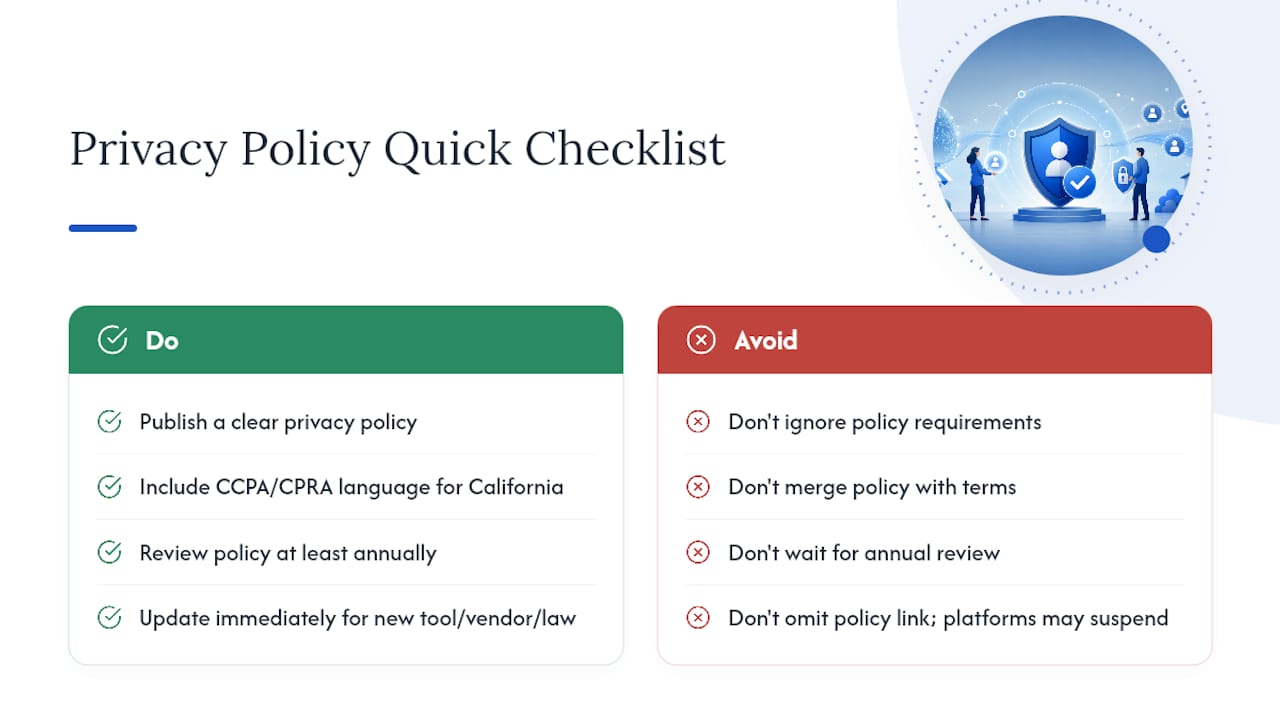
Outside of those triggers, an annual review plus event-driven updates is the standard rhythm experts recommend. Set a calendar reminder, review the policy against your actual current practices, and update the "last updated" date every time you touch the substance of the document, not just when you tweak formatting.
- Email account holders directly for material changes that affect their existing data
- Post a site-wide banner for changes that affect all visitors, not just registered users
- Include a section in the policy itself explaining how you announce changes, so returning visitors know where to check
Pro Tip: Keep a simple internal changelog, even a private spreadsheet, logging what changed and when. If a regulator or a customer ever asks why your policy shifted, you want a clean paper trail instead of a scramble through old file versions.
Can You Use a Simple Template to Draft Your Own Policy?
Yes, and starting from a modular skeleton beats staring at a blank page. Structure your draft around these sections, matching the checklist from earlier:
Who we are. "[Business name] operates [website URL] and can be reached at [contact email] for privacy questions."
Categories of data we collect. "We collect [names, email addresses, IP addresses, payment information] when you [fill out a form, make a purchase, subscribe to our newsletter]."
How and why we collect it. "We use this information to [fulfill orders, respond to inquiries, send marketing communications you've opted into]."
Third-party sharing. "We share data with [payment processor name category, email marketing platform category, analytics provider category] to operate our services. We do not sell your personal information."
Cookies and tracking. "Our site uses cookies for [functionality, analytics, advertising]. You can manage preferences at [link to cookie settings]."
Your rights. "You may request access to, correction of, or deletion of your personal information by contacting us at [email]. California residents have additional rights under the CCPA/CPRA, including the right to opt out of sale or sharing."
Data retention. "We retain your information for [specific period or until you request deletion, whichever applies]."
Security. "We use industry-standard measures to protect your data, though no method of transmission is completely secure."
Contact and updates. "Questions about this policy can be directed to [contact]. This policy was last updated on [date]."
If your site collects health data, targets children, or draws EU traffic, insert the relevant COPPA, HIPAA, or GDPR-specific language into the matching section rather than bolting on a separate document. And treat this template as a starting skeleton, not binding legal text. Have an attorney review the final draft if your business handles sensitive categories of data or operates in a regulated industry.
What Mistakes Do Small Businesses Make With Privacy Policies?
The most common failure isn't malice. It's laziness or, more charitably, a rushed launch where the policy got copied from a competitor's site and never customized. That single move creates two problems at once: it may describe data practices you don't actually follow, and it can miss jurisdiction-specific requirements your business actually has while including ones that don't apply to you at all.
| Mistake | Why it's a problem | Fix |
|---|---|---|
| Copying another company's policy | Describes practices that don't match your actual data handling | Draft from your own data inventory, not a competitor's page |
| Vague language on purposes or retention | Fails disclosure standards and confuses users | Name specific purposes and retention periods or clear criteria |
| Omitting third-party disclosures | Misses a core requirement under most state laws | List every vendor category that receives personal data |
| No Do Not Sell/Share link when required | Direct CCPA/CPRA violation risk | Add a working opt-out mechanism and test it |
| Stale "last updated" date | Signals a neglected, possibly inaccurate policy | Review and update on a fixed annual schedule |
| Inaccessible cookie controls | Undermines consent claims and frustrates visitors | Link a working preference center directly from the banner |
If you spot one of these on your own site, the fix rarely requires a full rewrite. Pull your current data inventory (what you collect, who touches it, where it goes), compare it line by line against the policy text, and patch the gaps. Running through the website review checklist alongside this audit catches related issues, like broken form links or missing consent checkboxes, that tend to travel together with weak privacy disclosures.
Why a Clear Privacy Policy Is a Business Asset, Not Just a Legal Chore
Most guides treat privacy policies as a legal box to check and stop there. That framing misses the commercial upside entirely. A policy written in plain language, placed where visitors actually see it, does measurable work on the conversion side of your business, not just the compliance side.
Think about the moment right before someone submits a contact form or enters a credit card number. That's a trust checkpoint, whether the business owner thinks of it that way or not. A vague, buried, or obviously templated privacy policy reads as a red flag to a wary visitor, even a legally compliant one. The businesses that get this right treat the policy summary the same way they'd treat a testimonial or a trust badge: a visible signal, not a hidden liability shield.
I'd also push back on the instinct to make privacy pages exhaustive at the expense of readable. Longer isn't safer if nobody reads past the first paragraph. The businesses that handle this best pair a short plain-language summary at the top with the full legal detail underneath, collapsed or scrollable, so casual visitors get reassurance immediately and the small percentage who want the granular language can still find it. That structure does double duty: it satisfies the disclosure requirements regulators care about, and it removes friction at exactly the point where a visitor decides whether to become a lead.
The gap between what most small business privacy pages look like and what actually works isn't a legal gap. It's a design gap.
Get Your Privacy Policy Live and Working, Not Just Written
Writing the policy is half the job. Getting it correctly placed, linked at every collection point, and wired into a working cookie preference tool is where a lot of DIY copy-paste jobs fall apart, usually because the footer link gets forgotten on three page templates or the cookie banner never actually talks to the policy text.

Forge-web-studio builds this directly into new site launches and redesigns for Texas businesses, so the privacy policy, the Notice at Collection language, and the cookie consent banner all ship together instead of getting bolted on after the fact. That matters more than it sounds: a policy that's technically correct but linked from only one page, or a banner that doesn't sync with your actual tracker list, creates exactly the kind of gap enforcement actions target. If you're launching a new site or auditing an existing one, our responsive website development service covers policy placement and cookie integration as part of the build, not as an afterthought bolted on post-launch. Reach out and we'll walk through what your current site is missing.
Where to Verify These Requirements Yourself
Treat this guide as your starting point, not your final legal authority. These sources let you check the actual regulatory text or get deeper practical guidance:
- The CCPA/CPRA regulation text itself, for the exact statutory language on required disclosures and consumer rights
- The FTC's COPPA rule page, for parental consent and children's data obligations
- HHS HIPAA guidance, if your site touches protected health information
- BBB's small business privacy policy guidance, for plain-language trust-building advice
- TermsFeed's breakdown of required policy components, for a practical clause-by-clause reference
- Organizations like IAPP publish deeper professional guidance if your business needs to track evolving state-by-state privacy law changes
This is general information, not legal advice. Confirm your specific obligations with a qualified attorney, particularly if your business operates across multiple states or handles sensitive categories of data.
Frequently Asked Questions
Does every website legally need a privacy policy? Not every single site is bound by a specific statute, but in practice, most public websites need one. If you use analytics, run a contact form, collect emails, or use a marketing platform like Mailchimp, you've triggered either a legal obligation or a platform requirement that expects a published policy.
What happens if my business ignores these privacy policy requirements? Enforcement varies. State agencies like California's privacy regulator can investigate complaints and issue penalties, the FTC can act on COPPA violations, and platforms like app stores or email providers can simply reject or suspend your account for missing a policy link.
Do I need a separate policy for California visitors? You don't need two separate documents, but your single policy needs to include CCPA/CPRA-specific language, like the Do Not Sell/Share mechanism and 12-month data category disclosures, if California residents visit your site in meaningful numbers.
How is a privacy policy different from terms of service? A privacy policy explains what data you collect and how you handle it. Terms of service cover the rules for using your site or product, like liability limits and acceptable use. Most sites need both, and they should link to each other, but they serve distinct legal functions and shouldn't be merged into one document.
How often should I actually update my privacy policy? Review it at least annually, and update it immediately any time you add a new data collection tool, change a third-party vendor, or a new law affecting your business takes effect. Waiting for an annual cycle to catch a mid-year integration change leaves you out of compliance in the interim.
This article is general information, not a substitute for advice from a qualified lawyer. Consult a qualified legal professional about your own circumstances before acting on anything here.
Sources
- CCPA/CPRA regulations (statute/regulation text)
- FTC: Children's Online Privacy Protection Rule (COPPA)
- BBB: Writing an effective privacy policy for your small business website
- TermsFeed: What does a privacy policy need to include?