
If you need a site live within days and have no interest in managing hosting or plugins, Wix is the faster, lower-friction choice. If you want full ownership, deep SEO control, and a platform that scales without hitting a ceiling, WordPress.org is the stronger long-term investment. That's the short version. The longer version depends on who you are and what you're building.
Quick persona pairings:
- Solo founder or local service business (plumber, salon, restaurant): Wix or Wix Studio gets you live fast with built-in booking, contact forms, and local business features. No plugin management required.
- Content-heavy site or scaling e-commerce store: WordPress.org with WooCommerce gives you the plugin ecosystem, SEO depth, and custom checkout logic that Wix's built-in store can't match at scale.
- Agency or developer building for clients: WordPress.org (or Wix Studio for design-forward agency work) offers the code access, theme control, and extensibility that professional builds demand.
Snapshot before you dive in:
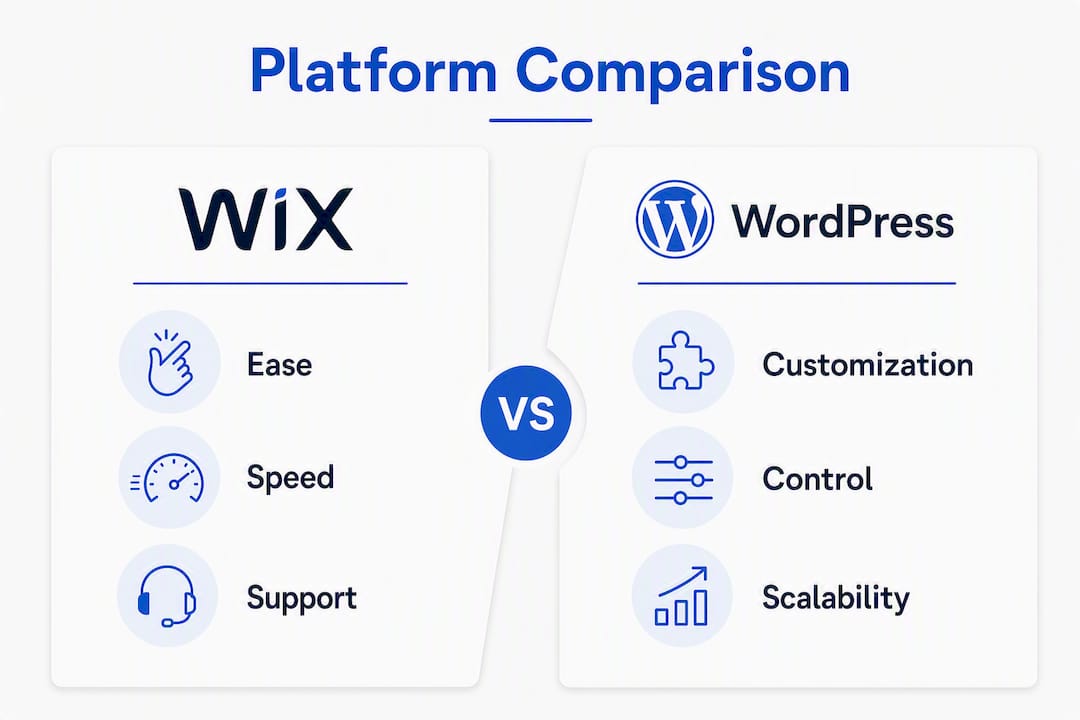
- Best for: Wix wins on speed and simplicity; WordPress wins on control and scale
- Cost shape: Wix is predictable monthly; WordPress has variable upfront costs but lower ceiling at scale
- Ownership/hosting: Wix hosts everything for you; WordPress.org requires you to choose and manage your own host
Pro Tip: If you're a Texas service business that needs leads, not a portfolio, the platform matters less than the architecture. A well-built Wix site with clear contact paths beats a bloated WordPress site with no local SEO structure every time.
Table of Contents
- WordPress vs Wix: How do they compare across every decision dimension?
- What does each platform actually cost over three years?
- How long does it actually take to get a site live?
- How much design freedom do you actually get?
- Which platform handles online selling better?
- Which platform gives you better SEO and faster pages?
- Who handles security and updates — you or the platform?
- Where do you get help when something goes wrong?
- How do you actually decide which platform to pick?
- When should you hire a pro instead of building it yourself?
- Key Takeaways
- The platform choice matters less than the build quality
- Forge-web-studio builds conversion-ready Texas websites in days, not months
- Useful sources and official docs
WordPress vs Wix: How do they compare across every decision dimension?
Aggregated review data consistently frames this as a convenience-versus-control decision. Wix manages the infrastructure so you don't have to; WordPress.org hands you the keys to everything, including the responsibility.
| Dimension | Wix / Wix Studio | WordPress.org (Self-Hosted) |
|---|---|---|
| Best for | Local businesses, portfolios, small shops, booking-driven services | Blogs, content publishers, scaling e-commerce, agencies |
| Ease of use | Drag-and-drop visual editor, no technical setup | Block editor (Gutenberg) or page builders; requires host setup |
| Total cost shape | Predictable monthly plan; app fees add up | Variable: hosting + theme + plugins; lower ceiling at scale |
| Hosting & ownership | Wix hosts and owns the infrastructure | You choose your host; you own everything |
| Design & templates | 900+ templates; Wix Studio adds responsive CSS controls | 11,000+ themes; unlimited custom code access |
| Customization | Limited to Wix's editor and Wix App Market | 60,000+ plugins; full PHP/CSS/JS access |
| Ecommerce scale | Good for small catalogs; limited checkout customization | WooCommerce scales to large catalogs and complex logic |
| SEO capabilities | Solid built-in SEO tools; less technical control | Full schema, redirect, server, and meta control |
| Performance | Consistent but capped by Wix's infrastructure | Higher ceiling when properly optimized on good hosting |
| Security & maintenance | Fully managed by Wix | Owner-managed; updates, backups, and security are your job |
| Support | 24/7 chat and phone support | Community forums, docs, and third-party developers |
Pros and cons at a glance:
Wix strengths:
- No hosting decisions, no update management
- Built-in booking, forms, and local business tools
- Wix Studio closes the design flexibility gap for agencies
- Predictable monthly billing
Wix weaknesses:
- Can't migrate your site design to another platform
- Plan gates limit features until you upgrade
- Less technical SEO control than a self-hosted CMS
WordPress.org strengths:
- Full ownership of files, database, and design
- Deepest plugin ecosystem available (60,000+ plugins)
- Superior long-term SEO ceiling for content-heavy sites
- Scales to any size with the right hosting
WordPress.org weaknesses:
- Steeper learning curve; host setup required before you build anything
- Security and updates are your responsibility
- Costs are less predictable, especially with premium plugins and themes
WordPress.org powers a large share of websites on the internet, which is the clearest signal of how far its ecosystem reaches. That scale means more developers, more plugins, and more community knowledge than any other CMS.
What does each platform actually cost over three years?
Sticker price is misleading on both sides. Wix looks cheaper until you hit plan gates. WordPress looks free until you add hosting, a premium theme, and the plugins you actually need.

Scenario 1: Simple brochure site (5 pages, contact form, no store)
Wix:
- Core plan: approximately $17/month (billed annually) — includes custom domain and removes ads
- Total over 3 years: roughly $612 in plan fees
- Hidden costs: premium apps for advanced forms or analytics can add $10–$20/month
WordPress.org:
- Shared hosting (e.g., SiteGround or WP Engine starter): $15–$30/month
- Premium theme (one-time): $50–$100
- Essential plugins (SEO, forms, caching): $0–$150/year for premium versions
- Total over 3 years: roughly $600–$1,200 depending on hosting tier
Verdict for this scenario: Costs are comparable. Wix wins on simplicity; WordPress wins if you want to own the asset outright.
Scenario 2: Small e-commerce store (under 100 products)
Wix:
- Business plan (required for payments): approximately $36/month
- Transaction fees: none on Wix Payments; third-party gateways add 0.5%–2%
- App Market add-ons for shipping, reviews, or advanced inventory: $10–$40/month
- Total over 3 years: $1,300–$2,300
WordPress.org + WooCommerce:
- Managed WooCommerce hosting: $25–$50/month
- WooCommerce core: free; premium extensions (subscriptions, bookings, advanced shipping): $100–$400/year
- Premium theme or page builder: $50–$200 one-time
- Total over 3 years: $1,100–$2,500
Wix's plan gates are the key cost variable here. Once you need advanced inventory management, multi-currency, or a specific payment gateway, you're either upgrading your plan or paying for an app. WooCommerce's extensions are a one-time or annual license, not a recurring platform fee.
Scenario 3: Scaling content or publishing site
Wix:
- Business or higher plan: $36–$159/month depending on storage and features
- App fees for email marketing, membership, or advanced analytics: $20–$60/month
- Total over 3 years: $2,000–$7,900
WordPress.org:
- Managed or VPS hosting: $30–$100/month as traffic grows
- Premium plugins (membership, email, analytics): $200–$600/year
- Developer time for custom features: variable
- Total over 3 years: $1,500–$5,000 with more control over what you pay for
| Cost Category | Wix | WordPress.org |
|---|---|---|
| Upfront cost | Low (no setup) | Moderate (hosting + theme + plugins) |
| Monthly recurring | Predictable plan fee | Hosting + plugin renewals |
| Hidden fees | App Market upgrades, plan gates | Premium plugin licenses, developer time |
| Migration cost | High (design is locked in) | Lower (files are portable) |
| 3-year range (simple site) | $600–$900 | $600–$1,200 |
| 3-year range (small store) | $1,300–$2,300 | $1,100–$2,500 |
Pro Tip: Before committing to either platform, list every feature you'll need in year two, not just year one. Wix's entry price is real, but the plan you need for e-commerce, storage, or advanced marketing tools often costs 2–3x the advertised starting rate. DIY WordPress costs follow the same trap: the software is free, but premium themes, plugin licenses, and managed hosting add up fast.
How long does it actually take to get a site live?
The honest answer: Wix is faster for almost everyone who isn't a developer. WordPress.org is faster for developers who already know the stack.

Wix onboarding
Sign up, pick a template, and you're editing within minutes. Wix's AI site builder can generate a draft layout based on your business type, which cuts the blank-canvas problem entirely. No hosting decisions, no FTP, no database setup. A motivated non-technical founder can have a polished five-page site live in a weekend.
Common beginner friction points on Wix:
- Mobile layout adjustments are separate from desktop; changes don't always sync automatically
- Moving elements between sections can feel rigid compared to a blank canvas
- App Market integrations sometimes require plan upgrades to unlock full functionality
- Wix's template lock-in means switching templates after launch requires rebuilding content
WordPress.org onboarding
Before you write a single word of content, you need to: choose a host, install WordPress, pick and configure a theme, install core plugins (SEO, caching, security, forms), and set up backups. That process takes a technical beginner 8–20 hours. A developer who knows the stack can do it in under two hours.
Common beginner friction points on WordPress.org:
- Plugin conflicts after updates are a real and recurring problem
- The Gutenberg block editor has a learning curve; most users add a page builder like Elementor on top
- Hosting quality varies enormously and directly affects speed and reliability
- Security hardening requires additional plugins or server configuration
Realistic launch timelines:
- Solo non-technical builder on Wix: 2–5 days for a polished brochure site
- Solo non-technical builder on WordPress.org: 2–4 weeks including setup, theme configuration, and plugin tuning
- Hired freelancer on either platform: 1–3 weeks depending on scope
- Agency partner (like Forge-web-studio): 3 days to 1 week for a conversion-ready site with local SEO structure
How much design freedom do you actually get?
Wix gives you a lot of visual control within its editor. WordPress gives you more control overall, but you have to know where to find it or hire someone who does.
Wix's design ecosystem:
- 900+ templates organized by industry, with a clean visual editor
- Wix Studio adds responsive breakpoint controls and CSS-level customization, closing the gap with code-based tools
- No access to raw HTML/CSS in the standard editor; Wix Studio opens some of that up for agency users
- Template switching after launch means rebuilding your content from scratch
WordPress.org's design ecosystem:
- 11,000+ themes ranging from free to $200+; quality varies widely
- Full PHP, CSS, and JavaScript access for developers
- Page builders like Elementor or Kadence give non-developers visual editing comparable to Wix
- Child themes let you customize without losing changes on theme updates
The practical difference shows up when you have a specific design requirement. A custom booking flow with conditional logic, a complex responsive hero section, or a branded checkout experience: on Wix, you work within what the editor allows. On WordPress, you build what you need, either through a plugin or custom code.
Wix Studio is worth noting specifically for agency and freelance use. It adds responsive grid controls, CSS variables, and developer-oriented features that make Wix a more credible option for professional client work than the standard editor.
Pro Tip: Don't judge WordPress themes by their demo screenshots. The demo uses premium images, custom fonts, and preloaded content. Your site will look different unless you invest in a premium theme with good documentation and active support. Budget $50–$150 for a quality theme and treat it as part of your launch cost.
Which platform handles online selling better?
For a small shop with straightforward products, Wix works fine. For anything with real complexity, WooCommerce on WordPress is the more capable tool.
Wix e-commerce
Wix's built-in store supports product listings, inventory tracking, discount codes, and common payment gateways including Wix Payments, PayPal, and Stripe. It handles digital products, physical goods, and basic subscriptions. The checkout experience is clean and mobile-friendly out of the box.
Where Wix hits its ceiling:
- Multi-currency and multilingual stores require plan upgrades and app integrations
- Custom checkout logic (conditional upsells, complex shipping rules, B2B pricing) is limited
- Large catalogs (500+ SKUs) can feel slow to manage in the Wix dashboard
- Third-party ERP or CRM integrations are limited compared to WooCommerce's extension library
WordPress.org + WooCommerce
WooCommerce is the most widely used e-commerce plugin on the web. It handles everything from a 10-product handmade goods shop to a 50,000-SKU catalog with custom shipping zones, tax rules, and ERP integrations. The extension library covers subscriptions, bookings, product bundles, wholesale pricing, and more.
| Store Feature | Wix | WordPress + WooCommerce |
|---|---|---|
| Small catalog (under 100 products) | Excellent | Excellent |
| Large catalog (500+ products) | Limited | Strong |
| Custom checkout logic | Limited | Extensive via extensions |
| Payment gateways | 50+ | 100+ |
| Subscription products | Basic (app required) | Native via WooCommerce Subscriptions |
| Multi-currency | Plan-gated | Plugin-based, highly flexible |
| ERP/CRM integration | Limited | Broad via Zapier and native plugins |
| Transaction fees | None on Wix Payments | None (gateway fees only) |
E-commerce scale considerations around transactions, shipping logic, tax rules, and ERP/CRM integrations consistently push stores toward an extensible platform as volume grows. The practical threshold: if you're processing more than a few hundred orders a month, need custom pricing tiers, or want to connect your store to an external system, WooCommerce is the more capable foundation.
Wix's built-in store is a genuine fit for:
- Service businesses selling a small number of products alongside their core offering
- Local retailers with simple inventory and standard shipping
- Creators selling digital downloads or a single course
Which platform gives you better SEO and faster pages?
WordPress.org has a higher SEO ceiling. Wix has closed the gap significantly, but the gap still exists at the technical level.
SEO control comparison:
- Title tags and meta descriptions: Both platforms let you customize these. Wix has a built-in SEO panel; WordPress uses plugins like Yoast SEO or Rank Math for more granular control.
- URL structure: WordPress gives full control over permalink structure. Wix allows custom slugs but has less flexibility over folder structure.
- Schema markup: WordPress supports custom schema through plugins or code. Wix adds basic schema automatically but limits custom implementation.
- Redirects: WordPress handles 301 redirects through plugins or server config. Wix has a built-in redirect manager, but server-level control is unavailable.
- Canonical tags: Both support canonical tags. WordPress offers more control over edge cases.
- XML sitemaps: Both generate them automatically.
WordPress provides deeper SEO and technical control, and that depth compounds into better competitive rankings for content-heavy sites over a 3–5 year horizon. If you're building a site that depends on organic search for revenue, that long-term ceiling matters.
Page speed:
A well-optimized WordPress site on good hosting generally outperforms builder defaults, though a poorly built WordPress site can be slower than Wix's managed infrastructure. The key variable is hosting quality and configuration.
For high-traffic or high-conversion sites, server-level choices (PHP version, nginx tuning, caching layers, CDN selection) often drive more performance gains than anything you do inside the CMS. Wix handles all of that for you, which is why its performance is consistent but capped. WordPress lets you tune every layer, which is why its ceiling is higher.
A slow website directly costs you customers, regardless of platform. The question is whether you want the platform to manage speed for you or whether you want the control to push it further.
Practical speed tips:
- On Wix: enable Wix's built-in image optimization, use lazy loading, and keep your app count low. Each installed app adds load time.
- On WordPress: choose a lightweight theme (Kadence, GeneratePress, or Astra), install a caching plugin (WP Rocket or W3 Total Cache), and use a CDN like Cloudflare.
- On both platforms: compress images before uploading. A 4MB hero image will slow any site regardless of platform.
- For WordPress specifically: keep your PHP version current (8.1 or higher) and audit your plugin list quarterly. Unused plugins still load code.
For local service businesses, local SEO architecture matters as much as technical SEO. City pages, service area schema, and Google Business integration are achievable on both platforms, but WordPress gives you more control over the URL structure and schema implementation that local search rewards.
Who handles security and updates — you or the platform?
This is the most underestimated operational difference between the two platforms.
Wix's model: Wix handles everything. Platform updates, security patches, SSL certificates, and infrastructure maintenance happen automatically. You never log in to apply a WordPress core update or worry about a plugin breaking your site after an update. For a business owner who wants to focus on running their business, this is a genuine advantage.
WordPress.org's model: You are responsible for:
- WordPress core updates
- Theme updates
- Plugin updates (and resolving conflicts when updates break things)
- Backups (frequency, storage location, and restoration testing)
- SSL certificate renewal (usually automated through your host, but not always)
- Security hardening (firewall, login protection, malware scanning)
Common WordPress maintenance failure modes:
- Plugin conflicts after a major WordPress core update produce layout breaks or the "white screen of death"
- Outdated PHP versions cause compatibility errors with newer plugins
- Abandoned plugins (no longer updated by their developer) become security vulnerabilities
- Backups stored only on the same server as the site are useless if the server fails
If WordPress updates are not applied promptly, compatibility issues can produce plugin conflicts or the white screen of death. A managed care plan or a maintenance partner reduces this risk significantly.
Routine WordPress maintenance checklist:
- Weekly: check for plugin and theme updates; review security logs
- Monthly: run a full site backup and test restoration; audit user accounts
- Quarterly: review plugin list for abandoned or redundant tools; check PHP version compatibility
- Annually: review hosting plan performance; renew premium plugin licenses
Pro Tip: Budget $30–$100/month for a managed WordPress hosting plan (WP Engine, Kinsta, or Flywheel) if you don't want to handle maintenance yourself. These hosts handle core updates, daily backups, and security scanning. It narrows the operational gap with Wix considerably, and it's cheaper than a single emergency developer call when something breaks.
Where do you get help when something goes wrong?
The support model is fundamentally different between the two platforms, and it matters more than most buyers realize before they're stuck at 11 PM with a broken checkout.
Wix support:
- 24/7 live chat and phone support (on most plans)
- Wix Help Center with step-by-step articles and video tutorials
- Wix community forum for peer advice
- Wix Partner program for finding vetted agencies and freelancers
WordPress.org support:
- No official vendor support (WordPress.org is open-source software, not a service)
- WordPress.org support forums (community-driven, response times vary)
- Your hosting provider's support covers server-level issues
- Plugin and theme developers provide support for their own products
- Massive ecosystem of freelancers, agencies, and certified developers
The WordPress community is enormous, which means answers to almost any problem exist somewhere. The challenge is knowing where to look and whether the answer you find is current. A Stack Overflow answer from 2019 may not apply to WordPress 6.5.
Questions to ask before hiring a freelancer or agency:
- Who owns the site files and database after the project ends?
- What happens if I need to switch developers or agencies later?
- Do you provide ongoing maintenance, and what does that include?
- How are backups handled, and how often are they tested?
- What's your process if a plugin update breaks the site?
- Do you handle domain and hosting management, or is that my responsibility?
- What's included in your SEO setup, and what will I need to maintain?
Vendor support is enough when your problem is a platform feature question or a billing issue. Professional help is worth the budget when you're dealing with a custom integration, a site migration, a security incident, or a performance problem that requires server-level diagnosis.
How do you actually decide which platform to pick?
Work through this checklist before you commit. Each answer points toward a platform or a hiring decision.
Priority questions:
- How much time can you spend on setup and ongoing maintenance? (Less than 2 hours/month → Wix; more flexibility → WordPress)
- Do you have technical skills or access to a developer? (No → Wix; Yes → WordPress)
- How large is your product catalog, and how complex is your checkout? (Simple → Wix; Complex → WooCommerce)
- How important is organic search to your revenue model? (Critical long-term → WordPress; Secondary → either works)
- Do you need custom integrations with external software (CRM, ERP, booking systems)? (Yes → WordPress or hire a pro)
- What's your 3-year budget for the site? (Under $1,500 total → Wix; Flexible → either)
- Do you need to own and export your site design? (Yes → WordPress; No → either)
Persona recommendations:
- Local service business (plumber, salon, HVAC, restaurant): Wix. Built-in booking and contact features without plugin management, fast launch, and predictable costs. Wix Studio if you want more design control.
- Blogger or content publisher: WordPress.org. The SEO ceiling, plugin ecosystem, and content management tools are built for this use case.
- Small e-commerce (under 100 products, standard checkout): Either works. Wix is faster to launch; WooCommerce is more extensible.
- Scaling e-commerce (100+ products, custom logic, integrations): WordPress.org with WooCommerce.
- Agency or developer building client sites: WordPress.org for full control; Wix Studio for design-forward work within a managed environment.
- Nonprofit or community organization: WordPress.org with plugins like BuddyPress for community features, or a professionally designed site. For nonprofit-specific design considerations, this guide on nonprofit website design covers what actually works.
Red flags that suggest hiring a pro instead of DIY:
- You need custom API integrations with external software
- Your site will handle sensitive data or payment processing at scale
- You're targeting competitive local search terms and need structured city/service page architecture
- You've already built a DIY site and it's not generating leads or ranking
- Your business depends on the site being live and fast, with no tolerance for downtime
Pro Tip: The most common mistake is choosing a platform based on what you need today. Think about what you'll need in 18 months. A Wix site that works fine for five pages becomes a constraint when you want to add a blog, a members area, and a custom booking flow. A WordPress site that's overkill for a brochure site becomes an asset when you're ready to scale.
When should you hire a pro instead of building it yourself?
The DIY route works. Plenty of businesses have built functional Wix and WordPress sites without professional help. But there's a clear set of situations where hiring a professional delivers a better outcome faster, and at a lower total cost when you factor in your time.
Forge-web-studio builds conversion-focused websites for Texas businesses with a specific focus on three outcomes: mobile clarity, lead flow, and local search visibility. The services cover custom website design, rapid builds (3 days to 1 week), website redesigns, landing pages, and local SEO setup.
Project types that benefit most from professional help:
- Local service businesses that need city/service page architecture and Google Business integration to rank in competitive Texas markets
- Businesses with an existing site that isn't generating leads, where a website redesign addresses conversion problems rather than just aesthetics
- Companies that need a fast, mobile-first site without the learning curve of either platform
- Businesses targeting multiple Texas cities that need structured local SEO from day one
What a professional build includes that DIY often misses:
- Trust signals placed at the right points in the page flow (not just a logo in the header)
- Contact paths optimized for mobile users, who make up the majority of local search traffic
- Page speed optimization from the build stage, not as an afterthought
- Local schema markup and Google Business integration built into the site structure
A typical Forge-web-studio project launches in 3 days to 1 week. That's faster than most business owners can configure a WordPress site from scratch, and the output is conversion-ready rather than template-default.
Pro Tip: Before you start a DIY build on either platform, run your current site (or a competitor's site) through Google PageSpeed Insights and the website review checklist. The gaps you find will tell you whether you need a new platform or a better build on the one you already have.
Key Takeaways
For most small businesses and solo founders, the platform choice comes down to one question: do you want to manage your site's infrastructure, or do you want to focus entirely on your business?
| Point | Details |
|---|---|
| Wix wins on speed and simplicity | Local service businesses and solo founders get a live site faster with no hosting or update management. |
| WordPress.org wins on control and scale | Content publishers, scaling e-commerce, and SEO-driven sites benefit from the deeper plugin ecosystem and technical control. |
| Costs are closer than they appear | Both platforms run $600–$2,500+ over three years for a small site; hidden fees exist on both sides. |
| SEO ceiling favors WordPress | WordPress's technical control compounds into stronger rankings for content-heavy sites over a 3–5 year horizon. |
| Forge-web-studio is the faster alternative to DIY | Texas businesses that need a conversion-ready site in 3–7 days with local SEO built in can skip the platform decision entirely. |
The platform choice matters less than the build quality
Here's the observation that most platform comparison articles skip: the majority of small business websites underperform not because of the platform, but because of how they were built. A Wix site with a clear mobile layout, a visible phone number, and a fast-loading hero section will outperform a WordPress site with five premium plugins, a bloated theme, and no clear call to action.
That said, platform choice does create real constraints over time. The businesses that feel the most friction are the ones who started on a managed builder for speed and then outgrew it, needing custom integrations or SEO depth the platform couldn't deliver. Migration at that point is expensive and disruptive.
The smarter framing isn't "which platform is better" but "which platform fits where I'm going, not just where I am." A local HVAC company that wants to rank in three Texas cities and generate phone calls doesn’t need WooCommerce or a custom plugin ecosystem. It needs a fast, mobile-first site with the right local structure. Wix can do that. So can WordPress. So can a professionally built custom site.
What actually moves the needle for local businesses is the architecture: city pages, service area schema, trust signals, and a contact path that works on a phone screen. The platform is the vehicle. The build quality is the engine.
Forge-web-studio builds conversion-ready Texas websites in days, not months
Choosing between Wix and WordPress is a real decision, but it's not the only path. Forge-web-studio offers Texas businesses a faster route to a site that actually generates leads: a professionally built, mobile-first website launched in 3 days to 1 week, with local SEO structure built in from the start.

The difference isn't just speed. Every Forge-web-studio build includes clear contact paths, trust signals, city and service page architecture, and Google Business integration. These are the elements that turn website visitors into phone calls and form submissions, and they're the elements most DIY builds skip. Whether you need a new responsive site, a full web design package, or a targeted local SEO setup, the process starts with a conversation about your business goals, not a template selection. Request a quote at forge-web-studio.com/services and get a clear scope within 24 hours.
Useful sources and official docs
These are the primary sources used across this article. Each covers a specific angle of the WordPress vs Wix comparison.
| Source | Best for |
|---|---|
| Wix vs. WordPress: Which Website Builder is Better? — G2 Learn | Aggregated review data, performance notes, and convenience vs control framing |
| WordPress vs Wix: Which One Wins for Your Business in 2026? — Elsner | 3-year cost breakdowns, maintenance model comparison, SEO depth analysis |
| Wix vs WordPress — Tooltester | Wix Studio features, persona-based recommendations, booking and local business tools |
| WordPress vs. Wix — CNET | Pricing transparency, plan gate analysis, feature-by-feature breakdown |
| Wix vs WordPress — Zapier | E-commerce scale, third-party integrations, WooCommerce vs Wix store comparison |
| WordPress.org — Official Site | Market share data, core software documentation, and community resources |
| WordPress Plugin Directory | Plugin ecosystem size and search; WooCommerce, Elementor, and BuddyPress listings |
| WordPress Theme Directory | Theme count, free theme quality, and official theme documentation |
| Wix vs. WordPress.com 2026 — All About Cookies | WordPress.com vs WordPress.org distinction; hosted tier comparison |