
Yes, most US websites for state and local governments and businesses open to the public must meet accessibility standards under the ADA. The Department of Justice points to WCAG 2.1 Level AA as the technical baseline. Start with an audit that flags contrast failures, missing alt text, and broken keyboard navigation, then fix those before anything else.
TL;DR:
- Most government websites must meet WCAG 2.1 Level AA standards by June 24, 2024, with specific attention to contrast, alt text, and keyboard navigation.
- Private businesses referenced by court cases also typically adhere to WCAG 2.1 AA, even without formal DOJ mandates, increasing legal exposure for non-compliance.
- The most common accessibility issues relate to color contrast failure, missing alt descriptions, poor keyboard focus, and inadequately labeled forms.
- Auditing should combine automated scans, manual testing with assistive tools, and user testing for high-stakes sites to ensure comprehensive compliance.
- Prioritize quick fixes like contrast adjustments and label additions, then plan for ongoing governance such as policy creation and routine audits to maintain accessibility.
Table of Contents
- Who Must Follow ADA Website Guidelines: Title II vs. Title III
- The WCAG 2.1 AA Rules That Cause the Most Access Barriers
- How to Audit a Website for ADA Compliance
- A Prioritized Checklist for Fixing Accessibility Issues
- ADA Website Lawsuits and Compliance Deadlines to Know
- How Forge-web-studio Builds Accessibility In From the Start
- Accessibility Is a Business Decision, Not Just a Legal One
- Official ADA and WCAG Resources Worth Bookmarking
- Get a Free Website Audit From Forge-web-studio
- Sources
Who Must Follow ADA Website Guidelines: Title II vs. Title III
The Americans with Disabilities Act splits coverage into two titles, and which one applies to you determines both your legal exposure and your timeline.
Title II covers state and local government entities: city websites, public school portals, DMV appointment systems, transit apps. Title III covers "public accommodations," a category that courts have consistently extended to include businesses with a physical or commercial presence that serves the public, even when the ADA text itself never mentions websites explicitly. Restaurants, retailers, healthcare providers, law firms, and most other customer-facing small businesses fall under Title III.
The DOJ closed a lot of ambiguity for Title II entities with its final rule adopting WCAG 2.1 Level AA as the specific technical standard for state and local government web content and mobile apps. That rule became effective June 24, 2024, and it names an actual, testable benchmark instead of leaving "accessible" open to interpretation. Title III businesses don't have an equivalent DOJ rule spelling out WCAG as a mandate, but courts and settlement agreements overwhelmingly reference WCAG 2.1 AA anyway, which makes it the practical standard for everyone, government or not.
There are real exceptions built into the framework, and knowing them saves you from over-engineering a fix:
- Archived web content that was created before the compliance date and isn't currently used to apply for, access, or participate in a service, program, or activity.
- Preexisting conventional electronic documents (like older PDFs) unless someone actually needs them for a current service.
- Third-party content posted by someone other than the entity, under certain conditions, such as user-generated comments on a public forum.
- Individualized password-protected documents, like a specific student's IEP, that aren't broadly distributed.
The DOJ also allows something called equivalent facilitation: using an alternative method that provides equal or greater accessibility than strict WCAG compliance would. It sounds like a convenient loophole, but proving equivalence is fact-specific and genuinely risky to rely on without documentation. If you're considering it, write down your reasoning, involve people with disabilities in testing the alternative, and treat it as a last resort rather than a shortcut.
Practically speaking: if your organization is a government entity of any size, or a business that serves walk-in or online customers, treat your site as covered. The gray areas, like nonprofits, membership-only platforms, or B2B software with no consumer-facing storefront, are where you actually want to loop in legal counsel rather than guess.
The WCAG 2.1 AA Rules That Cause the Most Access Barriers
Most accessibility complaints trace back to a small cluster of WCAG success criteria. Fix these first and you'll close off the majority of real-world barriers and legal exposure.
Color contrast is the most common failure on the web, and it's also the easiest to test. WCAG 2.1 requires a contrast ratio of at least 4.5:1 for normal text and 3:1 for large-scale text (defined as 18pt or 14pt bold and larger). Non-text elements like icons, form field borders, and button outlines need at least 3:1 under success criterion 1.4.11. Light gray text on a white background, a design trend that shows up constantly in modern minimalist sites, routinely fails this test. Tools like WebAIM's contrast checker or a dedicated accessible color palette generator let you test a hex code combination before it ever reaches production, and our own breakdown of accessible color contrast fixes walks through the quick corrections that solve most failures.

Pro Tip: Don't just check body text against its background. Check every state a button or link can be in, including hover, focus, and disabled, since designers often forget that a "disabled" gray button still needs to pass contrast if it conveys meaning.
Beyond contrast, five other criteria account for most of the remaining barriers:
- Alt text: Every meaningful image needs a concise description of its purpose, not its appearance. Decorative images get an empty
alt=""so screen readers skip them; complex charts or infographics need a longer description nearby, not crammed into the alt attribute itself. - Keyboard navigation: Every interactive element, menus, forms, modals, carousels, must be operable using only the Tab, Enter, and arrow keys. A visible focus indicator (that outline browsers show by default, which too many designers strip out with CSS) tells keyboard users where they are on the page.
- Skip links: A "skip to main content" link at the top of the page lets keyboard and screen-reader users bypass repetitive navigation on every single page load.
- Accessible forms: Every input needs a programmatically associated label, not just placeholder text that disappears once someone starts typing. Error messages need to state clearly what went wrong and how to fix it, and they need to be announced to screen readers, not just displayed in red text.
- Captions and transcripts: Video content needs synchronized captions; audio-only content needs a transcript. This one gets skipped constantly on marketing sites that embed testimonial videos with no captioning at all.
One structural choice matters more than any individual fix: build with native HTML elements and semantic markup before reaching for ARIA attributes. A native <button> element already has keyboard support, focus handling, and screen-reader announcements built in. A <div> styled to look like a button and patched with ARIA roles requires you to manually recreate all of that behavior, and it's easy to miss a piece. ARIA is a supplement for cases native HTML can't handle, not a replacement for using the right element in the first place.
How to Audit a Website for ADA Compliance
A real audit combines three layers of testing, and skipping any one of them leaves gaps that a lawsuit or a frustrated user will eventually find.
1. Inventory everything first. List every template, page type, downloadable document, and third-party widget on the site, from the booking calendar plugin to the chat widget to the PDF menu. Third-party components are a frequent blind spot; you can fix your own code perfectly and still fail because an embedded scheduling tool has a broken form.
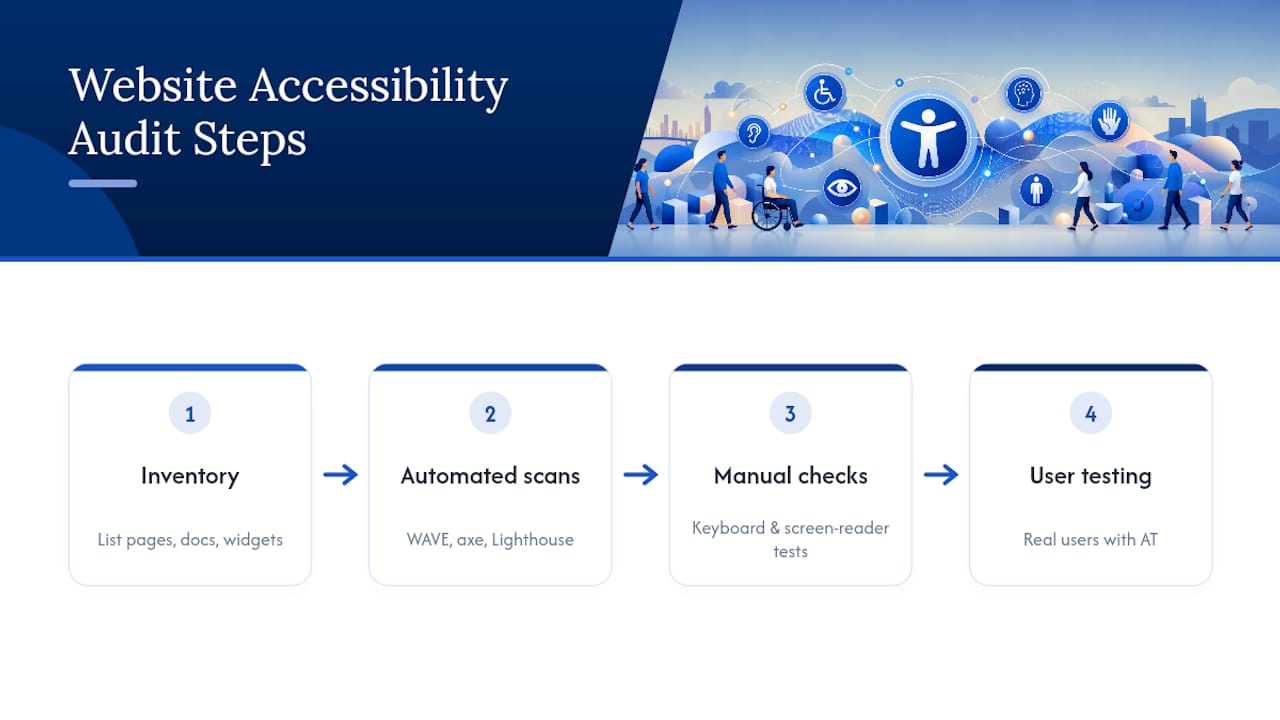
2. Run automated scans, but know their limits. Tools like WAVE, axe DevTools, or Lighthouse catch missing alt attributes, contrast failures, and malformed HTML quickly and at scale. What they can't catch: whether an alt description is actually meaningful, whether a keyboard trap exists in a custom dropdown, or whether reading order makes sense to a screen reader. Automated checkers are useful but incomplete, and a clean scan report is not proof of compliance.
3. Do the manual checks that tools can't replicate. Unplug your mouse and navigate the entire site with Tab, Shift+Tab, and Enter. Turn on a screen reader (VoiceOver on Mac, NVDA on Windows) and listen to how your homepage and checkout flow actually sound. Measure any borderline color combinations with a contrast tool rather than eyeballing them.
4. Bring in real users when the stakes are high. For a government site or a business with significant public traffic, recruiting a handful of testers who use assistive technology day to day surfaces issues that no internal team, however careful, will catch on their own.
Pro Tip: Log every defect with a severity rating (blocking, serious, minor) and the specific WCAG success criterion it violates. That mapping becomes your legal documentation if anyone ever challenges your compliance, and it's also what turns a vague "the site needs work" into an actual project plan with time estimates.
The deliverable from a proper audit isn't a pass/fail grade. It's a prioritized defect list with severity ratings, rough remediation estimates, and acceptance criteria your developers can actually test against once fixes ship.
A Prioritized Checklist for Fixing Accessibility Issues
Not every fix carries the same weight, and trying to do everything at once is how remediation projects stall. Sequence the work in three tiers.
Quick wins (days, not weeks):
- Correct contrast failures on body text, buttons, and links flagged by your audit
- Add missing or meaningless alt text across image-heavy pages
- Restore visible focus outlines anywhere CSS has stripped them
- Attach proper labels to every unlabeled form field
Mid-term work (weeks):
- Rebuild recurring components (navigation menus, modals, carousels, accordions) once, in a shared template, rather than patching each instance separately
- Caption existing video content and convert legacy PDFs into accessible HTML or tagged PDFs
- Audit and fix third-party widgets, or replace ones that can't be remediated
Long-term governance (ongoing):
- Write an accessibility policy that states your target standard (WCAG 2.1 AA) and who owns it internally
- Add accessibility requirements and warranty language to vendor and developer contracts, per the Small Entity Compliance Guide's recommendations
- Train content editors on writing alt text and structuring headings correctly, since most accessibility debt gets reintroduced by day-to-day content updates, not by the original build
- Set a recurring audit cadence, quarterly for high-traffic sites, annually at minimum for everyone else
Map each fix to its specific WCAG success criterion and a rough effort estimate (hours, days, or a sprint) before you start. That mapping is what keeps a redesign from turning into an open-ended cleanup with no finish line. Our website review checklist gives you a starting template for organizing exactly this kind of prioritized list.
ADA Website Lawsuits and Compliance Deadlines to Know
Enforcement comes from two very different directions, and understanding both changes how you budget for compliance.
For state and local government entities, the DOJ set staggered compliance dates published in the Federal Register: larger public entities face an earlier compliance deadline, and smaller public entities have a later deadline. The rule itself became effective June 24, 2024, which means the clock on planning started well before either compliance date arrives.
Private litigation runs on a completely different track. There's no equivalent-staggered deadline for Title III businesses; a lawsuit or demand letter can arrive at any time, and plaintiffs' firms have targeted small and mid-size business websites for years, often bundling contrast, alt text, and keyboard-navigation failures into a single complaint. Government enforcement tends to move slowly and predictably; private suits do not.
What actually drives remediation cost:
- Site scale: A ten-page brochure site costs far less to fix than a hundred-page catalog with a checkout flow.
- Technical debt: A site built years ago on outdated code generally needs more structural rework than a recently built one.
- Third-party integrations: Booking widgets, chat tools, and payment processors you don't control can be the hardest and most expensive pieces to remediate.
- Document volume: A site with dozens of PDF menus, forms, or brochures often costs more to fix in documents alone than in the website's actual code.
When a site has been patched repeatedly over the years, layering fix on top of fix, a full redesign is often more efficient than continuing to chase issues in old code. That's especially true once you're touching more than half the templates on a site just to bring it into line; at that point, rebuilding with accessibility as a starting requirement, not an add-on, usually costs less than the sum of the patches.
How Forge-web-studio Builds Accessibility In From the Start
Retrofitting accessibility into a finished website is slower and more expensive than building it in from day one. That's the whole premise behind how Forge-web-studio approaches every project for Texas businesses: accessible color palettes, semantic HTML components, and properly labeled forms aren't a separate phase tacked onto the end. They're part of the initial build.
Because Forge-web-studio already works on compressed timelines, launching most small business sites in three days to a week, accessibility checks fit naturally into that same rapid workflow instead of adding a bolt-on review cycle later. A website audit at the start of a redesign identifies exactly which templates and components need rework before a single line of new code gets written.
| What matters | Why it counts |
|---|---|
| Semantic components | Native HTML behavior means less custom code to maintain and fewer accessibility gaps to patch |
| Accessible color palettes | Contrast built into the design system avoids rework after launch |
| Labeled, accessible forms | Reduces both legal exposure and abandoned leads from confused users |
| Rapid build timeline | Accessibility review happens inside the existing schedule, not as an added delay |
Accessibility Is a Business Decision, Not Just a Legal One
Here's the part that gets lost in most compliance conversations: an accessible site isn't just lower legal risk, it's a better site, period. Clear contrast, logical keyboard order, and properly labeled forms reduce friction for every visitor, not just the ones using assistive technology. Search engines reward that same clean semantic structure, which means the work you do for accessibility often overlaps directly with the work you'd do for local search visibility anyway.
I'd push back on treating accessibility as a checkbox you complete once and file away. It's closer to site maintenance: something you revisit every time a new page, form, or widget goes live. Businesses that build it into their process from the start spend less over time than those who wait for a demand letter to force the issue.
Curious what your own site's biggest gaps are? A short audit will usually surface the three or four fixes that matter most before you spend a dollar on anything else.
— Dylan
Official ADA and WCAG Resources Worth Bookmarking
For legal specifics, go straight to ADA.gov's web accessibility guidance and the Federal Register rule text. For technical detail, the W3C's WCAG documentation and the Access Board's Section 508 standards cover the criteria auditors actually test against.
Get a Free Website Audit From Forge-web-studio
If the checklist above feels like a lot to tackle alone, that's exactly the gap Forge-web-studio fills for Texas businesses. Rather than hiring a large agency for a months-long accessibility overhaul, you get a team that builds accessible design in from the first draft, on the same three-day-to-one-week timeline used for every project.

A typical engagement starts with a straightforward audit of your current site, flagging the contrast, form, and keyboard-navigation issues covered above, then moves into either a targeted website redesign or a full rebuild through Forge-web-studio's web design services, depending on how much of the existing site is salvageable. Every build includes the mobile clarity and clean contact paths that matter for compliance and for turning visitors into leads. If you run a restaurant, roofing company, or local service business anywhere in Texas and you're not sure where your site stands, request a free website audit and get a plain-language breakdown of what needs fixing first.
Sources
- Nondiscrimination on the basis of disability; accessibility of web information and services of state and local government
- Guidance on Web Accessibility and the ADA
- Strengths and limits of automated accessibility testing (WAVE-related guidance)