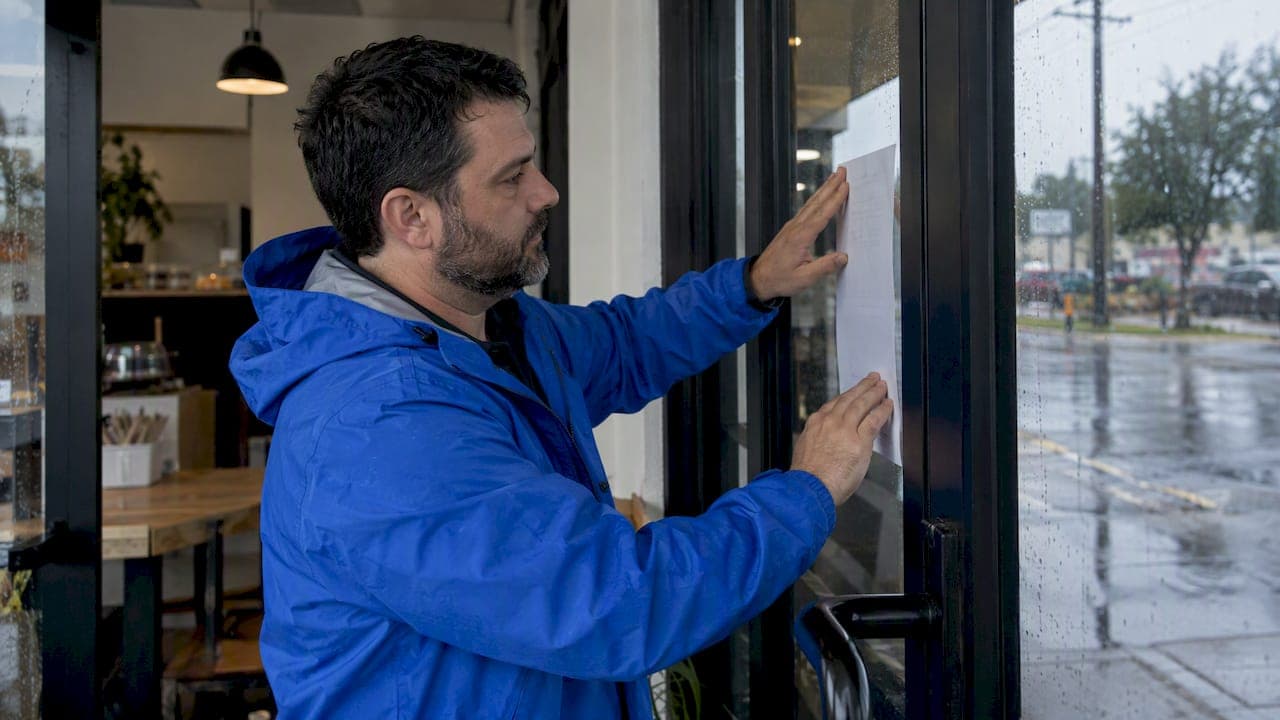
"Riverside County Offices will be closed Tuesday, January 13, 2026, due to a National Weather Service ice storm warning; employees should not attempt travel and should watch riversidecounty.gov for the next update by 6:00 AM." That single sentence has everything a closure notice needs: who decided, what changed, when it takes effect, why, what to do, and where to check next. The rest of this guide breaks that sentence into templates you can adapt for a workplace, a school, a campus, or a government office.
TL;DR:
- Closure decisions should be based on specific hazard alerts, such as a blizzard warning, rather than vague weather forecasts or general impressions.
- Final authority for closures must be clearly designated to a specific role or individual to ensure timely and consistent decision-making.
- Notices need to include precise times for effective closure or delay, and a scheduled reassessment time to update the public as conditions evolve.
- Multiple channels, including website banners, email, texts, and social media, should publish the same message immediately and be synchronized for maximum reach.
- Pre-written templates for various scenarios help organizations communicate quickly during emergencies, avoiding delays caused by last-minute drafting.
Table of Contents
- Ready-to-use templates: workplace, K-12, higher education, and government
- Decision triggers and authorization: when to close, delay, or stay open
- Publishing the notice: channels, redundancy, and accessibility best practices
- Messaging checklist and dos and don'ts
- Annotated example notices: editable blocks and explanation of each line
- Website banner and status-page implementation for closure notices
- Why a five-minute notice matters more than a perfect one
- Getting your closure notice online fast and keeping it visible
- Sources
- FAQ
Ready-to-use templates: workplace, K-12, higher education, and government
Every notice needs the same skeleton: authority, decision, hazard, timing, action, and next update. What changes is the audience and the details that matter to them.
Workplace template
"[Company Name] offices will be [closed / operating on delayed opening at (time)] on [date] due to [named hazard, e.g., a winter storm warning]. Employees scheduled to work remotely should follow their manager's instructions; hourly employees should refer to [HR contact or policy link] regarding pay for this closure. The next update will be posted at [time] on [channel]."
Pay treatment during weather closures varies by employer policy and, in some cases, by state law, so this template intentionally points to an internal HR contact rather than guessing at an answer that could be wrong for your organization.
K-12 template
"[District Name] schools will be [closed / opening (X) minutes late] on [date] because of [hazard]. Buses will [run on modified schedules / not run]; students should not go to bus stops until further notice. All after-school activities and athletics for [date] are cancelled. Check [website/app] by [time] for updates on tomorrow's schedule."
Parents and guardians need supervision logistics fast: bus timing, whether before-and-after-care programs still run, and whether the closure affects one day or continues into the next.
Higher education template
"[University Name] is moving to [remote instruction / closed campus operations] effective [date/time] due to [hazard named per NWS product, e.g., a blizzard warning]. Essential personnel identified by their supervisors should report as directed; all other faculty, staff, and students should follow the university's emergency alert system for updates. Residence halls and dining services will [remain open / operate on modified hours]. The next campus-wide update will be issued by [time]."
Campuses carry a layer that workplaces and K-12 districts don't: essential personnel who must report even during a full closure, plus residential students who need somewhere to eat and sleep regardless of what classes are doing.
Government/agency template
"[Agency/County Name] offices will be closed [date] due to [hazard]. [Courts / DMV / permitting office] hearings scheduled for this date are postponed; affected parties will be contacted individually. Trash and recycling collection will be delayed by one day for the remainder of the week. Essential and emergency personnel should report as scheduled. Check [agency website] for service-specific updates."
Government notices carry more moving parts than a single office closing, since courts, waste collection, libraries, and senior centers often follow different rules during the same storm, as county-level severe weather closing policies typically show.
For situations where the timeline is unclear, two variants are worth keeping on hand:
- Indefinite closure: "[Organization] will remain closed until further notice due to [hazard]. We will reassess conditions and post an update by [specific time], not later than [date]."
- Early dismissal: "[Organization] will dismiss at [time] today due to [hazard]. [Transportation/pickup instructions]. This is a change from the normal schedule; please arrange pickup or transportation accordingly."
Both variants share a habit worth copying into every notice you write: a specific reassessment time, never an open-ended "we'll let you know."
Decision triggers and authorization: when to close, delay, or stay open

Closure decisions go wrong most often when they're based on a vague sense that the weather looks bad rather than on the specific hazard a forecaster has flagged. The National Weather Service draws a clear line between three product types: a watch means conditions are favorable for a hazard but the timing or occurrence is uncertain, an advisory means hazardous weather is expected but falls below warning-level severity, and a warning means a significant hazardous event is occurring, imminent, or highly likely and requires action. A notice that names the actual product, such as "a blizzard warning," and its defining impact carries more weight and precision than one that just says "bad weather is coming." For blizzard warnings specifically, the NWS criteria include frequent wind gusts of 35 mph or higher with visibility below a quarter mile for three hours or more, the kind of detail that explains why travel becomes dangerous rather than merely inconvenient.
Deciding to close is a separate question from forecasting, and organizations do best when they've settled in advance who holds that authority:
- A single named role (superintendent, facilities director, county administrator, HR lead) should have final sign-off, with a named backup.
- Decisions for morning operations are best made the night before by 8:00 or 9:00 PM local time whenever a storm is expected overnight, giving staff time to plan rather than checking phones at 5:00 AM.
- Early dismissal calls need to happen early enough that transportation and pickup logistics can actually work, generally by midday for an afternoon dismissal.
- Once a warning is in effect, notices should be refreshed on a set cadence rather than left standing; NWS operational guidance for its own advisory products points to updates roughly every 6 to 8 hours for warnings and advisories, and organizations can borrow that same rhythm for their own closure messaging.
When the outlook is genuinely uncertain, resist the urge to guess. "Delayed" plus a specific reassessment time is more honest and more useful than a firm "open" that gets reversed at 6:00 AM, or a firm "closed" issued before the hazard has actually arrived. Ready.gov's planning materials for organizations recommend working through these decision points ahead of a storm, not during one, including who calls an early closure and how facilities coordinate if some buildings can stay open while others can't.
Publishing the notice: channels, redundancy, and accessibility best practices
A well-written notice that only lives on the homepage helps the people who happen to check the homepage. Getting the message to everyone who needs it means treating publication as seriously as the wording itself.
- Post the notice to the website alert bar first, since it's the fastest channel to update and the one people are most likely to check for the latest version.
- Send the identical wording by email and text message within minutes, so nobody gets a different story depending on which channel they saw first.
- Update the recorded phone line and voicemail greeting, particularly for organizations serving people who don't use email or apps regularly.
- Post to official social media accounts, but only after the website and direct channels are live, so social posts amplify a confirmed message rather than creating a second, possibly outdated one.
- Name one channel, almost always the official website, as the controlling source, and say so directly in every notice: "for the most current information, check [website]."
Every version of the notice should carry the same timestamp and be dated with the exact issue time, not just the date. That single habit prevents the confusion that shows up whenever an early version circulates by text message hours after the website has posted an update. University communications teams offer a useful model here: FIU's guidance for storm-related banners describes coordinating directly with emergency management before anything goes live, so the words on the homepage match what officials have actually decided, not an early rumor.
Pro Tip: Write the timestamp as "Updated 6:14 AM, Jan. 13" rather than a vague "this morning," so anyone reading the notice hours later knows immediately whether it's current.
Accessibility isn't a nice-to-have during an emergency, it's often the difference between someone getting the message and missing it entirely. Alert banners should use proper markup so screen readers announce them immediately, maintain strong color contrast rather than relying on a light gray box that's easy to miss, and use plain language instead of jargon. Text and phone channels matter here too, since not everyone can access a website reliably, and partners like AccessWiser specialize in making sure banners and alerts actually work for screen-reader users and people with limited vision. Ready.gov and FEMA guidance on winter storm preparedness recommends signing up for redundant alert systems precisely because any single channel, digital or otherwise, can fail during severe weather.
When the internet or phone systems go down entirely, physical notices still matter: a printed sign taped to the front door, a note left with building security, or a message relayed through a landline tree remain the fallback of last resort, and it's worth deciding in advance who's responsible for posting them.
Messaging checklist and dos and don'ts
Before any notice goes out, run it against a short checklist. Missing any one of these items is usually what causes a follow-up flood of confused calls and emails.
- Authorizing authority: who made this decision and are they named or titled in the notice.
- Hazard name: the specific weather event, ideally tied to the NWS product in effect.
- Effective times: exactly when the closure or delay starts, not just "today."
- Recipient actions: what the reader should actually do, including safety guidance like "do not attempt travel."
- Contact point: where to direct questions that the notice itself doesn't answer.
- Next update time: a specific time, not "later" or "as conditions warrant."
- Timestamp: when this version of the notice was issued.
A notice that skips the hazard name and reassessment time is the single most common reason readers keep calling or emailing after a closure has already been posted, since a vague announcement leaves them guessing whether anything has changed. The Ready.gov business messaging toolkit frames this directly: organizations act as trusted messengers for their employees and customers, and that trust depends on specificity, not general reassurance.
Strong phrasing is direct and names the thing: "Offices are closed Tuesday due to an ice storm warning; do not attempt travel." Weak phrasing hedges and leaves the reader to interpret it: "Due to the weather, please use caution if you plan to come in." The first sentence makes a decision. The second one doesn't.
A few habits separate notices that work from ones that generate confusion:
- Do use active language that states a decision, not a possibility: "we are closed," not "we might be closing."
- Do include a specific safety instruction when travel is genuinely dangerous, and reference the NWS product in effect so readers understand the severity.
- Don't describe the weather without stating the operational decision; a forecast is not a closure notice.
- Don't use soft, indefinite phrasing like "conditions permitting" without naming when a firmer decision will follow.
Pay and attendance questions deserve a short, careful line rather than an improvised answer: "Pay treatment for this closure follows [Company] policy; contact HR at [contact] with questions." That sentence protects both the organization and the employee from a manager guessing at wage rules on the fly.
Annotated example notices: editable blocks and explanation of each line
These longer blocks show a complete notice with every line doing a specific job. Swap the bracketed sections for your organization's details.
1. Single-day closure
"[Organization Name] will be closed on [date] due to a National Weather Service [hazard, e.g., winter storm warning] in effect for [region] from [start time] to [end time]. All employees and visitors should avoid travel during this period. Essential personnel designated by their supervisor should follow separate instructions. This notice was issued at [time] on [date]; the next update will be posted by [time] at [website/channel]."
- Line one names the decision and the authority behind it in the same breath.
- The hazard reference to a specific NWS product, rather than "severe weather," gives the reader a way to verify severity independently.
- The essential-personnel carve-out prevents confusion for the subset of staff who report regardless of the general closure.
- The timestamp and next-update time close the notice with exactly the information a reader needs if the situation changes.
2. Morning delay
"[Organization Name] will open [X] hours late today, [date], due to [hazard]. [Buses will run on a delayed schedule / staff should arrive by (time)]. This is a delay, not a closure; if conditions worsen, an updated notice will be posted by [reassessment time]. Issued [timestamp]."
- Naming it explicitly as "a delay, not a closure" heads off the common misread where a late-start notice gets mistaken for a full day off.
- The reassessment time signals that this is a live situation, not a locked-in schedule for the rest of the day.
3. Early dismissal
"[Organization Name] will dismiss at [time] today due to [hazard]. [Transportation and pickup instructions]. Parents, guardians, and employees should arrange for early pickup or departure accordingly. This notice supersedes the normal schedule and any prior communication issued today. Issued [timestamp]."
- The superseding line matters most here, since early dismissals often get called after a normal-schedule notice has already gone out that morning.
- Explicit pickup instructions matter for K-12 audiences especially, where confused timing can mean a child left waiting.
4. Indefinite closure
"[Organization Name] will remain closed beginning [date] due to [hazard] until further notice. We are monitoring conditions and will issue a specific reopening update no later than [date/time]. [Essential services / operations] will continue as described separately. This is the controlling notice as of [timestamp]; disregard any earlier version."
- "No later than" gives an outer bound even when the exact reopening date isn't yet known, which keeps the notice from feeling open-ended and unaccountable.
- Naming this as "the controlling notice" directly addresses the risk of an older version still circulating by text or email.
5. Partial operations
"[Organization Name]'s [location/department] will be closed on [date] due to [hazard], while [other location/department] remains open on a normal or modified schedule. Employees should confirm their specific site status with [contact/channel] before traveling. Issued [timestamp]; next update by [time]."
Internal notices to employees can include more operational detail, like which specific systems or shifts are affected, while external notices to the public or to parents should stay focused on the decision and the action they need to take. A courthouse notice for the public, for example, needs "hearings are postponed and you'll be contacted individually," while the internal version to staff might specify which departments still need coverage.
Website banner and status-page implementation for closure notices
Getting the wording right solves half the problem. The other half is making sure the notice actually reaches people the moment it's posted, and that starts with how the banner itself is built.
A closure banner works best when it's placed persistently at the top of every page, not buried on a single announcements page that people have to know to check. On mobile, it should stay visible without pushing critical content like phone numbers or directions below the fold, and it generally shouldn't be dismissible for a full closure, though a lower-severity delay notice can allow a dismiss option once read. The banner should pull from the same content management system record that other channels reference, so an update to the wording changes everywhere at once instead of requiring five separate edits.
- Keep the banner's load time near instant. A slow-loading alert during a storm, when traffic to the site spikes, defeats the purpose.
- Use proper ARIA alert roles so screen readers announce the message immediately rather than silently.
- Maintain strong color contrast and keyboard focus order so the banner is usable without a mouse or with assistive technology.
- Automate the timestamp so it updates the moment the notice is published, removing the chance of a stale time and date sitting on the page.
- Decide in advance who has publishing rights, who can issue an override if the first version needs correcting, and how a rollback works if a notice goes out in error.
Pro Tip: Test your alert banner's mobile behavior and load speed before storm season, not during it. A banner that only works on desktop misses most visitors checking from a phone in a parking lot.
Some organizations have the in-house web team to build and maintain this kind of banner and status-page system themselves. Others don't, and that's a reasonable moment to bring in outside help. Forge Web Studio builds mobile-first sites with clear alert areas and fast-loading pages, the kind of setup that keeps a closure banner visible and legible when it matters most, drawing on the same website mistakes local businesses make that turn a helpful alert into an easy-to-miss one.
Why a five-minute notice matters more than a perfect one
The gap between a closure decision and a published notice is where most confusion happens, not in the wording itself. Organizations spend real time debating the perfect sentence while parents, employees, and residents are already calling around trying to figure out what's happening. A pre-written template, decided on and approved before storm season even starts, turns a frantic 30-minute scramble into a five-minute copy-and-fill exercise.
The templates in this guide aren't meant to be precious. Adapt them, shorten them, tape them next to the phone if that's what your team needs. What matters is having them ready before the first advisory of the season, not drafting one from scratch while a warning is already in effect. Practice runs, even informal ones where someone fills in a fake storm name and hits publish on a test page, catch the small workflow problems (who has login access, who's on vacation, whose phone number is outdated) long before a real storm does.
Clear, fast notices are a safety measure first and a communications nicety second. Treat them that way and the rest of the writing gets a lot easier.
— Dylan
Getting your closure notice online fast and keeping it visible
Writing the notice is the easy part. Getting it live, on every device, the moment a decision is made, and keeping it visible without slowing the rest of your site down, is where a lot of organizations run into trouble with an outdated website or a content management system nobody remembers how to log into.

Some web studios build mobile-first sites for local businesses and organizations that need a closure banner or status page to actually work when it counts, not just look good in a mockup. That means a persistent, accessible alert area synced to your homepage, fast load times so the banner shows up instantly during a traffic spike, and a setup simple enough that whoever's on duty during a storm can update it without calling a developer. For teams that already run this in-house, none of this replaces that capability. For teams without a web person on call at 5:00 AM during an ice storm, it's a faster path than building the system from scratch.
- Builds that can get an alert banner and status page live quickly.
- Local search setup to help status pages and hours appear during closures.
- CMS workflows designed for ease of publishing and updating notices by staff without technical skills.
If your current site can't support a fast, accessible closure banner, see the Starter Website, Growth Website, and Custom Business Website options, or start a project directly through Start Website Project.
Sources
The National Weather Service's warning definitions explain how watches, warnings, and advisories differ and why a notice should name the hazard, not just the forecast. Ready.gov's winter storm business toolkit offers customizable messaging templates, and its organizational preparedness playbook walks through closure and continuity planning. County pages like Baltimore County's closing policy show how government offices structure service-specific notices, and FIU's storm update guidance demonstrates campus-level banner governance.
- Warnings defined — National Weather Service
- Ready
- Severe Weather Closing Policies — Baltimore County
- Providing storm updates on your FIU website — FIU Core Resource Hub
FAQ
Is school cancelled tomorrow in New York?
School closure decisions are made individually by each district, not at the state level, so there's no single answer that applies to every school. Check your specific district's website, app, or automated call system, which will post a decision as soon as it's finalized, typically the evening before or by early morning.
Are there any closings in Richland County, South Carolina tomorrow?
Closures for a specific county are announced by that county's government and local school districts directly, not through a single statewide notice. Check Richland County's official government website or your local school district's alert system for the most current, official status.
Do you get paid if your work closes due to weather?
Pay treatment during a weather closure depends on your employer's policy and, in some cases, on state wage laws, so there's no universal answer. Ask your HR department directly or check your employee handbook, and a well-written closure notice should point you to exactly that contact.
Are Memphis schools closed tomorrow?
Closure decisions for a specific school district are made and announced by that district, not through a single regional source. Check your district's official website, mobile app, or automated phone line, since that's typically where the authorized closure decision gets posted first.