
If your listing has vanished from Google Search and Maps, it's suspended, and your next move is to check the Business Profile dashboard for an exact reason before filing anything. Most suspensions fall into "soft" (edits blocked, listing hidden) or "hard" (profile deleted outright), and both require a documented appeal through Google's Appeals tool. Expect a review window typically measured in business days, so get your evidence ready before you click submit.
TL;DR:
- Most suspensions are caused by keyword stuffing, virtual addresses, duplicate listings, or account restrictions that need immediate correction before appealing.
- Confirm whether your profile is hard or soft suspended by checking its visibility on Google Search and Maps, and verify your permissions and Google's suspension email for specific violations.
- Gather clear, matching evidence such as business registration, utility bills, and photos before submitting your appeal, keeping files ready within a one-hour upload window.
- Address any account restrictions first, as they can block profile reinstatement, then proceed with the profile appeal once the account is in good standing.
- Maintaining consistent business information across your website, directories, and profile is essential to prevent repeat suspensions and support future reinstatements.
Table of Contents
- What Google Business Suspension Actually Looks Like
- Common Reasons Google Suspends Business Profiles
- The Appeal and Reinstatement Workflow, Step by Step
- Account Restriction vs. Profile Suspension: Fix This First
- What Happens After You Submit an Appeal
- Prevention Checklist to Avoid Repeat Suspensions
- How Forge-web-studio Helps Package Evidence That Gets Appeals Approved
- Where Most Businesses Go Wrong (and What Actually Fixes It Fast)
- Get Your Listing and Website Working Together, Not Against Each Other
- Official Guides Worth Bookmarking
- Sources
- FAQ
What Google Business Suspension Actually Looks Like
Before you touch the Appeals tool, confirm what kind of suspension you're dealing with. Search your business name and address on both Google Search and Google Maps. A listing that shows a gray "This business may have permanently closed" or disappears entirely usually signals a hard suspension. One that still appears but rejects new edits, hides your posts, or shows blank fields is more often a soft suspension.
Check these three things in order:
- Dashboard access: Log into your Business Profile Manager. If you see a red banner or a message that your profile was suspended for violating Google's guidelines, you're eligible to appeal directly.
- Owner and manager permissions: Confirm you're still listed as an owner. If a manager was removed or your role changed unexpectedly, that's often a symptom of an account-level issue rather than a profile problem.
- Google's suspension email: Look for a message from Google Business Profile support explaining the specific violation. The exact wording (policy violation, verification issue, account restriction) tells you which fix to pursue first.
If you can't find an email and the dashboard shows nothing unusual, try logging in from a different device or browser. Sometimes what looks like a suspension is actually a caching delay or a browser session issue, not an enforcement action at all.
Common Reasons Google Suspends Business Profiles
Suspensions almost never happen at random. Google's enforcement systems flag specific patterns, and once you know which one hit you, the fix usually gets obvious fast.
- Keyword stuffing in the business name. Adding "Best," a city name, or a service keyword to your official name (instead of your true legal name) is one of the fastest ways to trigger a review. BrightLocal's analysis of suspension causes lists this as one of the most common triggers.
- Virtual offices, P.O. boxes, and unstaffed addresses. If Google can't confirm real, staffed activity at the pin location, it treats the address as ineligible, especially for service categories that require a physical storefront.
- Duplicate listings. Multiple profiles for the same location, often created after a rebrand or an ownership change, confuse Google's matching systems and can suspend both copies.
- Category misuse. Choosing a category that doesn't match your actual service, or stacking irrelevant categories to rank for unrelated searches, reads as manipulation to Google's review systems.
- Account-level problems. A restricted Google account, a history of prior violations, or a manager account with a troubled track record can suspend every profile that account touches, not just one.
- Rapid or bulk edits. Changing your name, address, or category several times in a short window looks like spam behavior even when the changes are legitimate, and it often triggers automated review.
Fixing the underlying issue before you appeal matters more than the appeal itself. Google reviewers check whether the violation still exists, not just whether you've asked nicely.
The Appeal and Reinstatement Workflow, Step by Step
Once you've identified the likely cause, the actual appeal process is mechanical. Log into the Google account that owns the profile (the same one that received the suspension notice) and open the Appeals tool from either your dashboard or the link in Google's email.
Before you file anything, run through a short cleanup pass:
- Confirm your name, address, and phone number (NAP) match exactly across your website, your profile, and any third-party directories.
- Remove or merge duplicate listings tied to the same location.
- Fix the specific violation flagged in your notice, whether that's a name, category, or address issue.
- Make sure your website has a working contact page and visible business details, since Google's reviewers sometimes cross-check your site.
Pro Tip: Screenshot your suspension notice and dashboard state before you make any changes. If you need to escalate later, having a timestamped record of what the profile looked like helps support your case.
Once cleanup is done, gather your evidence. Google's own guidance on fixing suspended or disabled profiles lays out what strengthens an appeal:
- Business registration or incorporation documents
- A current business license
- Recent tax filings showing the business name and address
- A utility bill matching the address on your profile
- Photos of exterior signage showing your business name at the location
- Proof of staffing, such as a photo of staff on site or a lease agreement
One detail catches almost everyone off guard: once you start the evidence submission inside the Appeals tool, you typically have about a 60-minute window to upload everything before the session times out. Have your files ready as PDFs or images before you begin, not halfway through the form.
If Google denies the appeal, you can request an additional review. This usually means submitting stronger or additional evidence, not just resubmitting the same documents. Google's support page on fixing suspended or disabled profiles notes that duplicate appeals filed back to back tend to slow the process rather than speed it up, so resist the urge to refile every few hours.
Account Restriction vs. Profile Suspension: Fix This First
These two problems get confused constantly, and fixing them in the wrong order wastes time. A profile suspension affects one listing. An account restriction affects the Google account itself, which can take down every profile that account manages at once.
Read your notice carefully. If the message references your Google account standing rather than a specific profile, or if you manage multiple locations and all of them went down simultaneously, you're likely dealing with an account restriction rather than a simple profile issue.
- Account restriction first, always. If your account is restricted, profile appeals typically won't move forward until that restriction is lifted, according to ALM Corp's breakdown of account restriction causes. Submitting a profile appeal while the account itself is flagged usually stalls.
- Then the profile appeal. Once the account is back in good standing, move to the individual profile appeal using the evidence checklist above.
- Watch for problematic account history. Accounts that have created many profiles, made rapid edits, or previously had violations are more likely to be the real blocker, not the profile itself.
- Bring in other owners carefully. If a manager was removed or the account owner is unreachable, use Google's ownership transfer request rather than creating a new profile, which can trigger duplicate-listing flags.
Sort out the account before touching the listing. Working the steps in reverse order is the single most common reason appeals stall for weeks.
What Happens After You Submit an Appeal
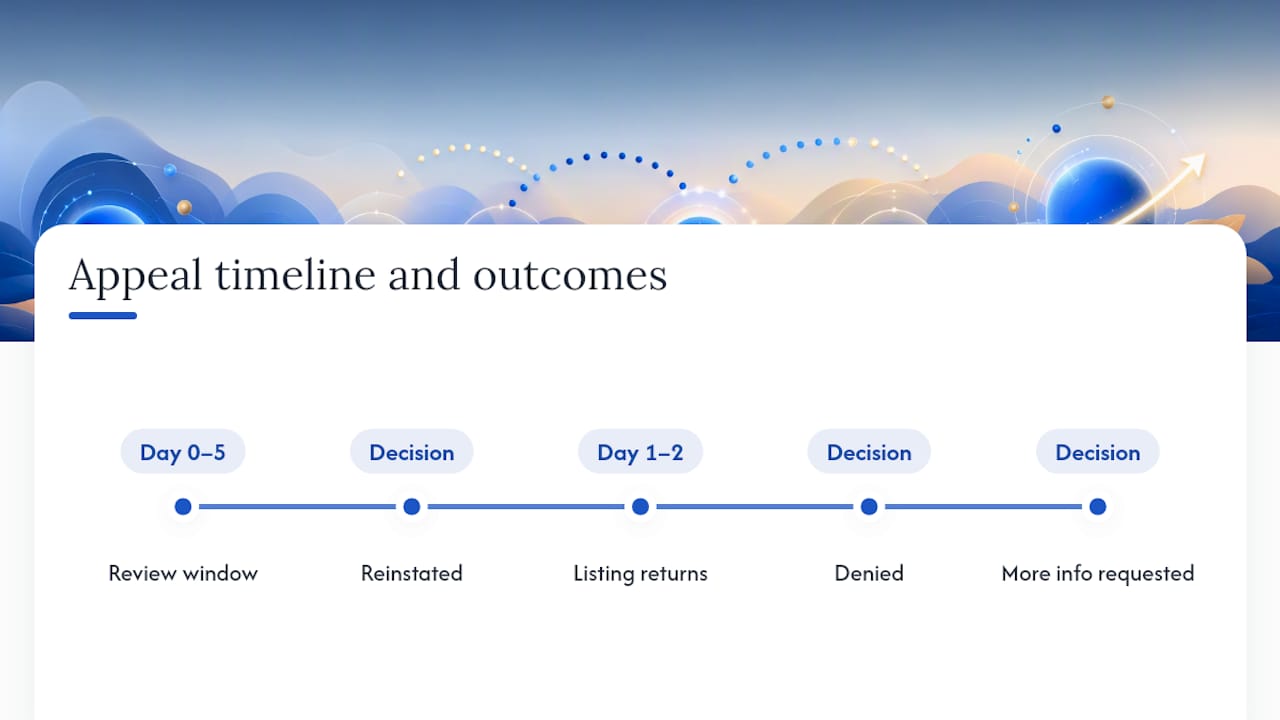
Google's stated review window runs up to five business days, according to its official guidance on suspended profiles. That's a target, not a guarantee, and complex cases involving account restrictions can run longer.
You'll get one of three outcomes: reinstatement, denial, or a request for additional review. If reinstated, your listing typically reappears in Search and Maps within a day or two. If denied, file the additional review with stronger documentation rather than resubmitting the same appeal. While you wait, check the Appeals tool and your email regularly, but don't file a second appeal on top of the first. Google flags duplicate submissions, and that habit tends to extend your wait rather than shorten it.
Prevention Checklist to Avoid Repeat Suspensions
Getting reinstated once is a relief. Staying reinstated takes ongoing discipline, because Google's automated review systems keep scanning for the same red flags after you're back online.
- Keep your name, address, and phone number identical across your website, your profile, and every directory listing.
- Use your true legal business name in the profile field. No keywords, no city names, no promotional phrases.
- Choose categories that accurately describe your primary service, and resist stacking extras for search visibility. A guide to picking the right Business Profile category is worth a look if you're unsure.
- Turn on two-factor authentication for the Google account tied to your profile, and limit manager access to people you trust and can account for.
- Stagger significant edits (name, address, hours) instead of making several changes in one sitting.
- Never use an unstaffed virtual office or a P.O. box as your listed address, and merge or delete any duplicate listings you find.
Pro Tip: Set a quarterly reminder to audit your own listing the way Google would: search your business name, check every field against your official documents, and confirm no duplicate profiles have popped up.
How Forge-web-studio Helps Package Evidence That Gets Appeals Approved
Google's reviewers don't just look at your Business Profile in isolation. They often cross-check your website for the same trust signals your documents claim: a real address, a working contact page, and business details that match what you submitted. A site with a broken contact form or no visible service pages makes an otherwise solid appeal look shakier than it is.
When you're assembling your evidence packet, present documents cleanly and consistently:
- Scan business registration, licenses, and tax documents as clear PDFs, not phone photos with glare or cropped edges.
- Make sure the business name and address on every document match your profile and your website exactly, down to abbreviations like "St." versus "Street."
- Include a screenshot of your website's contact page alongside your other evidence if your case involves an address dispute.
Forge-web-studio works with Texas local businesses on exactly this kind of trust-signal cleanup, from Google Business optimization to site structure that supports rather than undermines an appeal. If your case is complex (multiple locations, an account restriction on top of a profile suspension), getting a second set of eyes on your evidence packet before you submit is usually worth the delay.
Where Most Businesses Go Wrong (and What Actually Fixes It Fast)
The mismatched NAP problem shows up in almost every case I've looked at. A business changes its phone number or moves offices and updates its website but forgets three directory listings still carrying the old address. Google's systems notice that inconsistency long before a human reviewer ever does.
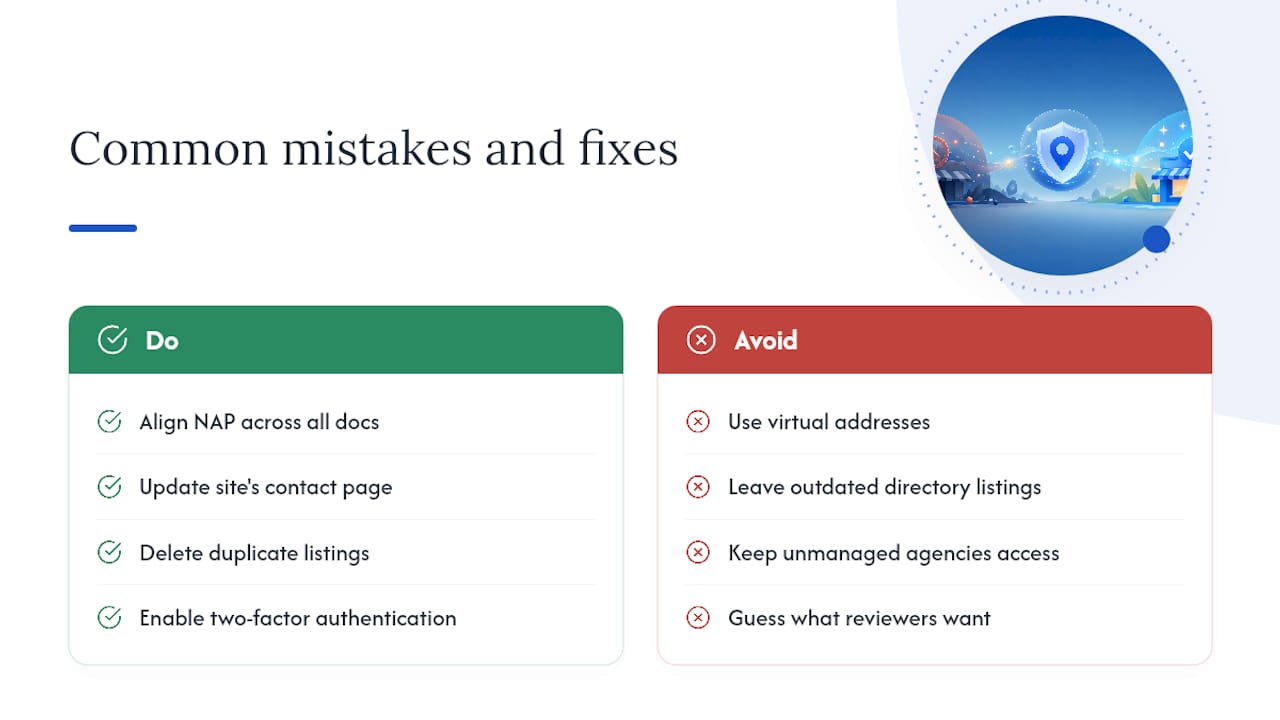
Virtual addresses are the second repeat offender, especially among newer service businesses trying to look established. And unmanaged third-party marketing agencies with standing access to a profile are a quiet risk almost nobody checks until something breaks.
The fastest wins are almost always the boring ones: align every document, fix the site's contact page, delete duplicate listings, and lock down account access with two-factor authentication. If your case involves an account restriction or a denied appeal, that's the point to bring in someone who packages this kind of evidence regularly rather than guessing at what Google's reviewers want to see.
— Dylan
Get Your Listing and Website Working Together, Not Against Each Other
A reinstated profile does you little good if your website can't back up the trust signals Google just checked. Some web studios build and audit sites specifically for local businesses, ensuring contact info, service pages, and address details line up cleanly across every platform Google touches, not just the listing itself.

Beyond one-time fixes, Google Business optimization from Forge-web-studio covers ongoing profile hygiene, category accuracy, and the kind of local search setup that keeps you off the enforcement radar in the first place. Pair that with local SEO work and a site built on solid trust signals, and you're not just reinstated, you're harder to flag again. If your listing or your account has been suspended more than once, or your website needs the kind of trust signals reviewers actually look for, start with a website review checklist or reach out through Forge-web-studio's services page to talk through your specific case.
Official Guides Worth Bookmarking
Start with Google's own pages on fixing suspended or disabled profiles and appeals and evidence requirements. For a third-party breakdown of common causes, BrightLocal's suspension guide and ALM Corp's account restriction explainer are both worth a read. If you're recovering lost visibility while you wait, a partner resource on customer reactivation strategies covers how to re-engage past customers without relying on your listing.
Sources
- Fix suspended or disabled profiles - Google Business Profile Help
- Fixing a suspended Google Business Profile - BrightLocal
- Google Business Profile Suspensions From Account Restrictions: Causes, Appeals & Fixes - ALM Corp
FAQ
How Long Does a Google Business Suspension Last?
There's no fixed duration. Reinstatement depends on how quickly you submit a complete appeal with the right evidence, and Google's own review window runs up to five business days once you do.
Can I Create a New Listing While My Old One Is Suspended?
No. Google explicitly warns against creating a new profile while an appeal is pending, since it can flag both listings as duplicates and complicate your case.
What's the Difference Between a Hard and Soft Suspension?
A soft suspension hides your listing or blocks edits while keeping the profile intact. A hard suspension removes the listing entirely, often showing a "permanently closed" message in Search and Maps.
Why Was My Google Business Profile Suspended for No Reason?
It rarely happens with no reason. Common invisible triggers include a mismatched address, a keyword-stuffed name, a duplicate listing you forgot about, or an account restriction unrelated to the profile itself, according to BrightLocal's research.
Should I Fix My Website Before Appealing?
Yes. Reviewers often check whether your site's contact information and business details match your appeal documents, so a clear contact page and consistent NAP data can strengthen your case before you submit.