
Add a LocalBusiness JSON-LD block on every location page with @type set to the most specific subtype, name, a full PostalAddress, and telephone — that's the minimum for local rich-result eligibility. Format it as JSON-LD, give it a stable @id, and match it exactly to your Google Business Profile. Skip any of that and Google may simply ignore the block.
TL;DR:
- Using specific subtypes like
DentistorPlumberin@typeboosts eligibility for rich results, rather than using the genericLocalBusiness.- Address fields must be split into structured
PostalAddresssubfields, and the phone number format in schema must exactly match the visible on-site number.- Include a unique
@idfor each location and reference it in related schema blocks to prevent duplicate address errors across multiple pages.- Verify schema correctness with Google's Rich Results Test and ensure ongoing accuracy by monitoring Search Console for recrawls and errors.
- Maintaining exact NAP (Name, Address, Phone) consistency across your schema, Google Business Profile, and citations is critical for Google verification.
Table of Contents
- What Fields Does Google Require for Local Schema Markup?
- Copy-Ready JSON-LD Examples for Local Business Schema
- Which Optional Properties Actually Help AI and Search Engines?
- How Should Multi-Location and Service-Area Businesses Structure Schema?
- How Do You Test and Validate Local Business Schema?
- What Are the Most Common Local Schema Mistakes?
- Why Forge-web-studio Treats Schema as Core Build Work, Not an Add-On
- What Actually Moves the Needle on Local Schema
- Get Local Schema Implemented Without Learning JSON-LD Yourself
- Where to Verify Your Local Schema Setup
- Sources
What Fields Does Google Require for Local Schema Markup?
Google's own documentation is specific about what a LocalBusiness block needs before it becomes eligible for enhanced local results. Miss one required property and the whole block can get discarded during parsing, not just downgraded.
The Local business structured data guidelines list four non-negotiable pieces:
@type: the most specific subtype available, not a generic fallback. A dentist's office should useDentist, notLocalBusiness.name: the exact legal or trading name as it appears on your Google Business Profile and storefront signage.address: a nestedPostalAddressobject withstreetAddress,addressLocality(city),addressRegion(state, when one applies),postalCode, andaddressCountry.telephone: a real, working number in a consistent format, ideally with the country code (+1for U.S. numbers).
The PostalAddress subfields trip up more site owners than anything else in this list. Writing the whole address as one string inside streetAddress (“123 Main St, Austin, TX 78701”) technically validates in some parsers but breaks Google's expectation of separate structured fields. Split it out.
Phone formatting causes a second, quieter failure. A number listed as (512) 555-0199 on the page but +15125550199 in schema isn't wrong syntactically, but it creates a mismatch search engines can flag when cross-checking your Google Business Profile. Keep the visible number and the schema number identical in format, not just in digits.
The name-address-phone requirement isn't a suggestion. Google's guidance treats exact NAP consistency between your schema, your Google Business Profile, and your citations as a prerequisite for eligibility, not a ranking nicety. A single mismatched suite number across those three sources is enough to make Google treat the listing as unverifiable.
Here's a fast comparison of what passes and what quietly fails:
| Field | Passes validation | Fails eligibility |
|---|---|---|
@type | "Plumber" | "LocalBusiness" when a specific type exists |
address | Nested PostalAddress object | Single string with full address |
telephone | "+15125550199" matching site display | Different format than the visible footer number |
name | Matches Google Business Profile exactly | Includes a tagline or extra descriptor not on GBP |
Copy-Ready JSON-LD Examples for Local Business Schema
Below are three patterns you'll actually use: a single-location block, a service page that references it, and a multi-location setup. All three follow the JSON-LD examples in Schema.
Single location. This goes in a <script type="application/ld+json"> tag, ideally in the <head> or right before the closing </body> tag on your homepage or location page.
{
  "@context": "https://schema.org",
  "@type": "Plumber",
  "@id": "https://example.com/#business",
  "name": "Example Plumbing Co.",
  "address": {
    "@type": "PostalAddress",
    "streetAddress": "123 Main St",
    "addressLocality": "Austin",
    "addressRegion": "TX",
    "postalCode": "78701",
    "addressCountry": "US"
  },
  "telephone": "+15125550199",
  "url": "https://example.com"
}
The @id at the top is the piece most guides skip. It gives your business a stable internal reference other schema blocks on your site can point to, instead of every page repeating the full block from scratch.
Service page pattern. A service page shouldn't redeclare the whole business. It should reference it. This is the pattern recommended in the Service Schema Markup Guide, and it keeps you from duplicating entity data across dozens of URLs.
{
  "@context": "https://schema.org",
  "@type": "Service",
  "serviceType": "Drain Cleaning",
  "provider": {
    "@id": "https://example.com/#business"
  },
  "areaServed": {
    "@type": "AdministrativeArea",
    "name": "Travis County"
  }
}
Multi-location with @graph. Chains and multi-location businesses need one Organization node plus a LocalBusiness node per physical address, linked with parentOrganization. Wrapping everything in a @graph array keeps the relationships explicit.
Practical rules for keeping this consistent across pages:
- Give every location a unique
@id, such ashttps://example.com/austin/#business. - Reference the parent
Organization's@idfrom each location instead of retyping its details. - Place the same JSON-LD block on every page for that location, never a partial or edited copy.
- Never let two location blocks share an identical address by accident, even as a placeholder.
Which Optional Properties Actually Help AI and Search Engines?
Beyond the required fields, a handful of optional properties do most of the heavy lifting for AI citation quality and knowledge panel accuracy. The Search Engine Journal guide to local SEO schema points to Organization plus per-location LocalBusiness graphs as the pattern that most reliably improves entity clarity.
geo: latitude and longitude, ideally to at least four decimal places, which one guide to LocalBusiness schema flags as a common precision mistake when businesses round too aggressively.openingHoursSpecification: structured day/time objects, not a plain-text string like "Mon-Fri 9-5."image: hosted on your own domain, not a third-party CDN link that could break.sameAs: an array linking to your Google Business Profile, Facebook page, and Yelp listing.priceRange: useful for consumer-facing businesses like restaurants or retail, less useful for B2B service providers.aggregateRating: only include this if the reviews are actually visible on that same page. Adding star ratings you don't display is a common misuse worth avoiding.
Picking the right subtype matters more than most owners realize. Restaurant unlocks servesCuisine and menu. Dentist and Plumber inherit from LocalBusiness but signal category context that a generic type never will. The more specific the type, the richer the context Google and AI systems can extract without guessing.
Pro Tip: Don't duplicate optional properties like geo or openingHoursSpecification across ten service pages when they only apply to one physical address. Define them once on the location page and reference that page's @id everywhere else.
How Should Multi-Location and Service-Area Businesses Structure Schema?
Chains with physical storefronts and businesses that travel to customers need different architectures, and mixing them up is one of the most common structural errors.
- Build one
Organizationblock that appears sitewide, usually in a global template, holding your parent brand name, logo, and top-levelsameAslinks. - Build one
LocalBusinessblock per physical location, each with its own@id, address, and phone number, linked back withparentOrganizationpointing to theOrganization's@id. - For service-area businesses without a public storefront, replace
addresswithareaServed, usingAdministrativeAreafor a county or state, orGeoShapewhen you need to define a precise radius or boundary, as outlined in the Service Schema Markup Guide. - Never copy one location's full block onto another location's page. Reference shared data through
@idinstead of retyping it, since a copy-pasted block is exactly how duplicate address errors sneak in.
Search Engine Journal's guidance notes that the compound effect of correct per-location schema across many pages can measurably improve average local-pack positions across a portfolio once NAP consistency and Google Business Profile alignment are also fixed. Schema alone doesn't move the needle. Schema plus consistency does.
How Do You Test and Validate Local Business Schema?
Deploying the code is half the job. Verifying it survived deployment is the other half, and skipping this step is how businesses end up with broken markup for months without noticing.
- Run every page through Google's Rich Results Test immediately after publishing to confirm eligibility, not just valid syntax.
- Cross-check vocabulary correctness with the Schema.org validator, which catches property names that don't exist on your chosen type.
- Watch Search Console's structured data reports over the following one to two weeks, since Google needs to recrawl the page before errors or warnings surface there.
- Set a recheck cadence of roughly every 90 days, or immediately after any site redesign, CMS migration, or address change.
Google's documentation frames the Rich Results Test and Search Console reporting as the two tools that matter most for ongoing monitoring, since one confirms present-tense eligibility and the other tracks what Google actually indexed.
When Search Console flags an error, triage in this order: check for a missing required field first, then a type mismatch (a string where an object is expected), then a duplicate @id across pages. Most flagged issues fall into one of those three buckets.
What Are the Most Common Local Schema Mistakes?
- NAP mismatches. Audit your Google Business Profile, website footer, and top citation sites side by side. Even a "Suite 200" versus "Ste 200" difference counts. This exact inconsistency is one of the enforcement risks Schema.org's own documentation warns against.
- Misused
aggregateRating. Remove it if the star rating isn't visibly displayed on that page. Markup that contradicts visible content is treated as a quality signal, not a technical error, and it's treated harshly. - Duplicated location blocks. If two pages share identical address data because one was copy-pasted from the other, fix the source page and repoint the copy through
@idreference instead of retyping it. - Stale hours. A holiday closure that never made it back into
openingHoursSpecificationafter the holiday ends is a silent trust problem. Patch it, don't leave a rollback for later.
Why Forge-web-studio Treats Schema as Core Build Work, Not an Add-On
Forge-web-studio builds local schema into every Texas business site at launch, not as a bolt-on months later. That means the Organization and LocalBusiness graph, correct @id linking, and Google Business Profile alignment all ship in the same rapid three-day-to-one-week build window the studio uses for every project.
The pattern matters because most local sites get schema added as an afterthought, usually after a client asks why a competitor shows up with richer search results. Building it in from day one avoids the retrofit problem entirely: no auditing five years of copy-pasted blocks, no guessing which page has the correct address. Forge-web-studio's local business website projects treat the schema layer as part of the site architecture, tied directly to the same contact and location data that drives the visible page content.
What Actually Moves the Needle on Local Schema
Most guides treat local schema as a checklist: add these fields, validate, done. That undersells the real risk, which isn't a missing property. It's drift. A business adds correct schema at launch, then updates its hours or address on Google Business Profile eighteen months later and forgets the JSON-LD block exists.
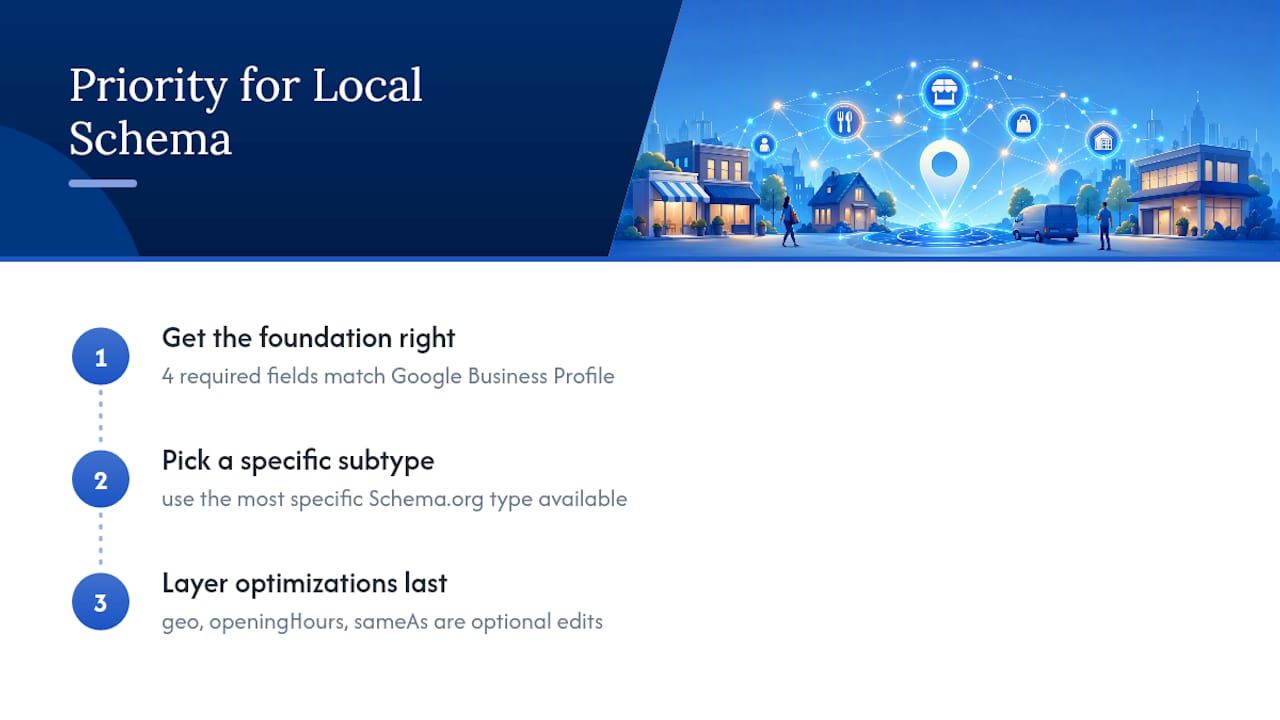
The conventional advice obsesses over optional properties like aggregateRating and sameAs links, and while those help, they're not where most sites fail. Sites fail on the boring stuff: a phone number formatted two different ways, a @type left at generic LocalBusiness when a specific subtype was sitting right there in Schema.org's documentation, unused.
If you're prioritizing, do this first: get the four required fields exactly right and identical to your Google Business Profile. Then pick the most specific subtype your business actually is. Everything else, the geo-coordinates, the opening hours objects, the sameAs array, is genuinely valuable, but it's optimization on top of a foundation. Build the foundation correctly and the rest is an afternoon of edits, not a rebuild.
— Dylan
Get Local Schema Implemented Without Learning JSON-LD Yourself
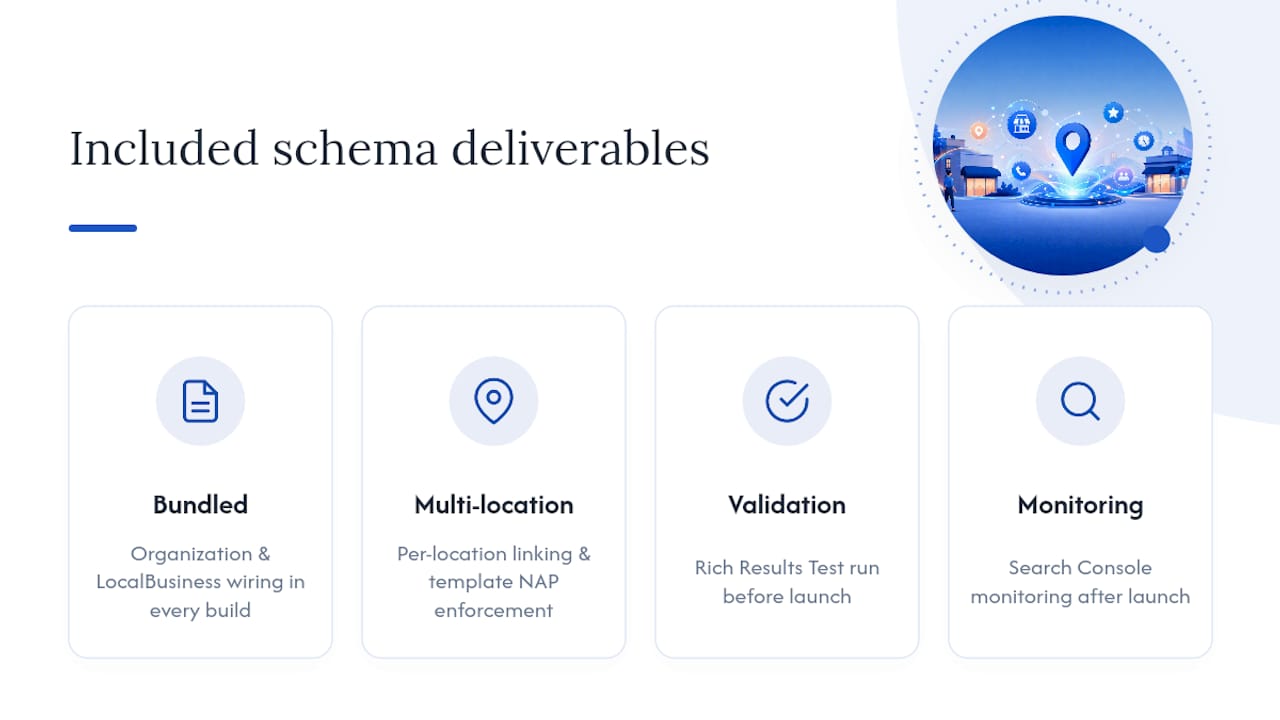
Forge-web-studio builds the entire schema layer as part of every website project, not as a separate line item you have to remember to ask for. That means Organization and LocalBusiness wiring, per-location @id linking for multi-location clients, Rich Results Test validation before launch, and Search Console monitoring after.

A typical local SEO and schema setup ships inside the same build window Forge-web-studio uses for every project, so you're not waiting weeks for a separate technical phase. You get handoff notes explaining exactly what was added and why, so if you ever bring in another developer, nothing is a mystery. For businesses with several locations, that also means consistent NAP data enforced at the template level instead of copy-pasted page by page.
If your current site has schema that's outdated, missing, or was never added in the first place, start with a website redesign that rebuilds the technical foundation alongside the visible design, or get a local SEO setup scoped specifically to your locations and service pages.
Where to Verify Your Local Schema Setup
For hands-on reference, use the LocalBusiness type page on Schema.org for property definitions and examples, Google's structured data guidelines for eligibility rules, and the Rich Results Test for pre-launch checks. For a second implementation perspective, the practical local business schema guide from Jarvis & Co walks through additional real-world examples worth comparing against your own setup.
Sources
- Local business (LocalBusiness) structured data
- Schema
- Local SEO Schema: A Complete Guide To Local Structured Data & Rich Results
- Service Schema Markup Guide | Formative Digital