
If you run paid campaigns solo, Unbounce is the stronger pick. If you manage a team with dozens of ad groups, Instapage is built for you. If you're a local business owner with no time to babysit a platform, Forge Web Studio builds and launches your landing pages for you, so you never touch the software at all.
The core tradeoff in this Unbounce vs Instapage comparison comes down to workflow, not features. Unbounce automates variant routing with its Smart Traffic AI. Instapage gives teams visual ad-to-page mapping and synchronized Global Blocks. Neither is cheap, and neither is the right answer for a local business owner who needs a fast, converting page live quickly.
| Dimension | Unbounce | Instapage | Forge Web Studio |
|---|---|---|---|
| Best for | Solo PPC marketers | Agencies and in-house teams | Local businesses, low-bandwidth owners |
| Pricing model | Conversion-capped plans | Visitor-capped plans | Fixed project fee |
| AI / personalization | Smart Traffic (ML routing; requires ~10,000+ monthly visitors for reliable results) | AdMap (rule-based mapping) | Strategy-led, done-for-you |
| Team collaboration | Limited | Global Blocks, real-time comments | Direct studio communication |
| Free trial | 14 days | 14 days | Consult available |
The two biggest tradeoffs to keep in mind:
- Cost predictability: Unbounce's conversion caps favor high-traffic funnels where most visitors don't convert; Instapage's visitor caps can trigger surprise upgrades on any high-traffic campaign.
- Automation vs. control: Smart Traffic needs about 10,000+ monthly visitors to work reliably; AdMap needs manual maintenance to stay accurate.
Start a free trial with the platform that matches your workflow, or request a consult with Forge Web Studio if you'd rather skip the platform entirely.
Table of Contents
- How do Unbounce and Instapage compare side by side?
- Deep dive: editor, personalization, testing, pricing, and more
- Which platform should you actually choose?
- How to run a 14-day trial that actually tells you something
- What the research actually shows about platform choice
- Your next 30 days: a practical action plan
- What happens when you need to switch platforms?
- Key Takeaways
- The gap between what these platforms promise and what actually matters
- Forge Web Studio builds your landing page so you don't have to manage a platform
- Where the evidence came from
How do Unbounce and Instapage compare side by side?
The table below covers the dimensions that actually affect your monthly workflow and spend. Forge Web Studio is included as the done-for-you alternative for buyers who don't want to manage a platform at all.
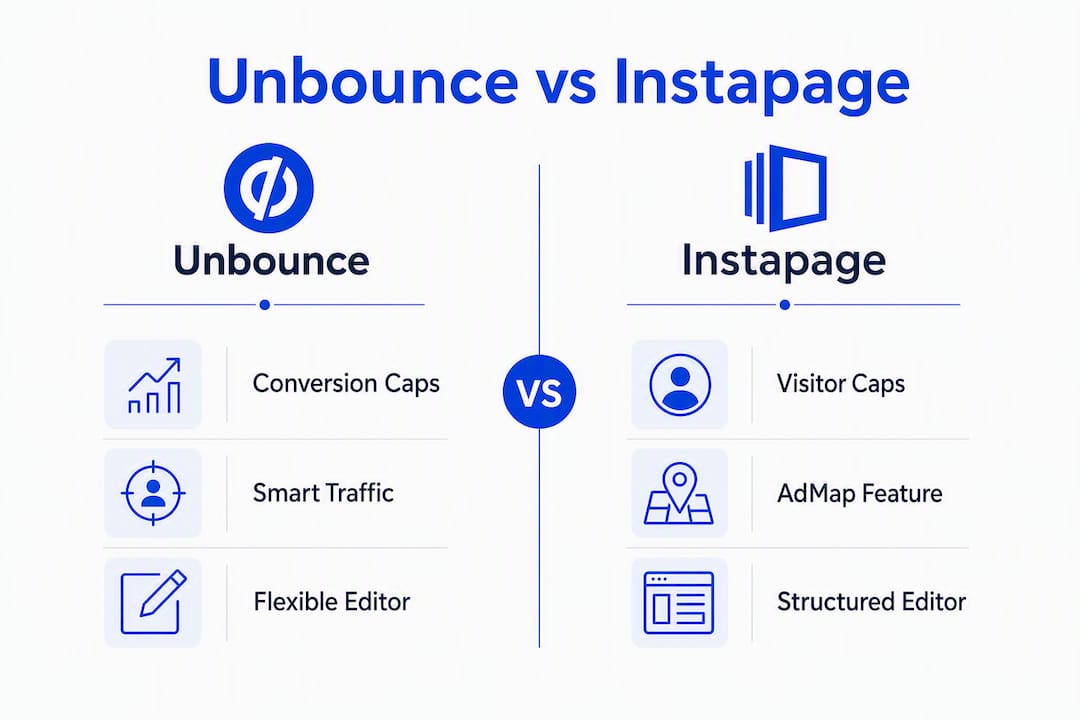
| Feature | Unbounce | Instapage | Forge Web Studio |
|---|---|---|---|
| Editor flexibility | Drag-and-drop, highly flexible | Clean drag-and-drop, opinionated layouts | Custom-built to brief |
| Template count | 100+ conversion-focused templates | 500+ templates | Bespoke design per project |
| Personalization | Smart Traffic (ML), dynamic text | AdMap, rule-based audience targeting | Strategy-led, local SEO built in |
| A/B testing | Available; Smart Traffic gated to higher plans | Available; heatmaps/personalization gated | Not a self-serve platform |
| Pricing model | Conversion-capped | Visitor-capped | Fixed project fee |
| Team features | Basic multi-user | Global Blocks, workspaces, commenting | Direct client collaboration |
| Page speed | ~3–4 sec median; optimization required | ~3–4 sec median; Thor Render + AMP available | Optimized on delivery |
| Integrations | Native CRM/ads + Zapier | Native CRM/ads + Zapier + GTM | Handoff to your stack |
| Free trial | 14 days | 14 days | Consult available |
| Support | Chat, email, knowledge base | Dedicated onboarding on higher plans | Direct studio contact |
Key plan differences to know before you sign up:
- Unbounce's Smart Traffic is gated behind its higher-tier plans, not the entry-level options. If automated variant routing is your reason for choosing it, check the pricing carefully.
- Instapage's visitor caps mean a single viral campaign can push you into a forced upgrade. Practitioner comparisons show Unbounce's mid-tier plans often provide more conversion headroom at similar price points.
- Both platforms offer free trials with no credit card required on most plans. Signup is straightforward for both; Instapage's onboarding is more guided on enterprise tiers.
Deep dive: editor, personalization, testing, pricing, and more
Editor and templates
Unbounce's editor is genuinely flexible. You can place elements anywhere on the canvas without snapping to a grid, which experienced designers appreciate and new users occasionally find disorienting. The 100+ templates skew toward direct-response layouts, which suits PPC campaigns well. Mobile handling is manual: you adjust the mobile view separately, so a complex desktop layout can take real time to adapt.

Instapage's editor is cleaner and more opinionated. Layouts snap to a structure, which speeds up onboarding but limits pixel-level customization. Its 500+ templates cover a wider range of industries. Mobile responsiveness is more automatic, though heavily customized pages still need a manual check.
Personalization and targeting
This is where the two platforms diverge most sharply. Unbounce's Smart Traffic uses machine learning to route visitors to the variant most likely to convert for their profile. It generally needs a monthly visitor volume of roughly 10,000 or more to reach reliable optimization. Below that threshold, the model doesn't have enough data, and you may see worse results than a simple A/B test.
Instapage's AdMap visually maps ad groups to specific page experiences, and Global Blocks keep headers, footers, and brand elements synchronized across hundreds of pages simultaneously. This is rule-based, not algorithmic, so it works at any traffic volume. The tradeoff is manual maintenance: when a campaign changes, someone has to update the map.
Pro Tip: If your monthly traffic is relatively low, skip Smart Traffic and run a standard A/B test instead. You'll get cleaner data faster.
A/B testing and optimization
Both platforms support A/B testing, but feature gating by plan is a real issue on both. Unbounce gates Smart Traffic to its Optimize plan. Instapage gates heatmaps and some personalization features to its higher tiers as well. Before committing to an entry-level plan on either platform, confirm that the specific testing feature you need is actually included.
Unbounce runs client-side testing. Instapage's Thor Render Engine can reduce flicker on variant loads, which matters for accurate test results on fast pages. Neither platform surfaces statistical significance in a particularly clear way; you'll want to set your own confidence thresholds manually.
Integrations and analytics
Both platforms connect natively to major CRM tools (HubSpot, Salesforce, Marketo), Google Ads, Meta Ads, and email platforms. Both support Zapier for anything outside the native connector list. Google Tag Manager works on both, though GTM container size and tag firing order can affect load times, especially on Instapage's AMP pages.
Common integration pitfall: form data passing to a CRM via Zapier introduces latency. If lead response time matters for your sales team, test the full form-to-CRM path during your trial, not just the page itself.
Pricing and visitor/conversion caps
This is the section most comparison articles underexplain. The cap model determines your real monthly cost more than the listed plan price.
Unbounce caps by conversions (form fills, clicks to a thank-you page). Unbounce's conversion-based caps can be an advantage for high-traffic funnels, because raw visitor volume doesn't hit the cap. Pages with typical conversion rates use fewer conversions against the cap.
Instapage caps by unique visitors. Campaigns with high visitor volume count fully against the cap regardless of conversion rate. Overage fees and forced upgrades are common cost surprises practitioners report on visitor-capped plans.
Worked example: A media buyer running tens of thousands of monthly visitors at typical conversion rates generates conversions counted against the cap on a conversion-capped plan, but all visitors count against the cap on visitor-capped plans. The pricing math varies significantly between models.
Performance and page speed
Median load times on both platforms run roughly 3–4 seconds without active optimization. That's not fast enough for paid campaigns where Quality Score and bounce rate matter. Instapage's Thor Render Engine and AMP support can push mobile render times lower, but AMP's constraints make it unsuitable for heavily tracked or interactive B2B pages. If your page needs multiple tracking pixels, a chat widget, and a multi-step form, AMP will break or strip those elements.
Regardless of platform, compress images to WebP, minimize third-party scripts, and use a CDN. Both platforms host on CDNs by default, but script bloat from tag managers and retargeting pixels is the primary speed killer on either.
Team and collaboration features
Unbounce supports multiple users but doesn't offer the kind of structured collaboration Instapage does. There are no real-time commenting tools, and workspace management is basic.
Instapage's Global Blocks and AdMap are built for agency-scale workflows. Update a Global Block once and every page using it reflects the change instantly. For a team managing 200 ad-specific landing pages, that's not a nice-to-have; it's the difference between a two-minute update and a two-day project. Industry practitioners report significant time savings on multi-page synchronization when using these features at scale.

Support and enterprise readiness
Unbounce offers chat and email support across plans, with a solid knowledge base. Enterprise buyers get dedicated support, but the self-serve tier is well-documented enough that most users don't need to contact support often.
Instapage's enterprise tier includes dedicated onboarding, a customer success manager, and SLA-backed support. For agencies onboarding multiple clients, that guided setup can shorten time-to-first-campaign meaningfully. Entry-level plans get standard chat and email support.
Which platform should you actually choose?
The right answer depends on your team size, traffic volume, and how much time you can spend managing a platform.
- Solo PPC media buyer or affiliate operator: Unbounce fits best. Smart Traffic handles variant routing automatically once you hit volume, and conversion-based caps keep costs predictable on high-traffic funnels. Expect to spend time in the editor and on mobile layout adjustments.
- Mid-market in-house marketing team: Either platform works, but if you run more than 20 active ad groups, Instapage's AdMap and Global Blocks will save your team real hours every week. The visitor-cap model is the main risk; calculate your peak-month traffic before committing.
- Agency managing multiple clients: Instapage's workspaces, Global Blocks, and enterprise onboarding are purpose-built for this. The collaboration features justify the higher cost at agency scale.
- Local business owner with limited bandwidth: Neither platform is the right answer. Both require ongoing management, optimization, and technical setup. Forge Web Studio builds mobile-first landing pages with local SEO and lead-flow setup included, launches in days, and hands you a page that works without requiring you to learn a platform.
- Startup or SaaS team needing a fast launch: A done-for-you studio build sidesteps the platform learning curve entirely and gets a conversion-ready page live faster than most teams can complete a trial.
How to run a 14-day trial that actually tells you something
A free trial is only useful if you test the right things. Here's a process that gives you real signal in two weeks.
- Import your highest-traffic campaign first. Don't test on a low-volume page. You need real traffic to see meaningful data on load times, form completions, and integration behavior.
- Test your CRM integration on day one. Submit a test form and confirm the lead appears in your CRM within two minutes. If it doesn't, debug the integration before you run any paid traffic.
- Check which features are actually on your trial plan. Smart Traffic on Unbounce and heatmaps on Instapage are gated. Confirm the feature you're evaluating is live on your trial tier, not a higher plan.
- Run a page speed benchmark before and after optimization. Use Google PageSpeed Insights on your trial page. If you're below 70 on mobile, identify the heaviest scripts and remove or defer them.
- Calculate your monthly cost at peak traffic, not average traffic. Take your highest-traffic month from the last six months and run the math against the plan cap. That's your real cost floor.
- Set a conversion rate baseline on day one. If your current page converts at 3.2%, you need to beat that by a measurable margin to justify the platform cost.
Questions to ask sales or support during a demo:
- What happens when I exceed my conversion or visitor cap? Is it a hard stop or an overage fee?
- Can I lock in my current plan price for 12 months?
- What are the API rate limits for my integration use case?
- Is white-label or SSO available on my target plan tier?
Pro Tip: Calculate your trial cost using your peak month, not your average month. Platforms price on caps, and your busiest month is the one that triggers an upgrade.
Use the Forge Web Studio website review checklist to benchmark your current page's speed, lead flow, and tracking before you start any trial. It gives you a clean baseline to measure against.
What the research actually shows about platform choice
The most common mistake in this decision is treating it as a feature comparison. Market analysts consistently find that workflow needs drive the platform decision more than feature counts. The question isn't "which platform has more features?" It's "which platform reduces the daily operational cost of running my campaigns?"
For solo operators, that means automation. For teams, it means collaboration tools that prevent rework.
Traffic model and AI learning thresholds
Smart Traffic needs roughly 10,000+ monthly visitors to reach reliable optimization. Below that, the ML model doesn't have enough conversion signal to route accurately, and you may end up sending traffic to a worse-performing variant without knowing it. AI features like Smart Traffic need active monitoring to avoid model drift; they're not set-and-forget.
Rule-based personalization (Instapage's AdMap) works at any traffic volume but requires someone to maintain the mapping as campaigns change. At scale, that maintenance cost is real.
Pricing model impact: a worked example
| Scenario | Unbounce (conversion-capped) | Instapage (visitor-capped) |
|---|---|---|
| typical conversion rates | conversions counted against the cap | 60,000 visitors against cap |
| typical conversion rates | conversions counted against the cap | 60,000 visitors against cap |
| High-traffic affiliate funnel | Conversion cap is the binding constraint | Visitor cap triggers upgrade regardless of CVR |
The higher your conversion rate, the more Unbounce's model costs relative to Instapage's. The lower your conversion rate (typical for cold traffic), the more Instapage's visitor cap hurts.
Pro Tip: Run this calculation for two scenarios: your average month and your peak month. The gap between those two numbers is your overage risk.
Collaboration ROI
Teams managing hundreds of pages report significant time savings from Global Blocks. A brand update that would require editing 150 individual pages manually takes minutes with a Global Block update. For agencies, the time saved on multi-page synchronization and ad-to-page mapping is the primary ROI driver that justifies Instapage's higher price point.
Your next 30 days: a practical action plan
Pick your platform based on your profile, then follow this plan.
- Days 1–3: Start your 14-day trial. Import one live campaign. Set up your CRM integration and confirm lead data is flowing correctly.
- Days 4–7: Run a page speed benchmark. Set your conversion rate baseline. Launch your first A/B test or personalization rule.
- Days 8–12: Review variant performance. Check whether Smart Traffic has enough data to route (you need meaningful conversion volume). For Instapage, verify your AdMap reflects your current ad group structure.
- Days 13–14: Calculate your true monthly cost at peak traffic. Confirm the features you used are on the plan you'd actually pay for, not a trial-only tier.
- Day 30 success metrics to hit:
- Conversion rate at or above your pre-trial baseline
- Page load time under 3 seconds on mobile (Google PageSpeed score 70+)
- Cost-per-lead within your campaign's target threshold
- Zero integration failures in the CRM or ad platform connection
Decision triggers for switching or hiring a studio:
- If your conversion rate hasn't improved after 30 days of active testing, the platform isn't the problem. Your offer, copy, or targeting is.
- If your peak-month cost calculation puts you on a plan that's 40%+ above your current budget, recalculate with a done-for-you build instead.
- If you've spent more than 10 hours in the platform editor without a live page, that's a workflow failure mode. A studio build resolves it in days.
Practitioner data shows overage fees and forced upgrades are among the most common cost surprises on both platforms. Build that risk into your 30-day plan from the start.
What happens when you need to switch platforms?
Migration between Unbounce and Instapage is more friction than most comparison articles admit.
Neither platform exports pages in a format the other can import directly. You're rebuilding pages from scratch in the new editor, which means re-creating every variant, reconnecting every integration, and re-establishing your A/B test history. For a team with 50+ active pages, that's a significant project.
What to preserve before switching:
- Export all conversion data from your current platform before canceling. Both platforms let you download analytics, but the data doesn't transfer to the new tool.
- Document every integration connection: CRM field mappings, webhook URLs, and UTM parameter structures. These need to be rebuilt manually.
- Screenshot or export your highest-performing page layouts. You'll rebuild them, but having the reference saves time.
- Maintain your old pages on a subdomain during the transition period. Running both platforms simultaneously for 2–4 weeks lets you validate the new setup before cutting over paid traffic.
Domain and URL considerations:
If your landing pages live on a custom subdomain (e.g., pages.yourdomain.com), switching platforms means updating your DNS records. That's a low-risk change, but it introduces a brief propagation window. Schedule the cutover during a low-traffic period and have your 301 redirects ready for any pages that change URLs.
Compatibility with your ad platform:
Google Ads and Meta Ads track conversions via pixel or tag. When you switch platforms, your pixel fires from a new page structure, which can reset your campaign's learning period. Plan the migration during a campaign pause or budget reduction window to minimize the impact on your Quality Score and delivery algorithm.
For teams moving from a self-serve platform to a studio build, the migration is cleaner. Forge Web Studio builds on a custom domain you own, so your URLs, DNS, and tracking setup stay under your control from day one.
Key Takeaways
Unbounce fits solo performance marketers; Instapage fits teams managing large ad portfolios; Forge Web Studio is the practical alternative for local businesses that need a fast, converting page without managing a platform.
| Point | Details |
|---|---|
| Platform choice is a workflow decision | Pick the tool that reduces daily campaign management cost, not the one with the longest feature list. |
| Smart Traffic needs volume | Unbounce's AI routing typically requires about 10,000+ monthly visitors to optimize reliably; below that, standard A/B testing performs better. |
| Cap model drives real cost | Conversion caps favor high-traffic, low-CVR funnels; visitor caps can trigger forced upgrades on any high-traffic campaign. |
| Migration is a rebuild, not an export | Switching platforms means recreating pages, reconnecting integrations, and resetting A/B test history from scratch. |
| Forge Web Studio skips the platform entirely | For local Texas businesses and time-constrained owners, Forge Web Studio delivers mobile-first landing pages with local SEO built in, no platform subscription required. |
The gap between what these platforms promise and what actually matters
The marketing copy for both Unbounce and Instapage implies that the right platform will fix your conversion rate. It won't. The platform is a container. What converts is your offer, your copy, and how well the page matches the intent of the ad that sent someone there.
That said, the platform choice does affect one thing that matters a lot: how much time your team spends managing pages instead of improving campaigns. That's the real decision. Unbounce's Smart Traffic is genuinely useful once you have the traffic volume to feed it. Instapage's Global Blocks genuinely save agencies hours every week. But both tools require ongoing attention, and both have pricing models that can surprise you at scale.
The part most comparison articles skip: neither platform is a good fit for a business owner who has a day job running their business. The trial period feels manageable. The ongoing optimization, integration maintenance, and plan management don't. That's not a criticism of the platforms; it's just an honest description of what self-serve software requires.
For local businesses, the more honest question is whether the platform subscription cost plus the time cost of managing it actually beats hiring someone to build and maintain the page for you. Often it doesn't.
Forge Web Studio builds your landing page so you don't have to manage a platform
Self-serve landing page builders are the right answer when you have the traffic volume, the in-house optimization bandwidth, and the time to manage a platform. When you don't have all three, you're paying a monthly subscription to maintain a page that never gets properly optimized.

Forge Web Studio builds mobile-first landing pages for Texas local businesses with local SEO, lead-flow setup, and conversion-focused design included in the project. Pages launch in days, not weeks. There's no platform subscription, no visitor cap, no overage fee, and no editor to learn. You own the page on your domain from day one.
If you have in-house capacity, start a trial with Unbounce or Instapage and run the 14-day process outlined above. If you'd rather have a converting page live by next week without touching a platform, request a consult with Forge Web Studio and get a scoped quote for your project.
Where the evidence came from
Methodology: This comparison draws on published plan limits from Unbounce and Instapage's pricing pages, practitioner-reported benchmarks from G2 and Capterra review signals, and hands-on testing notes from published comparisons. Pricing examples use publicly listed plan structures. Feature gating details were verified against current plan documentation.
Sources used in this article:
- Unbounce vs Instapage (2026): A B2B Marketer's Honest Comparison After Using Both — Spike
- Unbounce vs Instapage 2026: AI Traffic vs Post-Click Automation — Velocity AI Insights
- Unbounce vs Instapage 2026: Pricing, AI and AdMap Tested — Hack'celeration
- Unbounce vs Instapage 2026: Which Landing Page Builder Wins for Affiliates? — Affiliate Times
- Compare Instapage and Unbounce Landing Pages — G2
- Instapage vs Unbounce: Which Is Best? — Perspective Blog
- Landing Pages for Local Businesses — Forge Web Studio
Before choosing a plan, run a quick traffic-based cost calculation using your peak month, not your average. The difference between those two numbers is where most platform budgets go wrong.