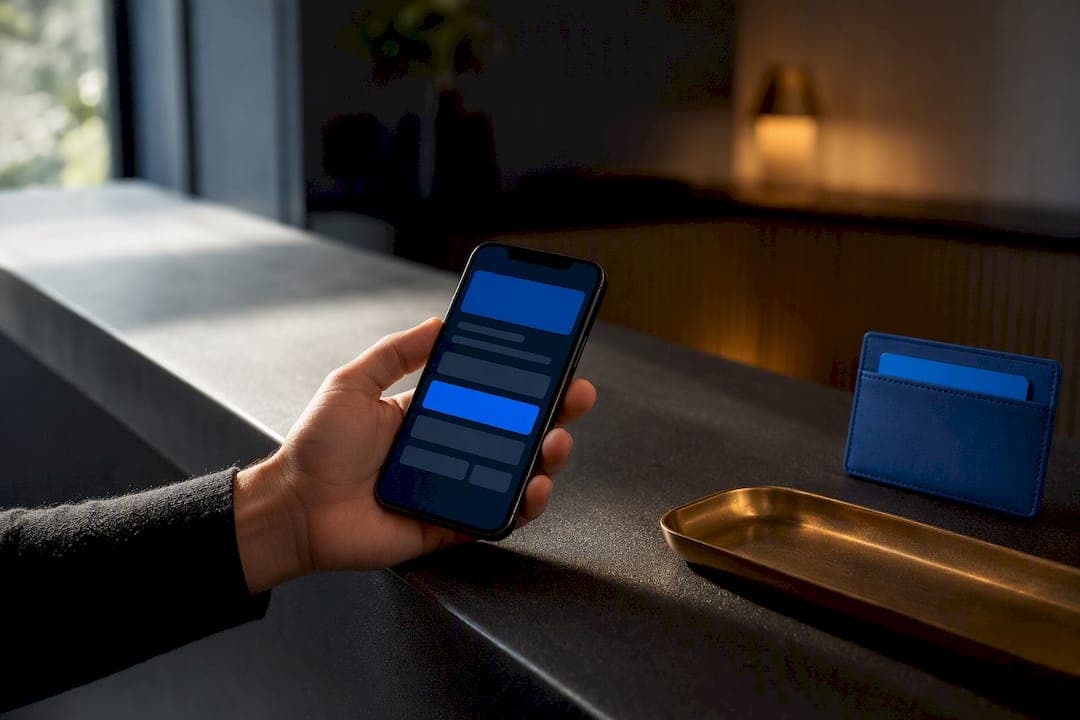
A booking confirmation email must lead with status, date and time, a confirmation number, and the guest's name, all visible without scrolling. The from address and subject line need to match what the customer expects to see. Everything else, including any upsell or promotion, stays out of that primary block so the message reads as transactional, not marketing.
TL;DR:
- The confirmation email must prominently display the booking status, date and time, confirmation number, and guest's name above the fold for quick recognition.
- The subject line should clearly state the business name and reservation confirmation, with a preheader containing the date or confirmation number to improve open rates.
- The email should include detailed logistics, payment and cancellation policies, and action links such as add-to-calendar or modify booking; promotional content must be secondary or separate.
- FAQs highlight the importance of separate transactional and marketing sending streams, authentication protocols, and accessible design to ensure deliverability and user experience.
- For booking updates or cancellations, send clear, labeled confirmations with the same reference number to reduce support calls and follow-up disputes.
Table of Contents
- What Should a Booking Confirmation Email Include?
- Copy-Ready Booking Confirmation Email Templates
- Why Automated Confirmations Protect Revenue, Not Just Politeness
- Deliverability, Compliance, and Accessibility Basics
- Launch or Audit Checklist
- Handling Amendments and Modifications
- Implementer Notes on What Actually Reduces Friction
- Forge Web Studio: A Practical Option for Booking-Ready Websites
- Sources
- FAQ
What Should a Booking Confirmation Email Include?
A confirmation email has one job: answer the four questions a customer asks the second they see it land in their inbox. Did it go through? When? Where? Who do I call if something's wrong? Get those answered above the fold and you've already cut a chunk of your support inbox before the message finishes loading.
Subject line and preheader. Skip cleverness here. "Your reservation at [Business] is confirmed for March 14" beats "You're all set!" because it's scannable in a crowded inbox and tells Gmail's algorithm exactly what kind of message this is. The preheader, the snippet that shows after the subject line, should carry the confirmation number or the date, since many customers decide whether to open based on that second line alone.
Top-of-email summary. This is the block that matters most. Booking status, confirmation number, date and time, and guest name belong in the first screen, before any logo animation or scenic photo. One transactional email guide frames this as the "one-line summary" pattern: a customer scanning on a phone should get full reassurance without tapping anything.
Booking details and logistics. Service name, exact location with a map link, parking or access notes, and anything the guest needs to bring. If you run tours, appointments, or anything location-dependent, this section prevents the "wait, where do I park" call twenty minutes before arrival.
Payment and cancellation policy. State what was charged, what's still owed, and exactly how cancellation works, in plain language, not legal boilerplate. Vague cancellation wording is one of the most common triggers for chargebacks and support disputes.
Action links. Add-to-calendar, view-or-change-booking, and a way to contact support. Keep these as real buttons, not just blue text, and make sure each one describes exactly what it does.
Visible phone number and reply-to. A dead noreply address tells customers you don't want to hear from them. Even if most replies get filtered into a shared inbox, a working reply-to reduces the perception of a faceless system.
Footer. Minimal marketing, a mailing address if you're including any promotional content at all, and unsubscribe language that fits the message type. The FTC's CAN-SPAM guidance treats confirmations as transactional or relationship messages, a narrow legal category, and warns that adding promotional content can knock the whole email into commercial territory, triggering full opt-out and labeling requirements.
Here's the structure in order:
- Subject line naming the business and confirming status
- Preheader with date or confirmation number
- One-line summary block (status, date/time, confirmation ID, guest name)
- Booking details and logistics
- Payment and cancellation policy
- Action buttons (calendar, modify, contact)
- Footer with contact info and minimal legal text
Pro Tip: Put the confirmation number in the subject line or preheader whenever your system allows it. Customers searching their inbox during a support call will find the message in half the time, and that alone shaves minutes off every phone call.
Copy-Ready Booking Confirmation Email Templates
Adapt these directly into your booking system or email service provider. Each one keeps the transactional block first and treats anything promotional as optional and secondary.
-
Appointment confirmation (single service, single attendee). Subject: "Your appointment with [Business] is confirmed for [date]." Body opens with status, date, time, provider name, and confirmation number, followed by location and what to bring. Personalization tip: use the guest's first name in the greeting and reference the specific service booked, not a generic "your appointment." Keep any rebooking discount out of this email entirely; save it for a separate marketing send.
-
Paid reservation or deposit confirmation. Subject: "Payment received: your reservation for [date] is confirmed." Show the amount paid, remaining balance if any, and the due date for that balance directly under the summary block. Personalization tip: reference the specific package or room type paid for. This message is unambiguously transactional since it documents a financial transaction, so keep marketing content to zero here.
-
Group booking confirmation. Subject: "Group reservation confirmed for [group name], [date]." List each attendee name if your system captures them, plus a single set of shared instructions (arrival time, group leader contact, group-specific parking). Personalization tip: address the group organizer by name in the opening line, since they're the one fielding questions from everyone else. One-line rule: never insert an upsell for additional guests inside this transactional message; that belongs in a follow-up.
-
Tour or experience confirmation. Subject: "You're confirmed: [Tour Name] on [date] at [time]." Include the meeting point with a map link, duration, what to bring (water, closed-toe shoes, ID), and a weather or rescheduling policy if outdoor. Personalization tip: mention the specific tour variant booked (sunset, private, group) so guests know it matches what they paid for.
-
Restaurant reservation confirmation. Subject: "Table for [party size] confirmed at [Restaurant], [date] at [time]." Show party size, time, any special requests noted (allergy, high chair, birthday), and a modify/cancel link. Personalization tip: acknowledge the special request explicitly ("We've noted your gluten allergy") so guests know it was actually received, not just submitted into a void.
-
Registration or seat reservation. Subject: "Your ticket for [Event] is confirmed." Include a QR code or ticket ID, access instructions (gate, door, virtual link), and start time. Personalization tip: state the exact ticket tier or seat section booked. One-line rule: keep sponsor logos and event upsells below the ticket block, never above it, so the access information is never buried.
Across all six, the pattern holds: transactional content first, personalization through specifics rather than generic pleasantries, and promotional material either absent or clearly secondary.
Why Automated Confirmations Protect Revenue, Not Just Politeness
A confirmation email is the cheapest customer service you'll ever provide. It answers the "did this work" question before anyone has to call and ask, which is precisely why businesses that automate this step see fewer support tickets and fewer no-shows. Customers who receive a clear, detailed confirmation are less likely to forget the appointment, and less likely to dispute a charge they don't recognize on a statement.
By the numbers: a well-built transactional template, one that puts a one-line confirmation summary above the fold, is directly linked to higher customer confidence and fewer support inquiries, according to the Transactional Email Guide.
Four metrics deserve a dashboard of their own: delivery rate (did it reach the inbox at all), open rate (did the subject line work), click-through on modify or change links (are customers actually using self-service instead of calling you), and no-show rate (the ultimate test of whether the reminder chain is working). If your no-show rate isn't dropping after you add confirmations and reminders, the template itself, not the concept, is probably the problem.
Automation is also what makes follow-ups possible without extra staff hours. Once the confirmation trigger exists, the same system can fire a reminder 24 hours out, a receipt after service, and a review request a day later, each one personalized with the same booking data you already collected.
— Dylan
Deliverability, Compliance, and Accessibility Basics
Confirmation emails live or die on inbox placement, and inbox placement depends on infrastructure decisions most businesses never think about until something breaks. Transactional email deliverability best practices call for separating transactional sending from marketing sending, either through a distinct subdomain or a separate email service provider entirely, so a marketing blast that triggers spam complaints doesn't drag your booking confirmations down with it.
Authentication is not optional. SPF, DKIM, and DMARC records tell receiving mail servers that your messages are legitimately from you, and without them, even a perfectly written confirmation can land in spam.
On the legal side, the FTC's CAN-SPAM guide lists transactional and relationship messages as a narrow exempt category. Add a discount code or a marketing banner into that same message and you risk reclassifying the whole thing as commercial, which pulls in opt-out requirements and header rules you didn't plan to comply with. When in doubt, send the promotion separately.
Accessibility is where a lot of confirmation emails quietly fail. Accessible email HTML guidance recommends semantic headings instead of styled paragraph text, role='presentation' on layout tables so screen readers skip them cleanly, a real plain-text alternative sent alongside the HTML version, descriptive link text ("View your booking" instead of "click here"), and buttons built to survive image blocking.
| Check | What it verifies | Tool or method |
|---|---|---|
| Inbox placement | Whether the email lands in inbox vs. spam | Seed list or placement testing tool |
| Images-off render | Whether the message still makes sense without images loading | Manual test in Outlook or Gmail |
| Screen reader read-through | Whether content reads in logical order | VoiceOver or NVDA |
| Calendar link | Whether add-to-calendar generates a correct .ics file | Manual click test on iOS and Android |
Pro Tip: Run every new template through a screen reader before it goes live, not after a customer complains. It takes ten minutes and catches the layout-table and image-only-button mistakes that quietly lock out a portion of your audience.
For button wording specifically, copy-ready CTA examples offer a good reference for phrasing that reads clearly both visually and through assistive tech.
Launch or Audit Checklist
- Standard subject line format across all confirmation types
- Preheader carrying date or confirmation number
- Add-to-calendar link tested on iOS and Android
- Confirmation ID visible in the first screen
- Visible phone number and working reply-to address
- Test sends checked across Gmail, Outlook, and Apple Mail
- SPF, DKIM, and DMARC verified for the sending domain
- Transactional stream separated from marketing sending
- Bounce and complaint rates monitored weekly
- Template stored in your booking system or ESP with triggers set for confirmation and reminder sends
| Priority | Action | Why it matters |
|---|---|---|
| High | Separate transactional sending stream | Protects confirmations from marketing-related deliverability damage |
| High | Confirmation ID above the fold | Cuts support calls asking "did this go through" |
| Medium | Add-to-calendar link | Reduces no-shows without extra staff effort |
| Medium | Plain-text alternative | Keeps accessibility and image-blocked clients covered |
Handling Amendments and Modifications
Bookings change constantly, times shift, party sizes grow, guests cancel one seat out of four, and your confirmation email needs a clear path for that reality instead of forcing customers to call and re-explain everything. The cleanest approach is a single, persistent "manage your booking" link in the original confirmation that stays live and functional for the life of the reservation, rather than a one-time link that expires after the first open.
When a change happens, send a fresh confirmation, not a patch. Label it clearly, "Your booking has been updated," with the new details highlighted against what was there before, so a customer scanning quickly can spot exactly what changed without rereading every field. Keep the same confirmation number across the update rather than issuing a new one, since customers and your support team both rely on that number as the anchor for the whole conversation.
For cancellations, send a distinct cancellation confirmation that states any refund amount and timeline plainly. Ambiguity here, "your refund is being processed," with no dollar amount or date, is one of the most reliable ways to generate a support ticket. If your booking system supports it, a booking form setup that automatically triggers both the update and a clear audit trail saves a lot of manual cleanup later.

Implementer Notes on What Actually Reduces Friction
Mobile clarity and a single-action CTA, in both the email and the landing page it links to, do more to cut repeat calls than any amount of design polish. A confirmation page that matches the email's details word for word stops the "wait, is this right" second-guessing. Three quick wins worth prioritizing: working calendar links, a real plain-text part, and a reply-to address someone actually reads.

Forge Web Studio: A Practical Option for Booking-Ready Websites
A practical option is a route to a working booking-and-confirmation setup for businesses that would rather not stitch this together piece by piece. Builds go live quickly, and projects include mobile-first pages designed so the confirmation email and the landing page it links to match, which helps reduce repeat support calls.

What you get isn't a template dropped into a generic theme. It's a site built with clear contact paths, a booking flow wired to trigger confirmations correctly, and local search setup so the traffic booking that appointment can actually find you first. Custom Business Website builds start at $2,500, and the full pricing breakdown covers the Starter and Growth tiers underneath it. If you'd rather talk through what your booking flow needs before committing, the services overview covers everything from booking integration to ongoing maintenance, and you can start a project request whenever you're ready to move.
Sources
- CAN-SPAM Act: A compliance guide for business
- Transactional email deliverability: best practices
- Transactional Email Guide: Setup, Deliverability, Examples, and Monitoring (2026)
FAQ
What Must Be in Every Booking Confirmation Email?
Every confirmation needs booking status, date and time, a confirmation number, and the guest's name visible without scrolling. Location, payment details, cancellation policy, and a way to contact support round out the rest of the message.
Are Booking Confirmations Considered Marketing Emails?
No. Under the FTC's CAN-SPAM guidance, confirmations fall into a narrow transactional or relationship category, but adding promotional content can reclassify the whole message as commercial. Keep marketing content out of the primary confirmation and send it separately instead.
How Do I Improve Deliverability for Confirmation Emails?
Separate your transactional sending stream from marketing sending, and set up SPF, DKIM, and DMARC authentication on your domain. The deliverability best practices guide recommends monitoring bounce and complaint rates weekly so one bad marketing send doesn't drag down confirmation delivery.
What Does Forge Web Studio Charge for a Booking-Ready Website?
Forge-web-studio's Custom Business Website starts at $2,500 and includes mobile-first design built for booking flows, with the Starter and Growth tiers priced lower on the pricing page. Exact scope and add-ons depend on the booking features a business needs.
How Should I Handle a Booking Change in a Confirmation Email?
Send a fresh, clearly labeled update, "Your booking has been updated," rather than a silent edit, and keep the same confirmation number so support and customers can reference it consistently. For cancellations, state any refund amount and timeline explicitly to avoid follow-up disputes.