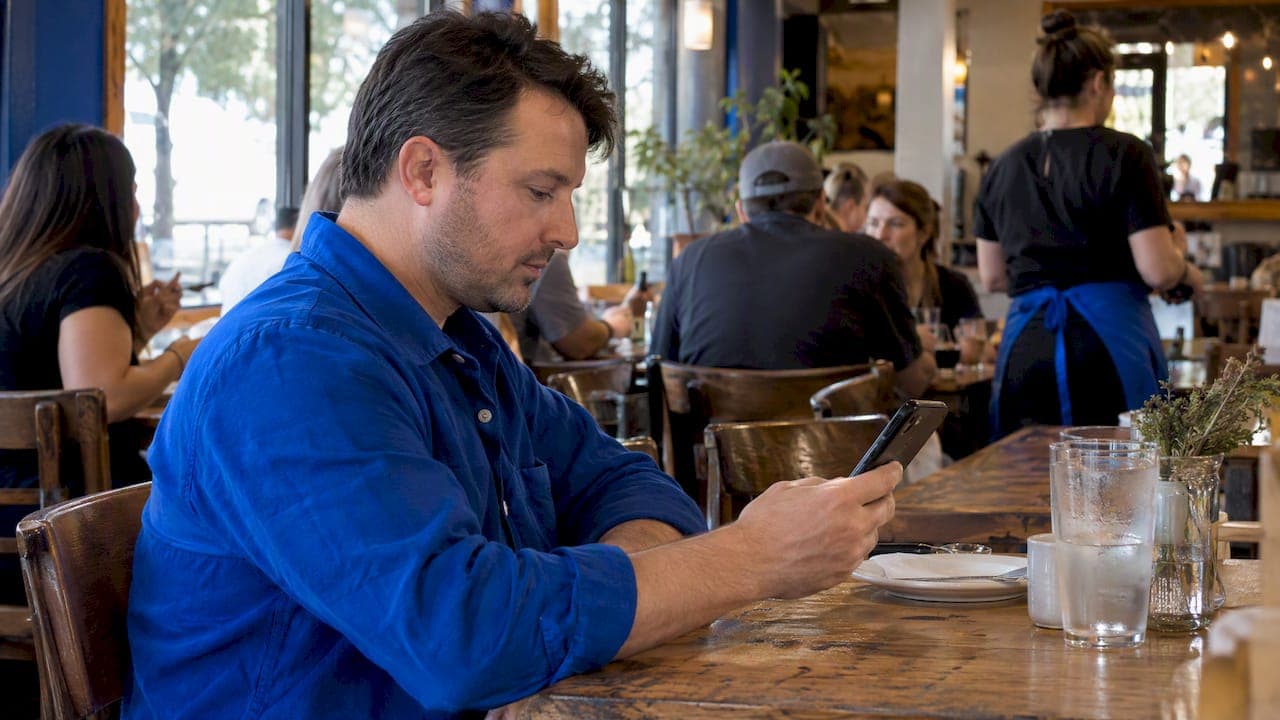
A good restaurant homepage layout answers five questions in the first scroll: where you are, when you are open, what is on the menu, whether a table is available, and how to reach you. Put the one action you want (Reserve or Order Online) at the top, put hours and location within a thumb's reach, and keep story and social links below the first decision point. The rest of this page shows the order of sections, what each one holds, and how to check it before launch.
TL;DR
- Build the phone version first. Most hungry visitors are on a phone, so the top screen needs your food, one main button, and a way to call or get directions.
- Use this order: header, hero with food photography, short story, signature dishes, menu preview in real HTML text, reviews, hours and map, events, final booking or ordering button.
- Publish the menu as text on the page, not only as a PDF. Keep hours, prices and holiday changes current.
- Choose one primary action. "Reserve" for table service, "Order Online" for takeout-heavy places, with click-to-call as the backup.
- Test every button on a narrow phone screen before launch, and name someone who owns updates afterward.
Table of Contents
- Start with the questions diners bring
- The layout, section by section
- The reservation and ordering path
- Mobile-first means designing the small screen first
- Perspective: what we see when restaurant sites underperform
- Pre-launch checklist
- Common mistakes to avoid
- Want us to build it?
- FAQ
- Sources
Start with the questions diners bring
People rarely arrive at a restaurant site to browse. OpenTable's website guide describes the usual visitor as someone trying to answer a short list of practical questions: where is it, when is it open, what is on the menu, can I book, and how do I contact them. Its checklist for the homepage includes a Google Maps-linked address, current hours with holiday changes, an up-to-date menu with prices and allergen information, a prominent mobile reservation link, and a phone number.

That gives you a test for every block you add. Does it answer one of those questions, or move the visitor toward booking, ordering, calling or visiting? If not, it belongs lower on the page or somewhere else.
The layout below is organized around diner intent, not around how your business is organized internally. The kitchen team, catering arm and gift card program may all matter to you. A hungry visitor on a phone at 5:40 p.m. cares about none of them yet.
The layout, section by section
Here is the order we recommend, adapted from a restaurant layout outline in DoorDash's design guidance and the diner questions above.
| Order | Section | Job it does |
|---|---|---|
| 1 | Header | Logo, Menu, Reservations or Order Online, Location, phone |
| 2 | Hero | Real food photo, cuisine and city, one dominant button |
| 3 | Short story | Why you, in two or three sentences |
| 4 | Signature dishes | Three to five items people come for |
| 5 | Menu preview | Real text, prices, dietary notes, link to full menu |
| 6 | Reviews or awards | Specific proof from real guests |
| 7 | Hours, address, map | The practical answers, with holiday notes |
| 8 | Events and specials | Reasons to come on a slow night |
| 9 | Final call to action | Repeat the booking or ordering button in the footer area |
Now the detail behind each.
1. Header: short, thumb-friendly navigation
Keep the navigation shallow. Five items is plenty: Menu, Reservations (or Order Online), Location, Contact, and perhaps Events. On a phone, collapse the rest behind a menu icon, but keep the primary button and a tap-to-call icon visible outside it.
Resist the urge to add About, Careers, Press, Gift Cards and Catering to the top bar. Move them to the footer. If catering is a real revenue line for you, give it its own landing page and link to it from the events section.
2. Hero: lead with the food, not the logo
The same DoorDash guidance recommends leading with food rather than a logo and choosing one clear next action. In practice, the hero is:
- One real photograph of a signature dish or your dining room, not stock imagery.
- A single line saying what you are and where, such as "Wood-fired Neapolitan pizza in Austin's East Side."
- One dominant button. Make it a different color from everything else on the screen.
If you take reservations, the button says Reserve a Table. If most of your volume is takeout, it says Order Online. A second, quieter link (Call, or View Menu) is fine. Three equal buttons are a menu of their own, and visitors who face too many choices often pick none.
3. Short story: two or three sentences
People like knowing who is cooking. They do not want your founding history before they have seen a dish. Write two or three sentences on what makes the place particular: the family recipe, the pitmaster, the local farm. Link to a fuller About page for those who want it.
4. Signature dishes: three to five, with photos
Pick the items you want people to order and show them with a good photo, a name, a one-line description and a price. This is where a homepage sells food. Keep it to three to five. If you want help choosing and presenting them, our guide to mobile-first menu page design and hero items goes deeper.

5. Menu preview: real text, not a locked PDF
Show a slice of the menu, such as one or two sections, directly on the page, with a clear link to the full menu. The menu should be native HTML with headings, descriptions, prices and dietary or allergen text. OpenTable's checklist recommends HTML menu text over a PDF.
Why this matters in practice:
- Text loads fast on a weak signal. A multi-page PDF often does not.
- Visitors can select and copy it, and screen readers can read it.
- You can update a price in a minute without re-exporting a file.
- Jump links (Starters, Mains, Desserts) make long menus easy to scan on a phone.
A PDF can stay as a downloadable extra for people who want to print it.
6. Reviews and awards: specific beats generic
A star rating alone says little. Two or three short, specific guest comments say more, such as "the brisket was still smoking when it hit the table." Use only real reviews you have permission or the right to display, with the guest's first name or the source named. Press mentions and local awards go here too, only if they are real and current.
7. Hours, address and map
This block is the second most visited part of most restaurant homepages, so give it a clear heading and don't hide it in the footer. Include:
- Street address linked to your map app so a tap opens directions.
- Today's hours first, then the weekly schedule.
- Holiday and special closures, updated before they happen.
- A phone number that works with one tap.
- Separate hours for pickup, brunch or happy hour if they differ.
That last point has a precedent. Google's Places data model distinguishes regular hours, current seven-day hours, and secondary hours such as pickup or takeout. Your homepage should show operationally different schedules just as clearly, so nobody drives over for dinner during the kitchen's lunch-only window.
8. Events and specials
Happy hour, live music, a Sunday special, a private dining option. Keep it to two or three items with dates. Remove expired ones, because a promotion dated last spring reads as an abandoned site.
9. Final call to action
After the visitor has scrolled through everything, repeat the primary button. A sticky bar fixed to the bottom of the phone screen also works well, as long as it does not cover the content or the cookie notice.
The reservation and ordering path
The homepage layout only works if the button leads somewhere painless. For table service, connect or embed a booking provider and keep the form to party size, date and time, with an optional notes field. Show availability immediately and send a confirmation. We cover this in detail in a restaurant reservation page that fills tables and a booking form template with three fields and visible labels. Confirmation messages cut calls and no-shows too, and our booking confirmation email templates show what to say.
For takeout, the numbers favor your own site. A 2022 PYMNTS survey of 1,996 U.S. consumers found that 86% mainly ordered pickup or dined in. Among those who mostly ordered pickup, 22% used a restaurant's own app or website for at least half of their restaurant purchases, against 5% using aggregators. The survey is a few years old, so treat it as direction, not a forecast. Still, it supports giving first-party ordering a prominent spot, and keeping click-to-call for people who would rather talk.
Mobile-first means designing the small screen first
Design the narrowest phone version before you touch the desktop one. That forces the right priorities.
- Buttons large enough to tap with a thumb, with space around them.
- Navigation that is shallow, not a three-level dropdown.
- Readable type and strong contrast, including text over photos.
- Accurate alt text on food and dining-room images.
- A reservation form that works with a screen reader and an on-screen keyboard.
Keep it fast
Food photography is heavy. Compress it, size it for the screen it appears on, and don't load a full-width image for a thumbnail. Our image optimization basics walks through the steps. For why speed also affects search visibility and conversions, this piece on how faster page speed supports SEO and conversions is a useful read.
Connect it to your Google Business Profile
Many diners find you on a map listing first, then tap through to your site. Make sure the name, address, phone, hours and website match your homepage exactly. We cover the tactics in our restaurant local SEO guide.
Perspective: what we see when restaurant sites underperform
We build sites for Texas local businesses, and we work directly with the founder on every project, so we see the same patterns often. Most weak restaurant homepages are not ugly. They bury the answer. The hero is a slideshow of nice photos with no button, the menu is a PDF that takes ten seconds to open on a phone, and the hours sit at the bottom in small gray type.
Our view is that a restaurant homepage is a working tool first and a brand statement second. The brand still matters, and it comes through in the photography, the voice and the dishes you choose to feature. But it should never stand between a hungry person and the Reserve button.
We also believe you should own your site and your content outright, with no templates and no surprise fees. A restaurant's menu, photos and reviews are assets. They should live on a site you control, not locked inside a platform you rent.
— Dylan
Pre-launch checklist
A homepage is never finished at launch. Menus, prices, hours, holiday exceptions, reservation availability and third-party integrations all change. Before going live, work through this list:
- Open the site on a narrow phone screen and scroll the whole page.
- Tap every button: Reserve, Order, Call, Directions, menu links.
- Confirm the map opens the right address in the visitor's map app.
- Make a test reservation and check that the confirmation arrives.
- Check that menu text is selectable and every price is current.
- Verify today's hours and the next holiday's hours.
- Confirm alt text on every food photo.
Then name one person who owns updates, and set a recurring check: weekly for specials, monthly for prices and links, and before every holiday for hours.
Common mistakes to avoid
- Auto-playing video with sound or heavy background video. It slows the page and drains data.
- A menu that exists only as an image. It cannot be read aloud or searched.
- Two competing primary buttons. Pick one.
- Stale hours. Nothing frustrates a diner faster than a locked door.
- Social feeds embedded above the fold. They load slowly and send people away. Link to them from the footer.
- Stock photos of food you do not serve. Real photos of your own plates build trust.
Want us to build it?
If you would rather hand this to a specialist, we design and build restaurant sites with mobile-first layouts, clear contact paths and Google Business integration. See how we approach websites for restaurants and browse our demo gallery. Our published pricing starts with the Starter Website from $500, the Growth Website from $1,200 and the Custom Business Website from $2,500, with a $250 project deposit. The full details are on our pricing page.
FAQ
Should my restaurant homepage have a reservation button above the fold?
Yes, if you take reservations. Make it the single dominant button in the hero and in the header, so a visitor on a phone can act without scrolling. If your business is mostly takeout, make Order Online the primary button instead.
Is a PDF menu bad for a restaurant website?
A PDF alone is a weak choice, because it loads slowly on phones and is harder to read with assistive tools. Publish the menu as HTML text on the page, with prices and dietary notes, and offer the PDF only as an extra download.
How many sections should a restaurant homepage have?
Nine blocks cover most restaurants: header, hero, short story, signature dishes, menu preview, reviews, hours and map, events, and a closing call to action. A small cafe can trim it to six. Drop anything that does not answer a diner's question or push toward an action.
What should I put on the homepage of a restaurant with no reservations?
Lead with the menu and the location. Put hours, address, a map link and click-to-call high on the page, and add online ordering if you offer it. Add a wait-time note or a "walk-ins welcome" line to remove the guesswork.
How often should I update my restaurant homepage?
Check specials weekly, prices and links monthly, and hours before every holiday. Reservation and ordering integrations need a test after any change to the provider or your site. Assign one named person to own these checks.
Sources
- How to Build a Restaurant Website: Complete Guide
- Restaurant Website Examples and Design Tips
- Google Places API reference: Place resource
- PYMNTS 2022 Restaurant Digital Divide report